

Closed (fixed)
Project:
Drupal.org CVS applications
Component:
new project application
Priority:
Normal
Category:
Task
Assigned:
Unassigned
Issue tags:
Reporter:
Created:
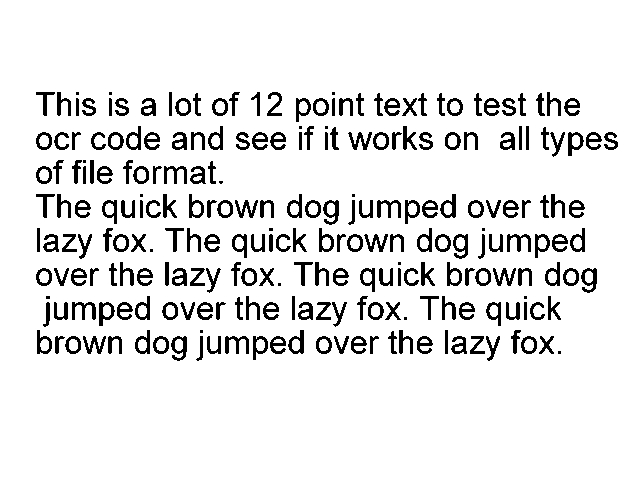
12 Nov 2010 at 12:28 UTC
Updated:
14 Apr 2019 at 08:09 UTC
Jump to comment: Most recent, Most recent file

Comments
Comment #1
sunspikes commentedOCR for Drupal Module
------------------------------
This module allows admin to create nodes from text extracted from images. This uses tesseract for extraction process.
Admin can import text and create nodes interactively as well as, as a batch process.
Please note this module in alpha stage, this needs further development to become a full-fledged module.
Other than this i have some other useful modules like meta importer, drupal theme creator modules which i want to contribute and maintain.
For this please provide me the CVS access.
Comment #2
avpadernoHello, and thank for applying for a CVS account. I am adding the review tags, and somebody will review the code, pointing out what needs to be changed.
As per requirements, the motivation should include a comparison with the existing solutions (and describe the module features with more than 2 sentences).
Comment #3
avpadernoComment #4
sunspikes commentedThis module allows the admin to create nodes from text extracted from images.
For text extraction from images there are lot of opensource solutions are available, you can see some of them at: http://www.mscs.dal.ca/~selinger/ocr-test/
But out of these IMHO, tesseract does this job best.
Currently there is no other module which supports text extraction from images and create nodes using that for all image types, the closest solution is:
File Framework (http://drupal.org/project/fileframework), this supports only tiff for text extraction.
But OCR for drupal supports almost all image types (tiff, bmp, png, jpeg, gif, pnm), since this uses tesseract for extraction process.
Also OCR for Drupal supports batch extraction as well as interactive way of node creation.
The main features of this module are:
- Its easy to use
- Creates nodes using text extracted from images.
- Tesseract options and its executable binary path can be configured in admin settings
- Nodes can be created interactively, that is the user can choose an image file, this will take the use to a node creation page, where user will be provided with prepopulated body field, and an empty title fild and an option to choose content type for the node.
- Nodes can be created as batch, that is the user can choose a particular directory inside files folder and the module will create nodes as batch with text extracted from image as body and as of now the filename as title and content type given in the admin settings.
Comment #5
avpadernoThank you for your reply.
Comment #6
sunspikes commentedThank you for the reply. I have ran coder to make the code compliant.
Please use the attached module for review.
Comment #7
patoshi commentedawesome just wat i was looking for today... need any help maintaining it ? im planning to use the ocr to index a bunch of press articles that one of my clients have.
Comment #8
sunspikes commentedHi i have done some more code clean ups and now the module is running perfectly i think. Please use this module, I am really sorry for posting the module again.
@duckx Thank You, please try the attached module if you are interested.
Comment #9
sunspikes commentedI have updated the module with the following changes:
- Seperated Javascript
- Fixed a menu problem
- Added Help
- Added some more code documentation
- Added a README
Comment #10
sunspikes commentedIts been around 1 month, can somebody please review this module. Also please find the attached latest module.
Comment #11
sabrawy commentedi tested the last file @ #10
i have installed the requerment software on windows 7 and i tried to import an image
there is an error in
Comment #12
sunspikes commentedHi msm_eg,
Thank you for testing the module.
Can you also please make sure your Drupal installation's temporary directory exists and its writable (from the error i think it is set to C:\xampp\tmp).
Sorry for the trouble, please try the attached module.
Comment #13
sabrawy commentedi did as you said the tmp folder was there and writable i have installed the new vr you attached it.
i tried to import an image to see if it will read the text from it , it didn't i went to the temp folder i found 1 file tmpB138.tmp it was 0 KB
and after import the image it took me to a page to insert the title and the body i filled them , and it makes a new node but there is no any text from the image
i don't know what's wrong and why it didn't read any text from the image.
if it's work with you on windows please provide help how i can make it work
i installed the required software . i filled the dru_ocr settings with the path of the exe file for that software
is there anything else i should do?!
Comment #14
sunspikes commentedCan you please try the module using the attached image and tell what is the result?
If the attached image not works for you please make sure you have installed tesseract correctly.
Try to use tesseract directly to make sure it gives you the extracted text. To check this in command line try,
For example in Windows like,
Or in Linux like,
This will generate a file named testout.txt, which will contain the text extracted.
Since this module uses tesseract for the text extraction process. The accuracy of extraction depends on the tesseract tool.
The accuracy of tesseract can be increased by training it for other languages and other characters like given in http://code.google.com/p/tesseract-ocr/wiki/TrainingTesseract3
Also traindata for various languages are available at http://code.google.com/p/tesseract-ocr/downloads/list
Comment #15
sabrawy commentedi did it and here is the output
i tried to test the application with your image because i had test it with print screen image before but the same result there is no text.
after i use the up-loader it taking me to a empty form
if you are passing the image text to the body field please check it because it always coming empty.
Comment #16
sunspikes commentedHi msm_eg, sorry for replying this late. Can you please try the attached module.
Comment #17
zzolo commentedHi. Please read all the following and the links provided as this is very important information about your CVS Application:
Drupal.org has moved from CVS to Git! This is a very significant change for the Drupal community and for your application. Please read the following documentation on how this affects and benefits you and the application process:
Migrating from CVS Applications to (Git) Full Project Applications
Comment #18
sunspikes commentedHi zzolo,
Thanks for the update. I have created a sandbox project for this one, it can be accessed at: http://drupalcode.org/sandbox/sunspikes/1083032.git
Please review it. Thanks!
Comment #19
sunspikes commentedPlease review this module. Thanks!.
Comment #20
pvanerk commentedHi Sunspike,
I will try to review the module this evening. Are you also planning to build some mapping tables into it, so you can map certain values in the image to CCK fields?
Comment #21
sunspikes commentedHi pvanerk,
Thanks for your reply. Currently this module is developed as an import utility. The main intention is to help batch import of text from images to Drupal to aid migration, for which i am using using this module currently. But i would love to extend this module by mapping this as a value provider for CCK fields, which can be done by making use of import functionality written in this module.
Comment #22
mlncn commentedHi sunspikes, you've been waiting over a month for the continuation of your review, after being very responsive to feedback. I've done a quick review of the code – not tested it, though i'm quite interested – and set your d.o user to be able to promote sandbox projects to full projects.
I trust you'll be responsive in your issue queues and continue developing this module.
One question: Have you considered Libraries API for the inclusion of tesseract? (Not actually sure it's a good idea.)
Congratulations! You can now promote sandbox projects to full status ones. When you would like further review for any project please do ask at http://groups.drupal.org/peer-review/requests
Further cleanup issues introduced here and new ones can be filed on your project issue queue. Thank you for your contribution and i look forward to seeing its refinement and development and your continued involvement in Drupal!
benjamin, agaric
Comment #23
sunspikes commentedHi mlncn,
Thank you very much for the approval. Also thank you for suggesting Libraries API module, i have checked that module and which is very useful if we are using some external libraries, but in this module i am using the tesseract binary directly without using any libraries.
Comment #26
avpadernoI am giving credits to the users who participated in this issue.