

 Come together with the global Drupal community in Rotterdam, 28 Sept – 1 Oct 2026. Sessions, contribution, connection, and Early Bird savings until 8 June.
When I want to show my different markers for my different content types on a map, the map displays OK with the different markers on it.
BUT:
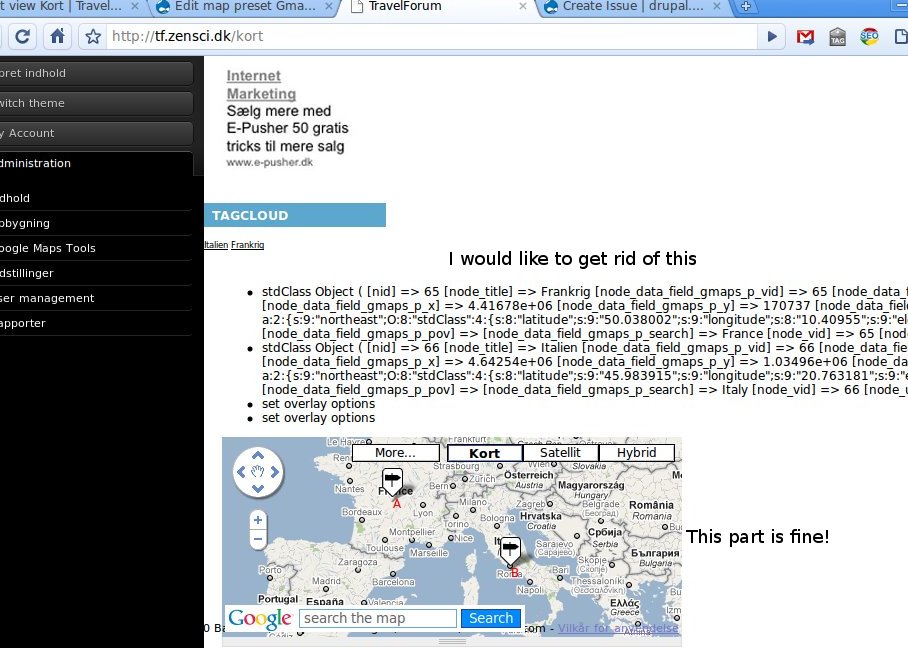
Above the map I get this text, that I cannot seem to get rid of (there is one of these for every marker):
stdClass Object ( [nid] => 65 [node_title] => Frankrig [node_data_field_gmaps_p_vid] => 65 [node_data_field_gmaps_p_map_type] => earth [node_data_field_gmaps_p_latitude] => 46.227638 [node_data_field_gmaps_p_longitude] => 2.213749 [node_data_field_gmaps_p_elevation] => 0.00 [node_data_field_gmaps_p_x] => 4.41678e+06 [node_data_field_gmaps_p_y] => 170737 [node_data_field_gmaps_p_z] => 4.58279e+06 [node_data_field_gmaps_p_privacy] => [node_data_field_gmaps_p_bounds] => a:2:{s:9:"northeast";O:8:"stdClass":4:{s:8:"latitude";s:9:"50.038002";s:9:"longitude";s:8:"10.40955";s:9:"elevation";s:1:"0";s:8:"map_type";s:5:"earth";}s:9:"southwest";O:8:"stdClass":4:{s:8:"latitude";s:9:"42.133164";s:9:"longitude";s:9:"-5.982052";s:9:"elevation";s:1:"0";s:8:"map_type";s:5:"earth";}} [node_data_field_gmaps_p_pov] => [node_data_field_gmaps_p_search] => France [node_vid] => 65 [node_uid] => 1 [node_type] => destination )
And this (also one for each piece of content):
set overlay options
Is there a way to get rid of this?
See also attached image.
| Comment | File | Size | Author |
|---|---|---|---|
| gmapscontentmarker.jpeg | 123.97 KB | lennart |

Comments
Comment #1
lennart commentedThe unwanted output went into the drupal message system so I managed to get rid of it by commenting out:
drupal_set_message(print_r($values,true));
drupal_set_message('set overlay options');
In gmaps_cmo_handler_marker_icon.inc
Not sure if this is a sustainable solution?
Comment #2
thommyboy commentedhi, how did you manage to display different icons for different contenttypes? are you using a view to display a map?
because i couldn't manage to see different icons: http://drupal.org/node/1015806
Comment #3
lennart commentedSorry, I don't remember how I did it. And can't get the UI to function at all, right now, so I can't really have a look.
Comment #4
thommyboy commentedfor guys looking for that- i found it.
- when using a view add and configure the field "marker option:icon options