

Active
Project:
AT Koda
Version:
6.x-1.x-dev
Component:
Miscellaneous
Priority:
Normal
Category:
Support request
Assigned:
Unassigned
Issue tags:
Reporter:
Created:
1 May 2010 at 19:53 UTC
Updated:
11 Jan 2012 at 00:06 UTC
Jump to comment: Most recent, Most recent file


Comments
Comment #1
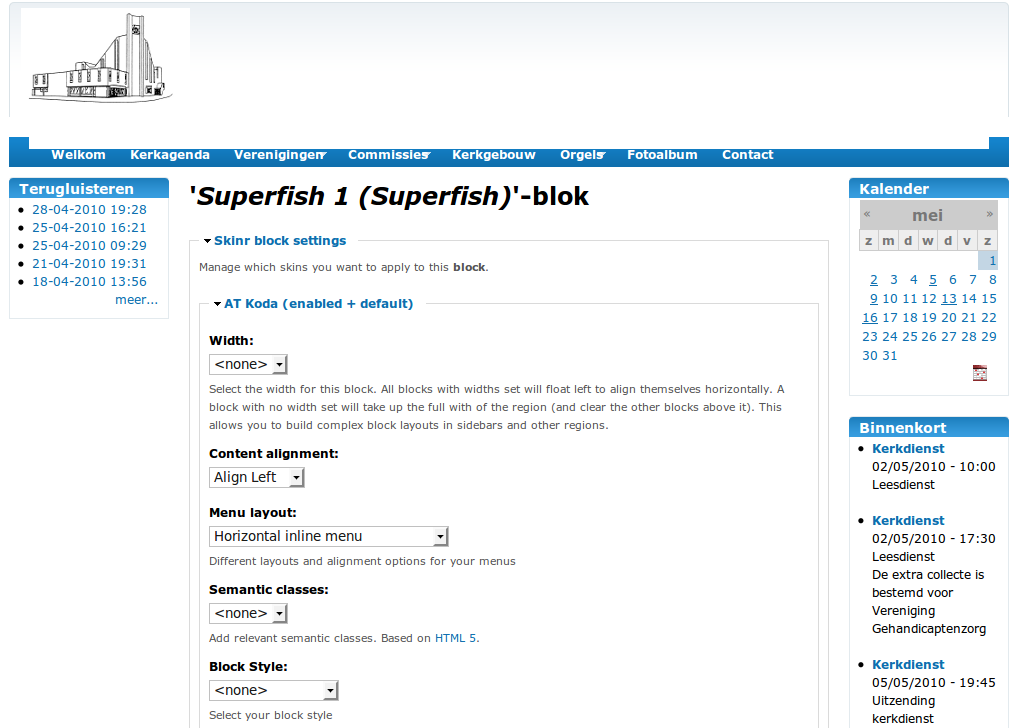
Jeff Burnz commentedIt could be that you have the Horizontal Inline skinr class applied to it, try removing that and just let Superfish module handle the menu layout. Remove the align Left class also, Superfish will style the menu correctly by itself.
Comment #2
Truff commentedI'm experiencing the same issue. All Skinr settings for the Superfish menu block are set to < none >.
Comment #3
Jeff Burnz commentedNeed links to sites, hard to say without seeing real live examples.
Comment #4
johan den hollander commentedwww.gergemvlaardingen.nl
I tried what you proposed in #1 and that did not change it.
Excuse me for not replying sooner btw.
Comment #5
Jeff Burnz commentedOK, i see use:
I'll fix this in the next version, I though I had but seems we have some issue here.
Comment #6
jusyjim commentedWorks for me now.
Comment #7
johan den hollander commentedWorks for me too. Thanks for the fix.
Comment #8
Anonymous (not verified) commentedsubscribing
Comment #9
Johan Vermeij commentedDumb question but where do I put this ?
#primary .block .content {
  background: transparent;
}
I tried putting it in var/www/html/themes/danland/style.css and I cleared the cache but I still have a blue bar behind the menu
Please give a bit of context
I have been working on this for days, no joke
Thanks
Johan
Comment #10
Johan Vermeij commentedThis post is quite old
I am using Superfish 6.x1.6 with a Danland theme and I have a blue bar behind the superfish menu that I cannot get rid of
When I see other sites the menu sits nicely inside the blue bar
Comment #11
Johan Vermeij commentedGot it
My menu was to wide to fit in the menu bar
So I changed from Primary Links to Superfish Menu and that put the menu on top of the blue bar
I have now reverted to using Primary Links and I have removed a few menu items
Beautiful now
Comment #12
ithacaindy commentedI'm experiencing the same SuperFish menu problems. When I don't assign anything to the menubar region, the Primary menu items appear perfectly, except drop-downs don't work. If I assign SuperFish to the menubar region, the drop-downs work, but I get the same missing horizontal stripe issue.
Is there a fix for this? I don't understand where to put the code outlined in #5.
Comment #13
killah89 commentedSame here. Please help me out. I will use this theme but its not beautiful with no correctly menu.
Thanks