Problem/Motivation

We've added a new FileIsSvgImageConstraintValidator in #3482121: Error uploading svg from the media tab (The "file_validate_extensions" plugin does not exist) to replace the old #file_validator approach. It works fine for the SVG Image field and the Media upload form at /media/add/vector_image, but it doesn’t get applied in the Media Library’s modal upload form.

Steps to reproduce

  • Install the SVG Image Field and submodule for Media integration.
  • Enable Media Library core module.
  • Try to upload an invalid SVG to /media/add/vector_image and see that it fails.
  • Add a Media field to Article content type, allowing Vector Image bundle for upload.
  • Select the Media Library formatter for the field's Form Display configuration.
  • Try to upload the same invalid SVG via the Media Library modal on /node/add/article and see that it works!?!?
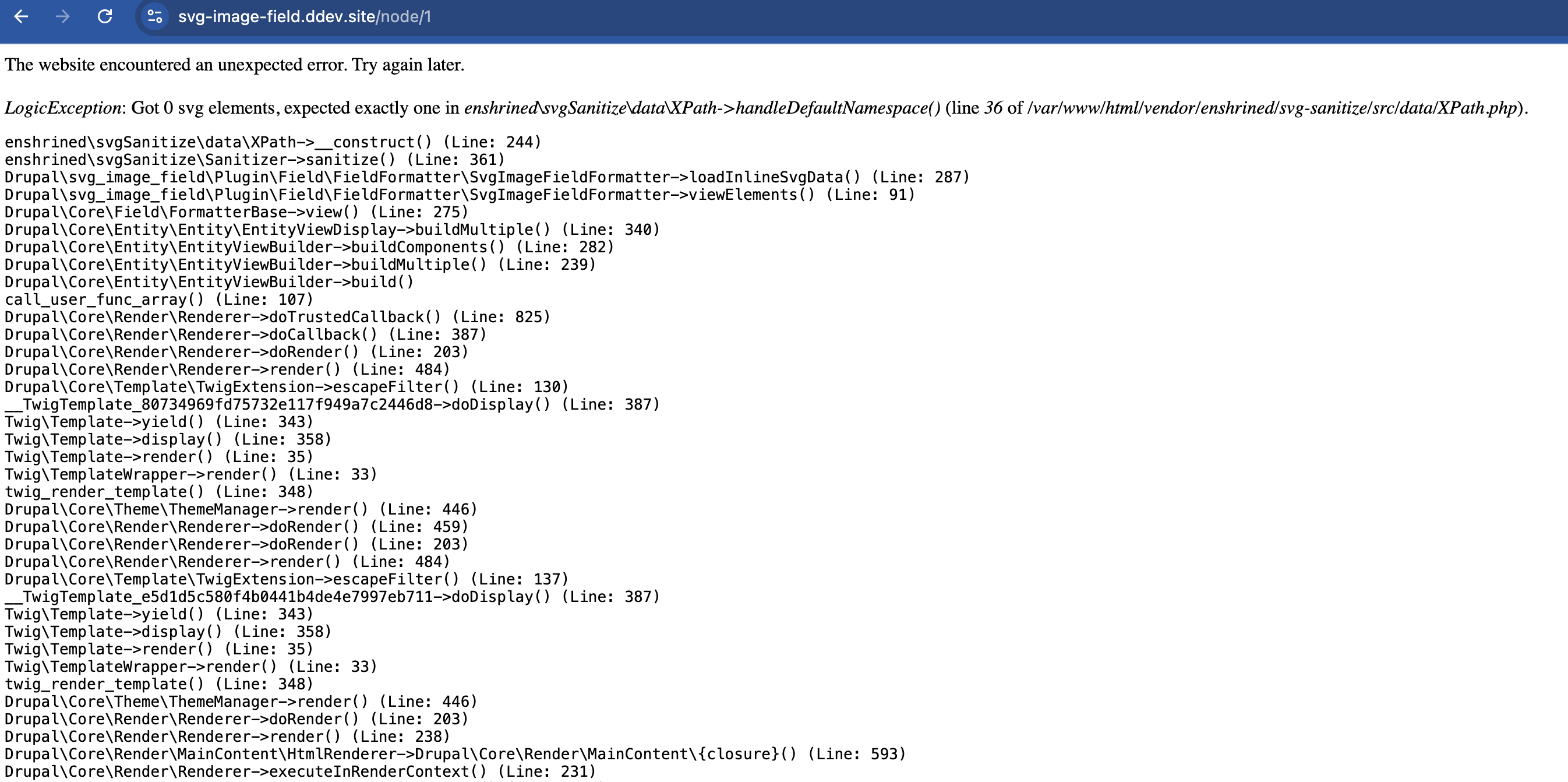
  • Load the node page and see a WSOD.

Proposed resolution

Ensure the Media Library form uses the File upload Constraint Validator class.

Remaining tasks

User interface changes

API changes

Data model changes

Command icon Show commands

Start within a Git clone of the project using the version control instructions.

Or, if you do not have SSH keys set up on git.drupalcode.org:

Comments

jwilson3 created an issue. See original summary.

jwilson3’s picture

jwilson3’s picture

Issue summary: View changes
StatusFileSize
new150.81 KB
jwilson3’s picture

Title: Svg Image Constraint Validator is not used in Media Library modal upload form » Use Constraint Validator on SVG upload in Media Library modal form

jwilson3’s picture

Assigned: Unassigned » jwilson3

  • jwilson3 committed a5330582 on 2.3.x
    Issue #3501882 by jwilson3: Validate SVG uploads in Media Library modal
    
jwilson3’s picture

Status: Active » Fixed

Fixed and merged to 2.3.x dev branch.

Now that this issue is closed, review the contribution record.

As a contributor, attribute any organization that helped you, or if you volunteered your own time.

Maintainers, credit people who helped resolve this issue.

Status: Fixed » Closed (fixed)

Automatically closed - issue fixed for 2 weeks with no activity.