

This project is not covered by Drupal’s security advisory policy.
The HTML to Markdown Converter module for Drupal provides a simple and efficient way to convert HTML content into Markdown format. Whether you're editing content or pasting HTML into text fields, this module allows you to quickly see the equivalent Markdown output.
With this module, users can easily:
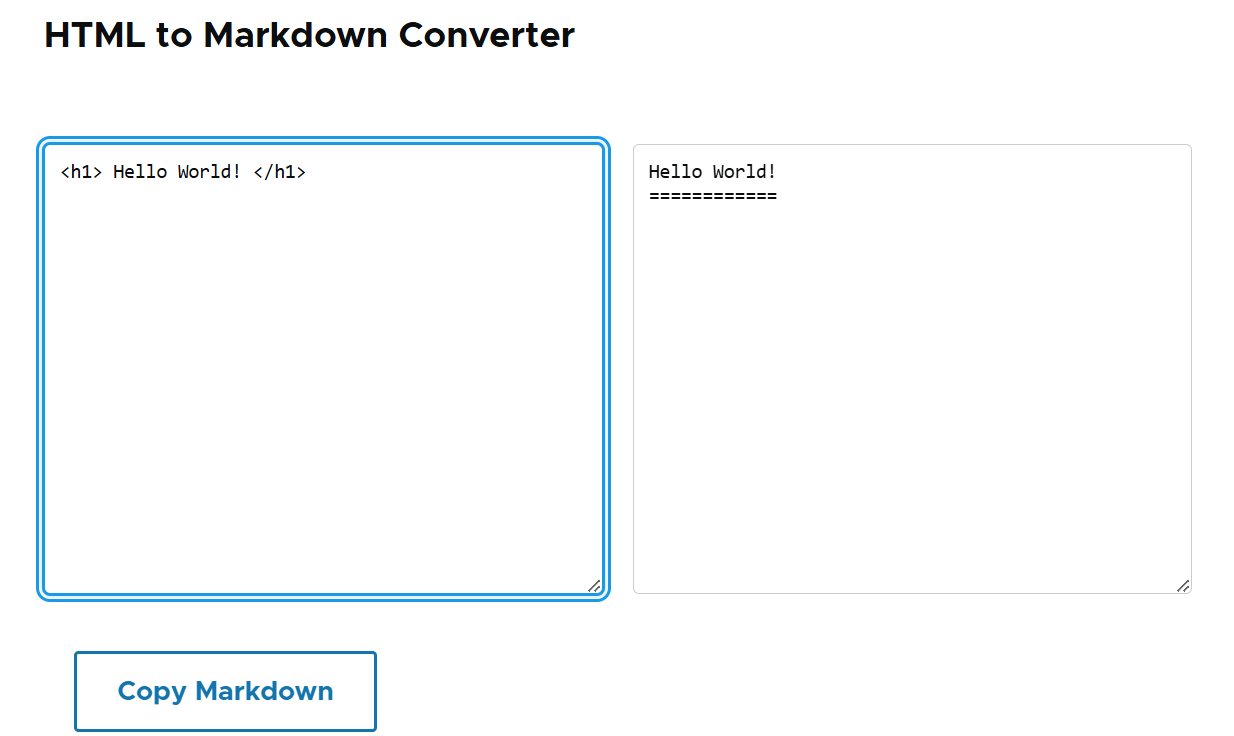
Paste HTML into a textarea.
View the converted Markdown in real-time (live conversion).
This tool is perfect for content editors, developers, or anyone working with HTML content who needs an easy way to convert to Markdown format for use in other platforms, documentation, or plain text formatting.
Features
HTML to Markdown Conversion: Automatically converts HTML content into Markdown syntax.
Live Conversion: Converts HTML to Markdown as you type, providing instant feedback.
Responsive Textareas: Works well in various screen sizes and is designed for usability.
Easy to Use: Simple interface for users to paste HTML and get Markdown in seconds.
Use Cases
Content Editors: Quickly convert HTML from a WYSIWYG editor or other sources into Markdown for documentation or markdown-based systems.
Developers: Integrate HTML to Markdown conversion into custom workflows.
Bloggers/Publishers: Move HTML content between platforms that support Markdown, or format posts for markdown-based platforms like GitHub, Jekyll, etc.
Post-Installation
After installation, the HTML to Markdown Converter will be available at the /html-to-markdown path.
A form will appear with two textareas: one for pasting HTML and the other for viewing the converted Markdown output
Additional Requirements
No external dependencies are required. The module uses standard Drupal form API and JavaScript libraries.
Project information
- Project categories: Content editing experience
- Created by krishnamohan_ramadugula on , updated
 This project is not covered by the security advisory policy.
Use at your own risk! It may have publicly disclosed vulnerabilities.


