


This project is not covered by Drupal’s security advisory policy.
Table of Contents
- Introduction
- Installation and Setup
- Main Features
- How to Use the Data Export Module
- Additional Notes
- Conclusion
1. Introduction
The Data Export Module provides a robust solution for exporting data in various formats such as CSV, XLSX, PDF, and DOCX. This module is designed to offer flexible and dynamic export capabilities, allowing administrators and developers to export data from specific database tables or custom queries. It offers dynamic header and data configuration, which ensures that exported files are tailored to meet your needs.
2. Installation and Setup
To install and configure the Data Export Module:
- Download the Module: Download the Data Export Module from the Drupal module repository.
- Enable the Module: Go to Admin Menu > Extend and enable the Data Export module.
- Configure Permissions: Ensure that appropriate user roles have permission to access export functionalities. Navigate to People > Permissions to assign these.
- Install Required Libraries: Install the following libraries using Composer:
- PhpSpreadsheet (for XLSX export):
composer require phpoffice/phpspreadsheetcomposer require phpoffice/phpwordcomposer require tecnickcom/tcpdf3. Main Features
- Export Formats Supported: CSV, XLSX, PDF, DOCX.
- Dynamic Data Export: Export data from any database table or through custom SQL queries.
- Simple Interface: Select tables and columns easily.
- Validation and Error Handling: Automatically checks for matching headers and data columns.
- Developer-friendly: Hooks are available for customizing the export process programmatically.
4. How to Use the Data Export Module
a. Export Using Table Name
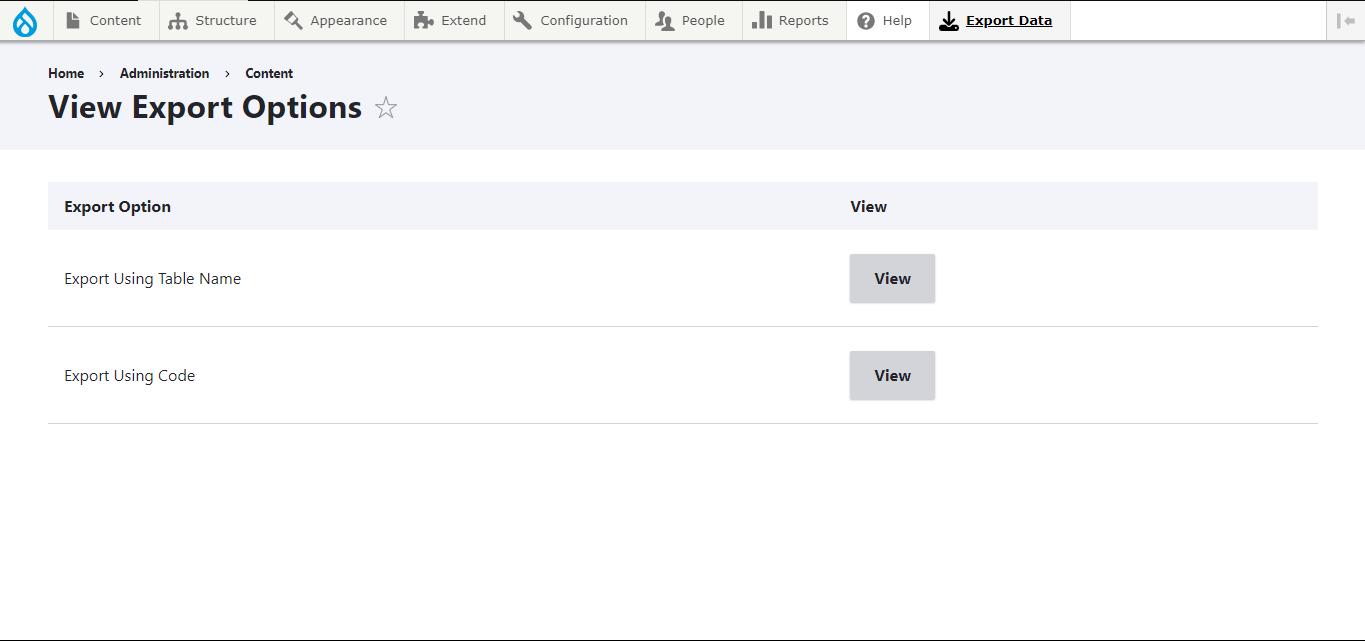
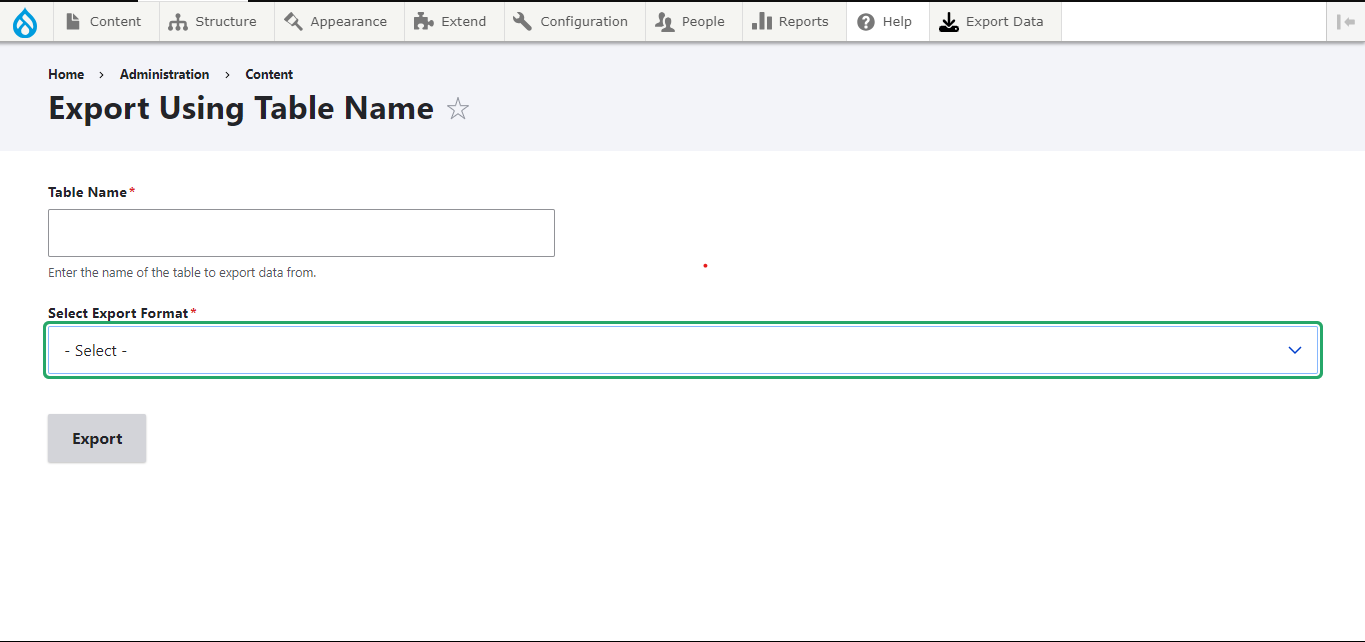
- Navigate to Export Interface: Go to Admin Menu > Export Data > Export Using Table Name.
- Enter Table Name: Input the name of the table from which to export data.
- Select Columns: Choose the columns to export. If none are selected, all columns will be included.
- Select Format: Choose between CSV, XLSX, DOCX, or PDF formats.
- Export: Click Export to download the file in your chosen format.
b. Export Using Code
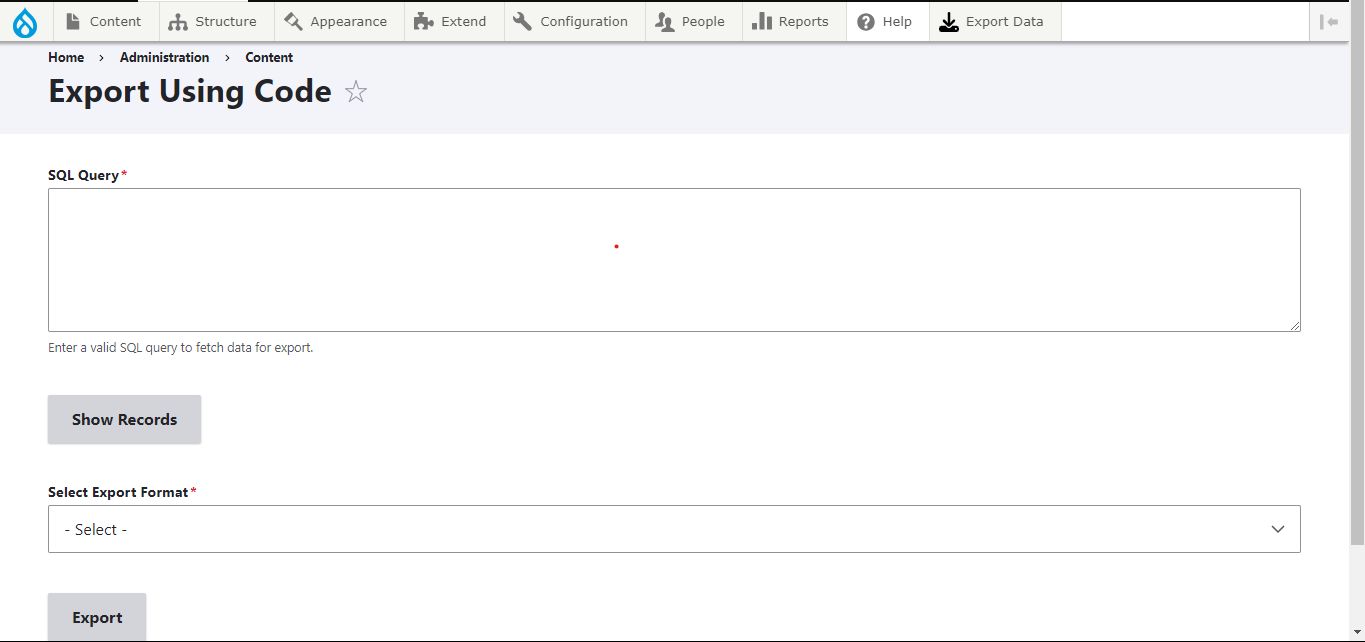
- Navigate to Custom SQL Export: Go to Admin Menu > Export Data > Export Using Code.
- Enter SQL Query: Input a valid SQL query for the data you want to export.
- Preview Data: Click Show Records to preview the query result.
- Select Format: Choose your export format (CSV, XLSX, DOCX, PDF).
- Export: Click Export to generate and download the file.
c. Developer Hooks
The Data Export Module provides several hooks to programmatically manage and customize exports. These hooks allow developers to pass dynamic headers and data arrays:
- exportPdf($headers, $data): Exports data in PDF format using TCPDF.
- exportDocx($headers, $data): Exports data in DOCX format with a table structure.
- exportCsv($headers, $data): Generates a CSV file.
- exportXlsx($headers, $data): Exports data in XLSX format.
Validation and Error Handling: The functions validate that the number of columns in the headers matches the number of columns in the data. If not, an error message is returned: "Error: The number of columns in headers and data does not match."
5. Additional Notes
Passing Headers and Data
The $headers array contains the column titles, and the $data array is multi-dimensional with each sub-array representing a row of data.
$headers = ['ID', 'Name', 'Email'];
$data = [
    ['1', 'John Doe', 'john.doe@example.com'],
    ['2', 'Jane Smith', 'jane.smith@example.com'],
];
Headers: 'ID', 'Name', and 'Email' will be the column titles.
Data: Values populate under each header as records.
6. Conclusion
The Data Export Module streamlines data export processes for Drupal administrators and developers. By following the installation and usage instructions, you can efficiently manage your data exports. The module also offers hooks for programmatically customizing the export, making it a versatile tool for advanced use cases. This module is a valuable asset for teams that frequently need to export data for reporting, analysis, or record-keeping.
Project information
- Project categories: Administration tools, Developer tools
 18 sites report using this module
- Created by harishpmkumar on , updated
 This project is not covered by the security advisory policy.
Use at your own risk! It may have publicly disclosed vulnerabilities.
Releases
The Data Export module allows you to export data in multiple formats (PDF, DOCX, XLSX, CSV) from your Drupal site. It supports dynamic header configuration, custom SQL queries, and robust error handling for easy and flexible data management.
Development version: 1.0.x-dev updated 30 Oct 2024 at 05:03 UTC


