

Closed (fixed)
Project:
Drupal core
Version:
10.1.x-dev
Component:
Claro theme
Priority:
Normal
Category:
Bug report
Assigned:
Unassigned
Reporter:
Created:
1 Dec 2023 at 16:13 UTC
Updated:
22 Dec 2023 at 07:44 UTC
Jump to comment: Most recent, Most recent file


 Show commands
 changes


Comments
Comment #4
penyaskitoCreated a merge request with a solution that worked for us. Javi-er thinks this might be a broader issue and not only affecting tabledrag.
Comment #5
smustgrave commentedas UI issue could a screenshot of the issue be added to the issue summary.
Comment #6
ankithashettyComment #8
ankithashetty+ RTBC.
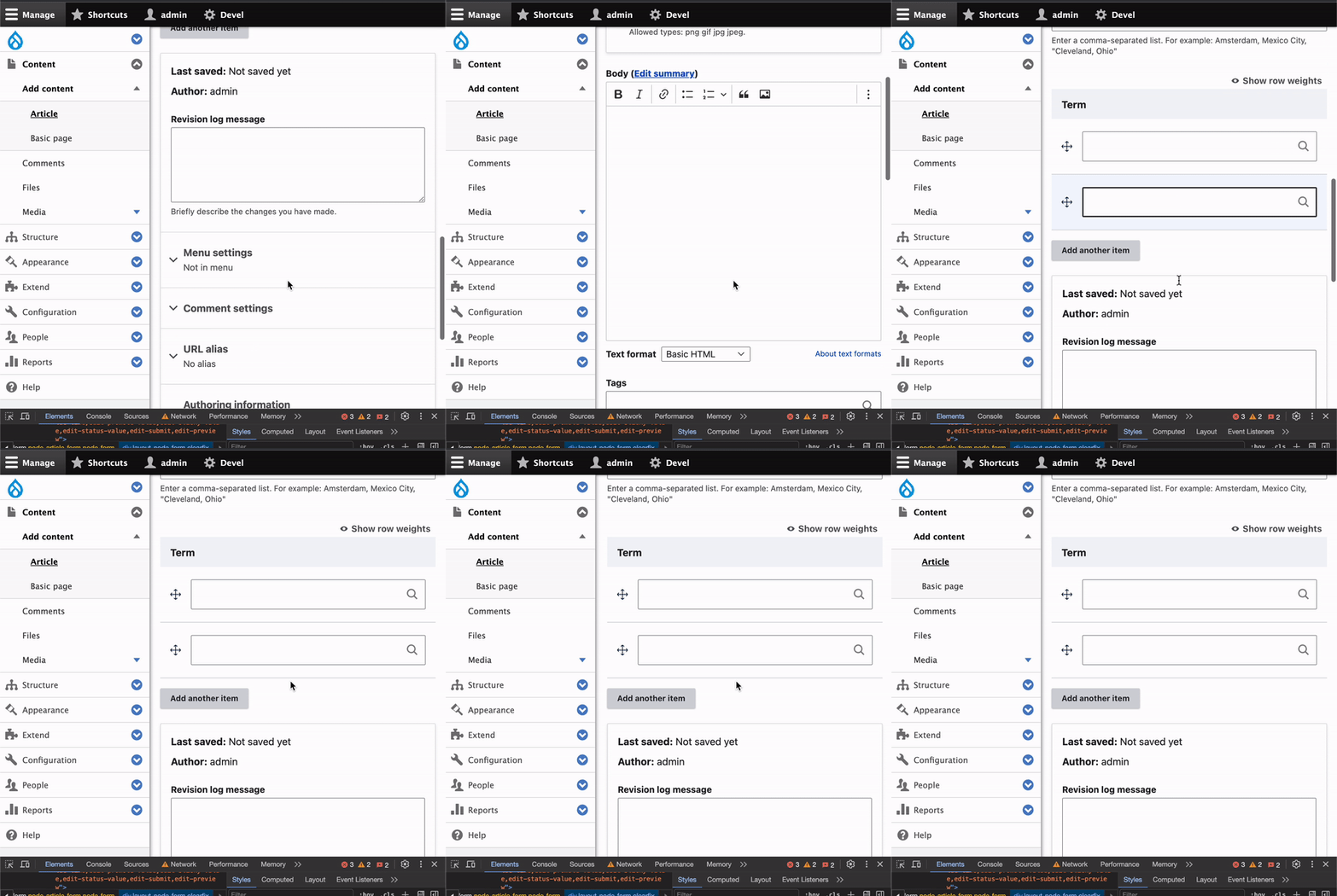
Tested the MR and it fixed the reported issue. Also IS updated with required SS.
Followed the same steps shared in IS to test it.
After applying the MR:
Comment #9
kostyashupenkoFirst of all, issue target version is
10.1.x, but MR was created against11.xbranch. So switching issue version to11.x. However bug exist in10.xand11.xand since it's a bug report, we can merge it directly in10.x. I checked - the latest diff in MR can be applied in10.xwith no problem.About original problem - input type text have
sizeattribute, which potentially can be different, but core hassize="60"by default. The width of container of input element is less than thissizeinput produce, that's why when not enough viewport width - input element goes out of viewport. So we need to add 100% width to the input element itself (because currently it doesn't have it, but should have for specific case in table). Also, when we are using autocomplete input fields - those fields have extra wrapper<div class="claro-autocomplete">, which hasdisplay: inline-blockCSS styles. Which means if we set lowsizeon the input element, likesize="10", the entire width of input field will be too narrow (but should be 100%). The fix provided in #4 is added in wrong place. We already have same kind of fix in another place intable.pcss.cssfile, which works ok for input fields which are not autocomplete input fields. SO i just added one more CSS line to wrap autocomplete cases.This is result:

I think this issue can be easily reviewed & merged
Comment #10
ankithashettyUpdate:
The test results shared in #8 are w.r.t to MR in #3. => Works as per expectation.
Tried the #7 MR, but it didn't fix the scroll issue for me.

Changing back to 'Needs work' status.
@kostyashupenko Could you please check again? Hope you have opened the main navigation while testing the fix.
Thanks!
Comment #11
kostyashupenkoI found 2 issues:
1. I forgot to put one more CSS line (now fixed)
2. on your video you have enabled aggregration (did you clear cache?). Even with previous commit you should have
width: 100%on the.claro-autocompleteCSS selector, but i don't see it in your video.Anyway let's re-test again, now works even with opened navigation. Sorry )
Comment #12
ankithashettyThanks for the update!
Tested again with the same steps, here are my observations:
* After applying the latest change, disabled aggregation and cleared cache (multiple times)
case #1. The fix works when we have a single autocomplete field

case #2. If we add another term/item, then we still see the scrolling issue. (Fix in #3 worked in both the scenarios)

Need to check on case 2.
Thanks!
Comment #13
kostyashupenkoFixed for ajax case. Also rebased
Comment #14
shweta__sharma commentedHi @kostyashupenko
I have tested MR 5643 on Drupal 11 and it's working fine.
The scrolling issue has been fixed when open the navigation menu for both cases.
Attached small recording.
Thanks
Comment #15
shweta__sharma commentedMoving to RTBC
Comment #16
ankithashettyThanks again @kostyashupenko!
+1 to RTBC
Steps to reproduce (shared in IS)
1- Create an entity reference field on a content type.
2- Choose 2 items or more on the "number of values" setting.
3- Visit the form page and open it at 712px width, open the main navigation.
Tested:
case #1. The fix works when we have a single autocomplete field.
case #2.Also works when we add another item.
Thanks!
Comment #17
ankithashettyComment #22
lauriiiCommitted 564c312 and pushed to 11.x. Cherry-picked to 10.2.x and 10.1.x. Thanks!