

Closed (duplicate)
Project:
OpenID Connect / OAuth client
Version:
3.0.0-alpha2
Component:
Miscellaneous
Priority:
Normal
Category:
Bug report
Assigned:
Unassigned
Issue tags:
Reporter:
Created:
22 Aug 2023 at 18:42 UTC
Updated:
30 Dec 2024 at 19:30 UTC
Jump to comment: Most recent, Most recent file



Comments
Comment #2
viren18febs commentedChecking the issue!
Comment #3
viren18febs commentedAccording to OpenID Connect / OAuth client configurations, when user click on login button it is automatically not redirect to the Keycloak server for authentication. instead of this a button will display on login page with the client id name.
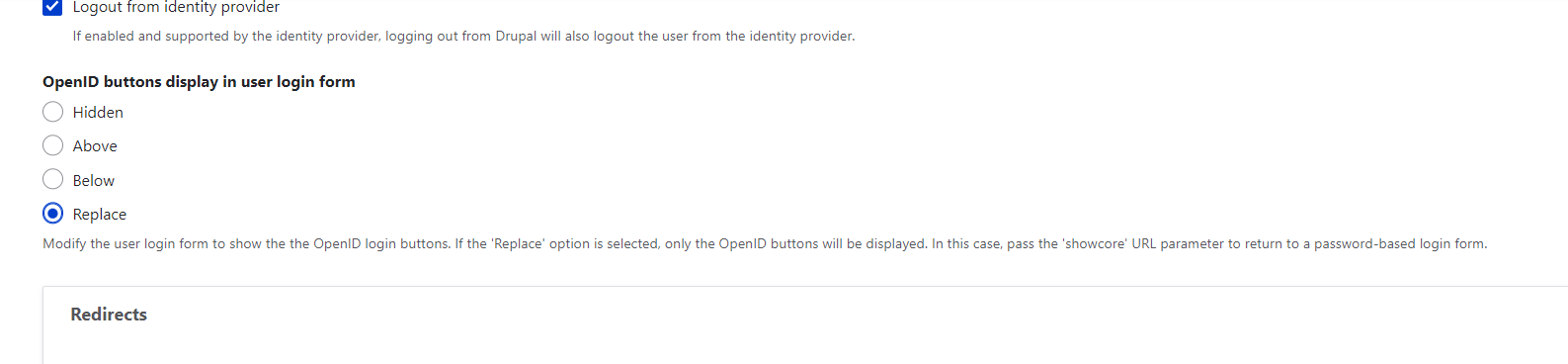
We can manage the position of that button from OpenID Connect Settings ("admin/config/people/openid-connect/settings"). if you choose replace from setting page, then login form will disappear & the "Log in with Keycloak" button is displayed. when user click on that button, it will redirect to the client server for authentication.
I have attached an image for reference.
Comment #4
pfrillingAfter reviewing the description, I believe what you are looking to accomplish is currently being tracked in this issue: https://www.drupal.org/project/openid_connect/issues/3011413
I'm going to close this as a duplicate.