Come together with the global Drupal community in Rotterdam, 28 Sept – 1 Oct 2026. Sessions, contribution, connection, and Early Bird savings until 8 June.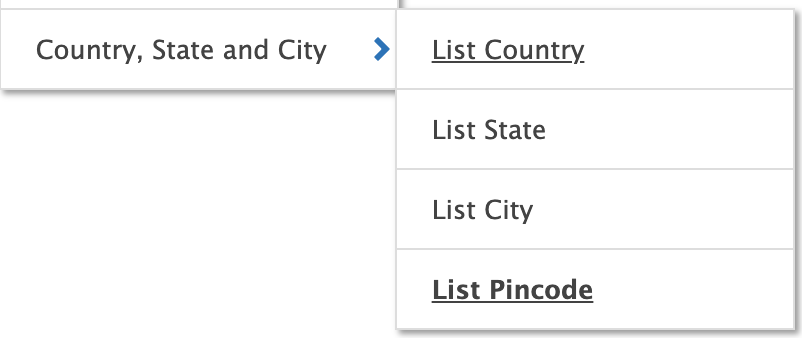
This project is not covered by Drupal’s security advisory policy.
Dependent Country State City modules extend your site functionality and provide feature to add/edit/delete Country State City and pincode/area as per your need. This module also provide API for fetching data from Database.
Go To Main Navigation -> Configuration -> Country, state and city
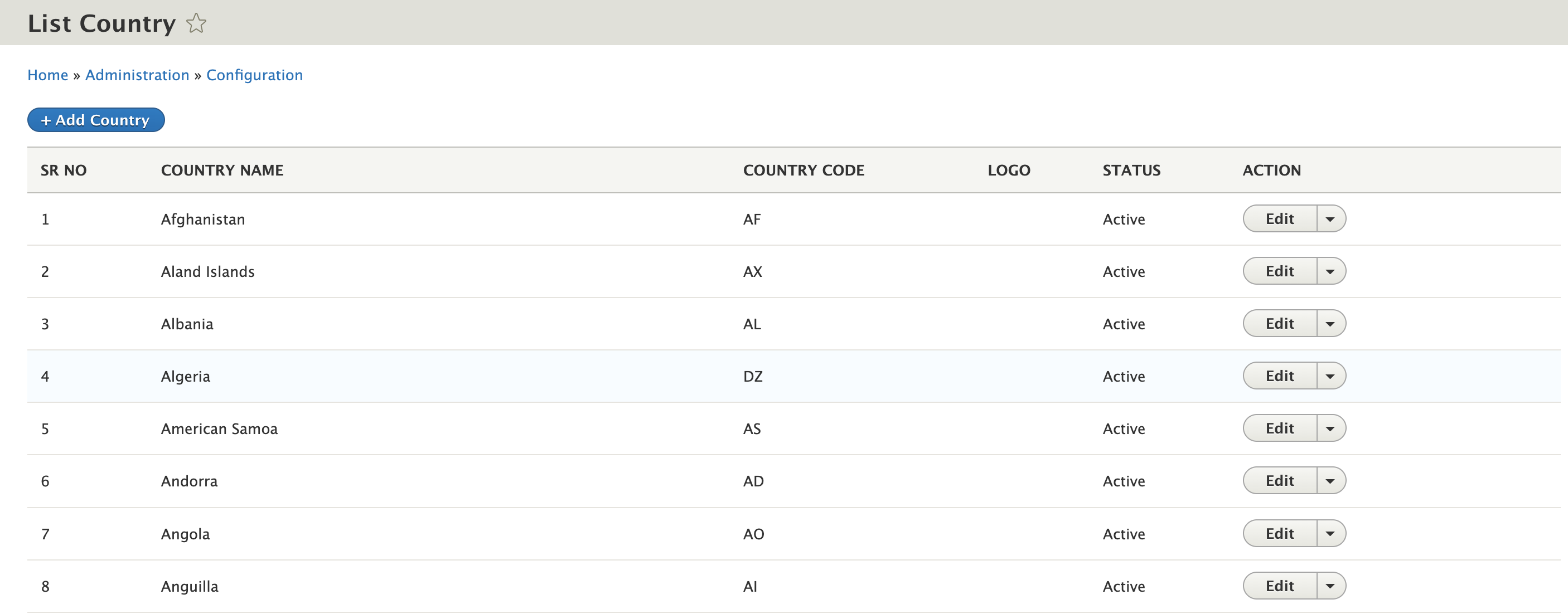
1. Country List
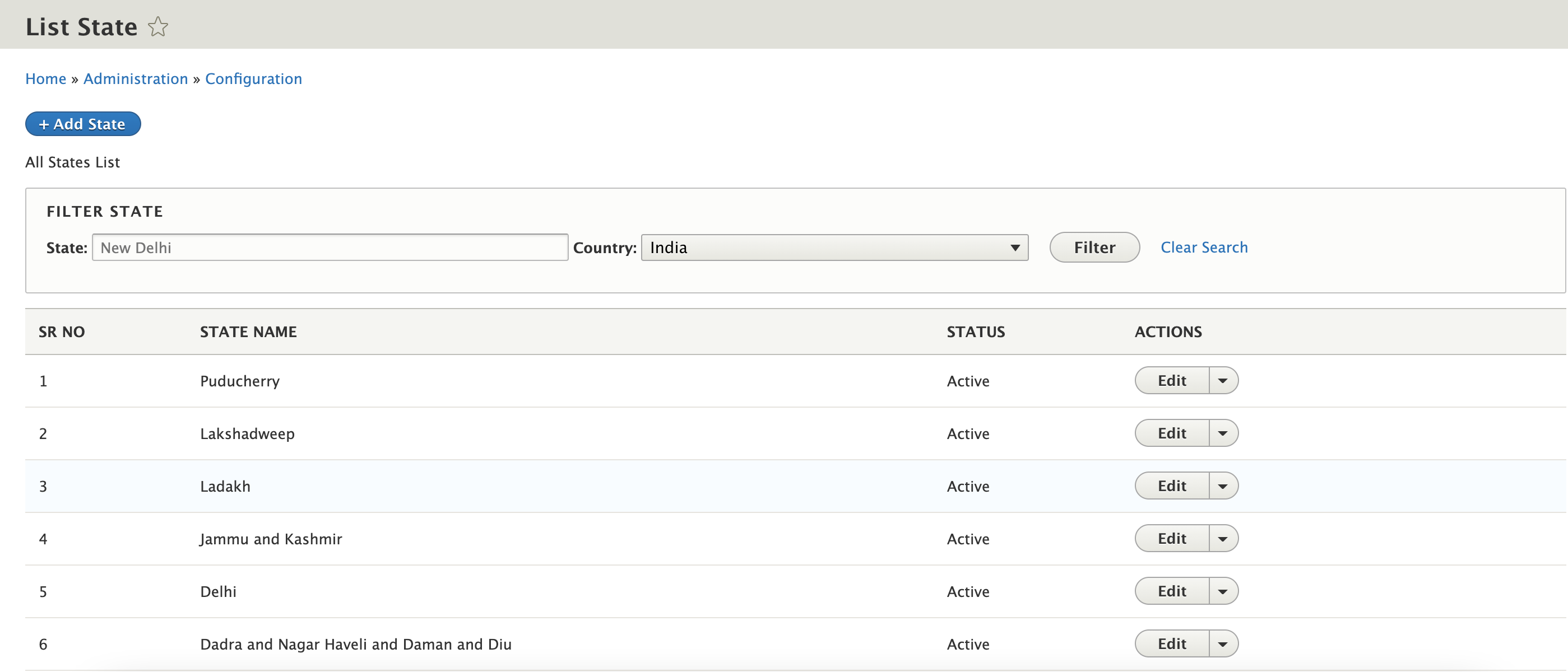
2. State List
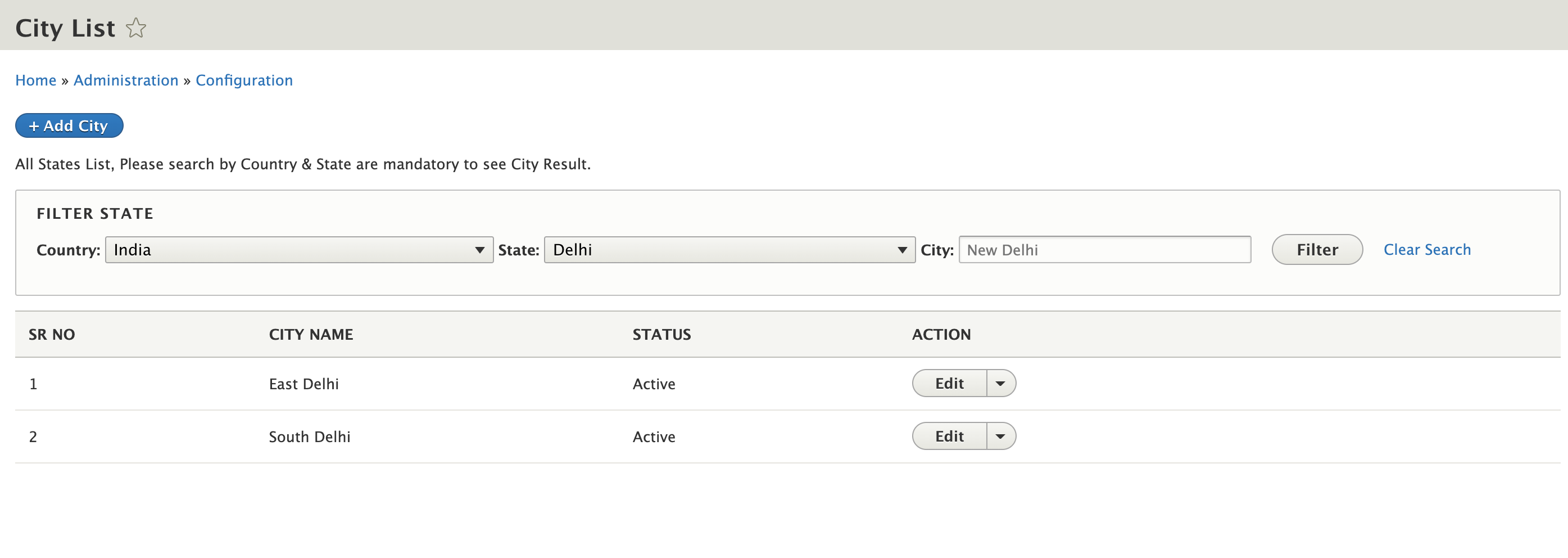
3. City List
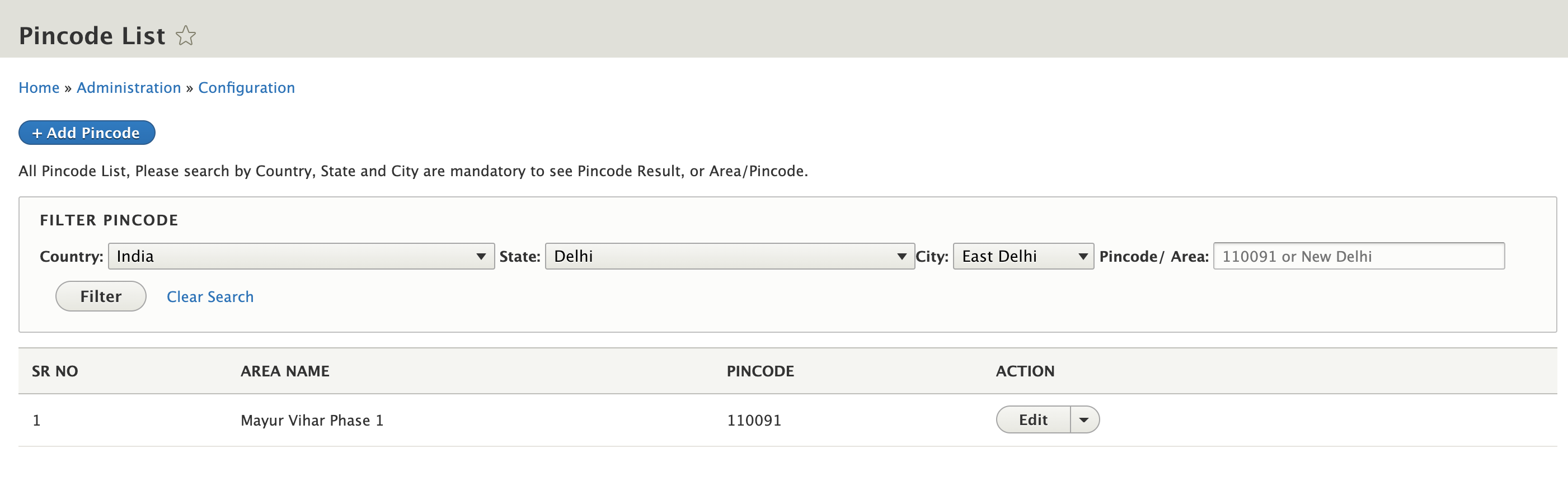
4. Pincode List
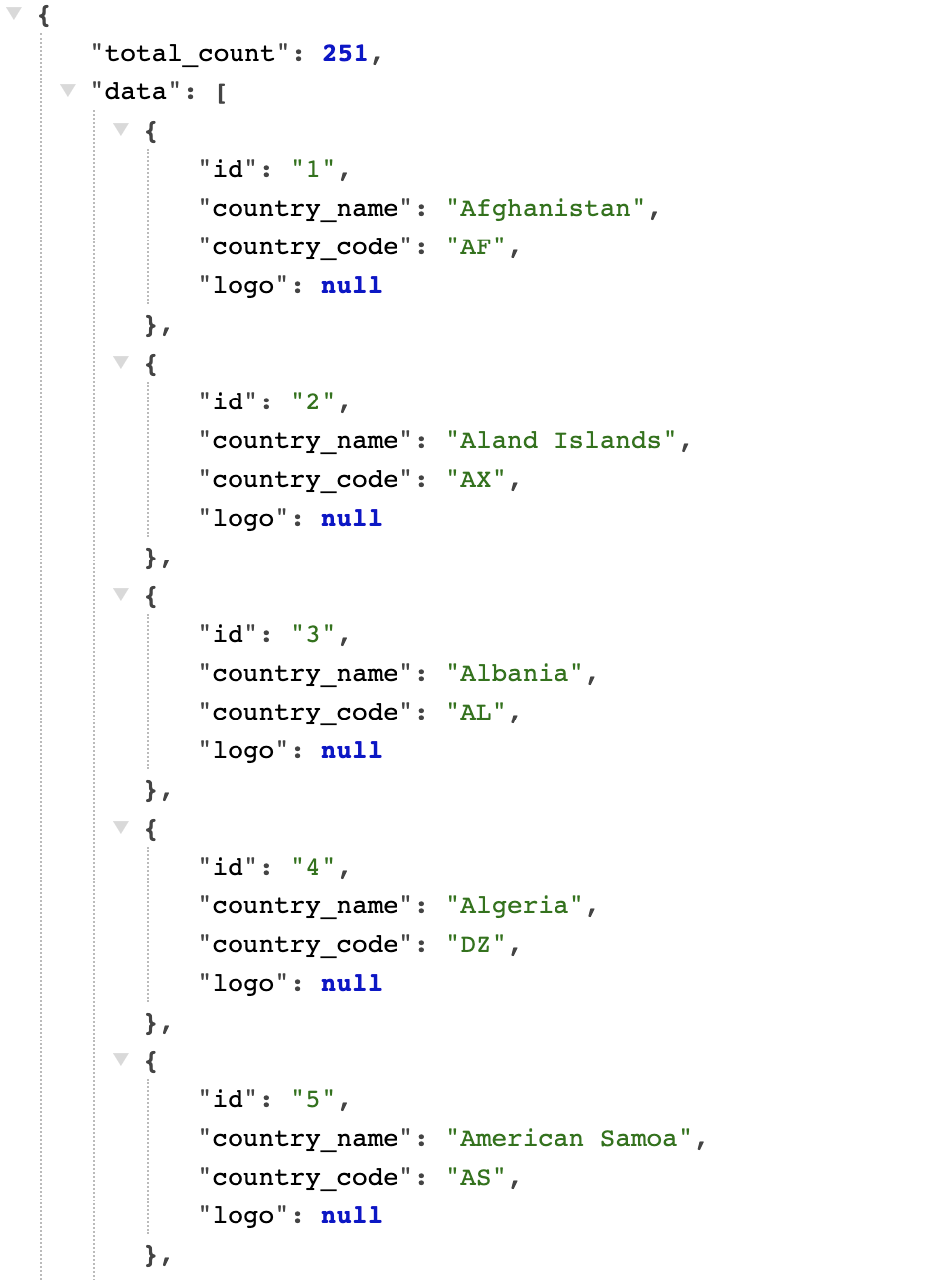
Country.
By Default all country added by module or you can add/edit/delete as per your need. Also provide API to fetch the data in json format. Below are the API details.
End Point: admin/city-state-city/api/get-country
query parameter with id : admin/city-state-city/api/get-country?id=103
query parameter with name : admin/city-state-city/api/get-country?country_name=India
State.
By Default all india states added by module or you can add/edit/delete as per your need. Also provide API to fetch the data in json format. Below are the API details.
End Point: /admin/city-state-city/api/get-state/103
here 103 mean country ID:
query parameter with name : /admin/city-state-city/api/get-state/103?state_name=Delhi
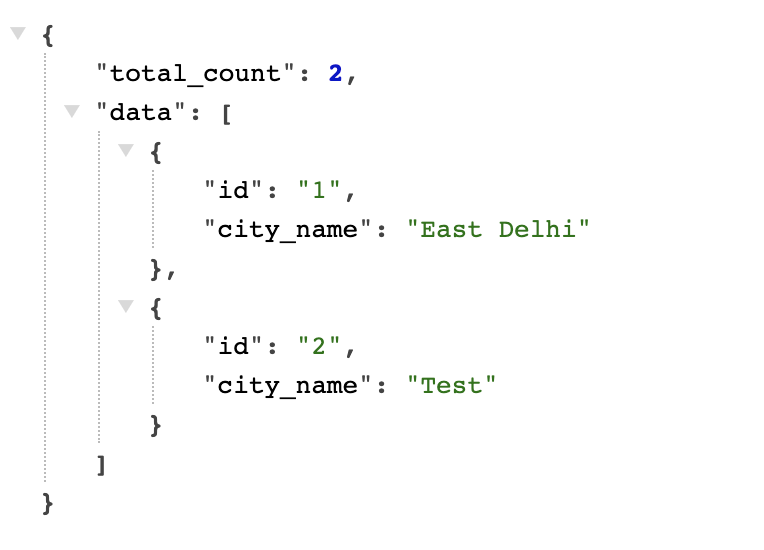
City.
There is no default data added by module but you can add/edit/delete as per your need. Also provide API to fetch the data in json format. Below are the API details.
End Point: /admin/city-state-city/api/get-city/32
here 32 mean state ID:
query parameter with name : /admin/city-state-city/api/get-city/32?city_name=Delhi
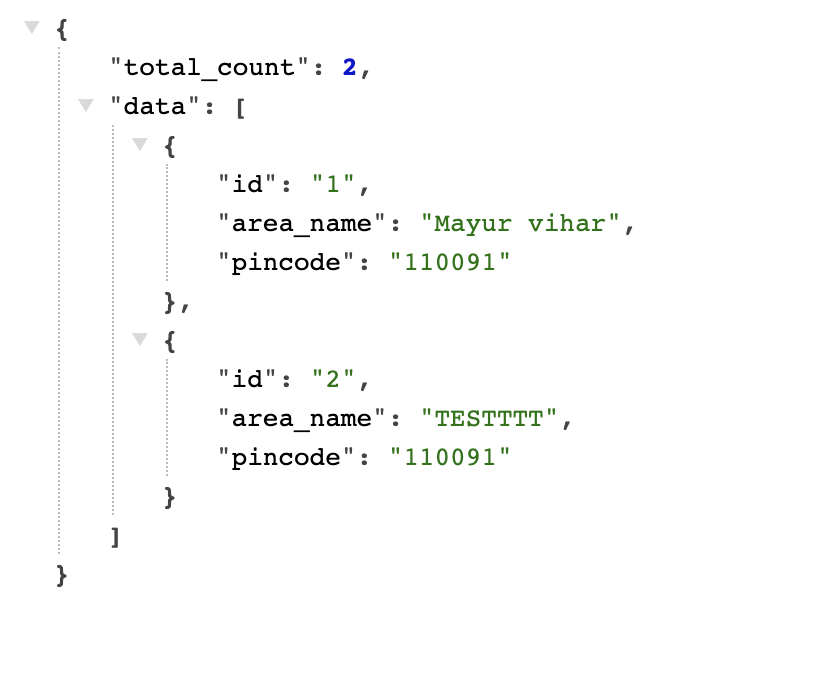
Pincode.
There is no default data added by module but you can add/edit/delete as per your need. Also provide API to fetch the data in json format. Below are the API details.
End Point: /admin/city-state-city/api/get-areapincode/2
here 2 mean city ID:
query parameter with name : /admin/city-state-city/api/get-areapincode/2?pincode_area=11
Note: Make sure to give right performission to right to role to access API feature.
PLACING MODULE IN THIS DIRECTORY
------------------------------------
You may create custom directory inside /web/module if already is not created, and place this module in web/module/custom directory, to organize your module.
ENABLE MODULE
-----------------------
You can enabled it using drush en dependent_country_state or from User Interface (admin/modules) search your module name and click on checkbox then click on install.
HOW TO CONFIGURE.
----------------
Default configuration is given by module, if you want to change then.
1. clear cache for better result.
| Attachment | Size |
|---|---|
| Country API Response. | 137.44 KB |
| State API Response | 130.97 KB |
| City API Response | 40.61 KB |
| Pincode Area API Response. | 53.75 KB |
Project information
- Project categories: Administration tools, Content editing experience, Decoupled
 11 sites report using this module
- Created by Pradip Mehta on , updated
 This project is not covered by the security advisory policy.
Use at your own risk! It may have publicly disclosed vulnerabilities.