



Description
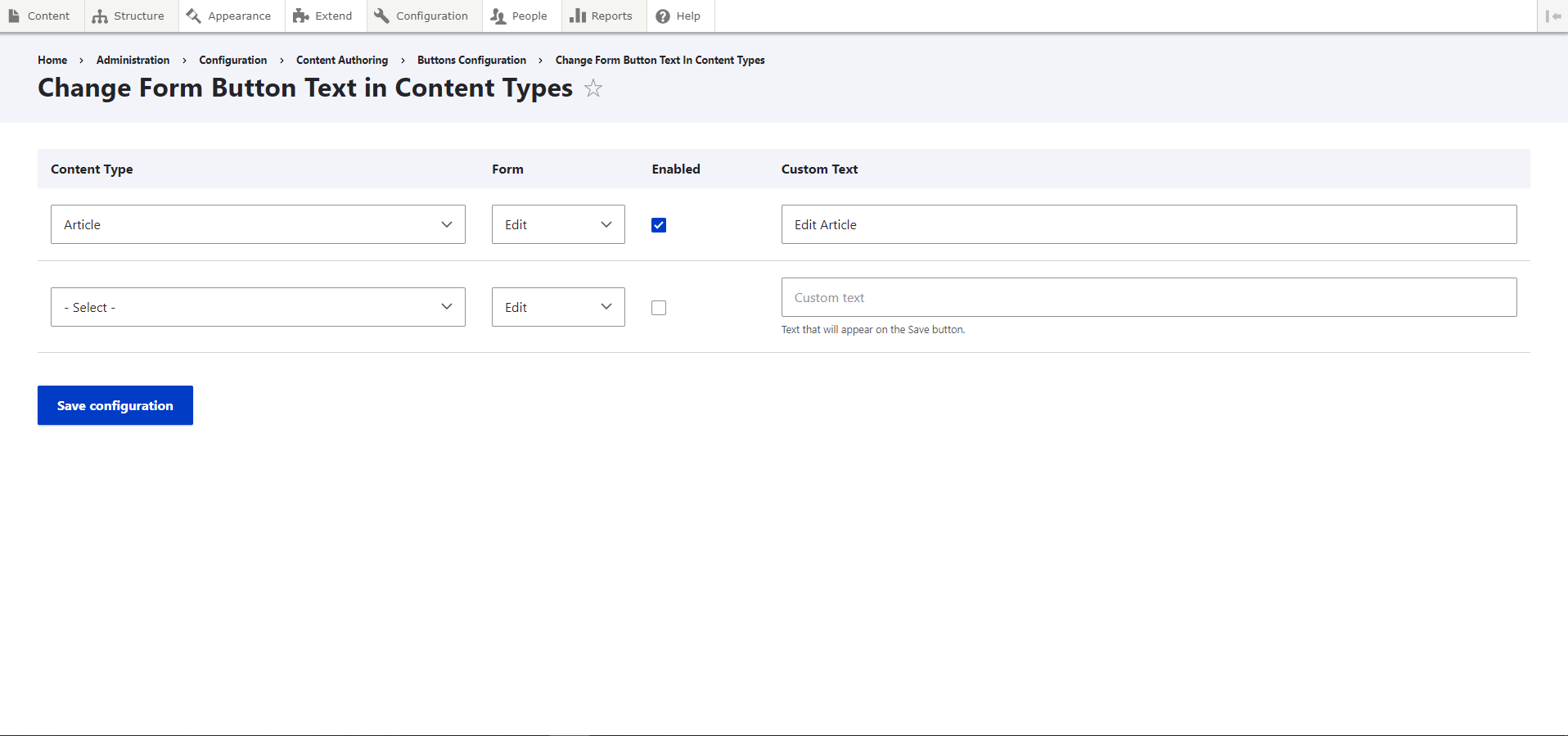
The Buttons configuration module provides an easy way to configure the text of node forms, both save and edit. The module has a configuration page where site administrator can choose which content and/or media types will have their "Save" button text changed, in the add or edit forms.
Requirements
This module requires no modules outside of Drupal core. However, the Media and Comment modules must be enabled.
Installation
Install as you would normally install a contributed Drupal module. Visit https://www.drupal.org/docs/8/extending-drupal-8/installing-drupal-8-mod... for further information.
Configuration
- First navigate to
admin/config/content/buttons-config; - Select the content type or media type;
- Select if you want the change to be reflect on the Add or Edit form (or both);
- Input the text you want to be displayed in the save button;
- Click Save Configuration.
- Navigate to the content/media type form and the save button will now display the text inputted before.
Supporting organizations:
Project information
- Project categories: Administration tools, Content editing experience
 180 sites report using this module
- Created by andrerdiogo on , updated
 Stable releases for this project are covered by the security advisory policy.
Look for the shield icon below.


