

Closed (outdated)
Project:
Drupal core
Version:
9.4.x-dev
Component:
Claro theme
Priority:
Normal
Category:
Bug report
Assigned:
Unassigned
Reporter:
Created:
27 May 2020 at 12:59 UTC
Updated:
17 May 2023 at 09:26 UTC
Jump to comment: Most recent, Most recent file




Comments
Comment #2
davidferlay commentedComment #3
davidferlay commentedThis issue may be solved by https://www.drupal.org/project/drupal/issues/2986056 in 9.1 but patch is not compatible with 8.9
Comment #4
indrajithkb commentedComment #5
indrajithkb commentedHi @davidferlay i have added the changes (from this patch https://www.drupal.org/project/drupal/issues/2986056 ) here also, but still our issue is here, so i am keeping this change and fixed the issue(hope this you need). Please review my patch.
Before:
After:
Comment #6
davidferlay commentedHi @Indrajith KB,
Thanks for your quick answer
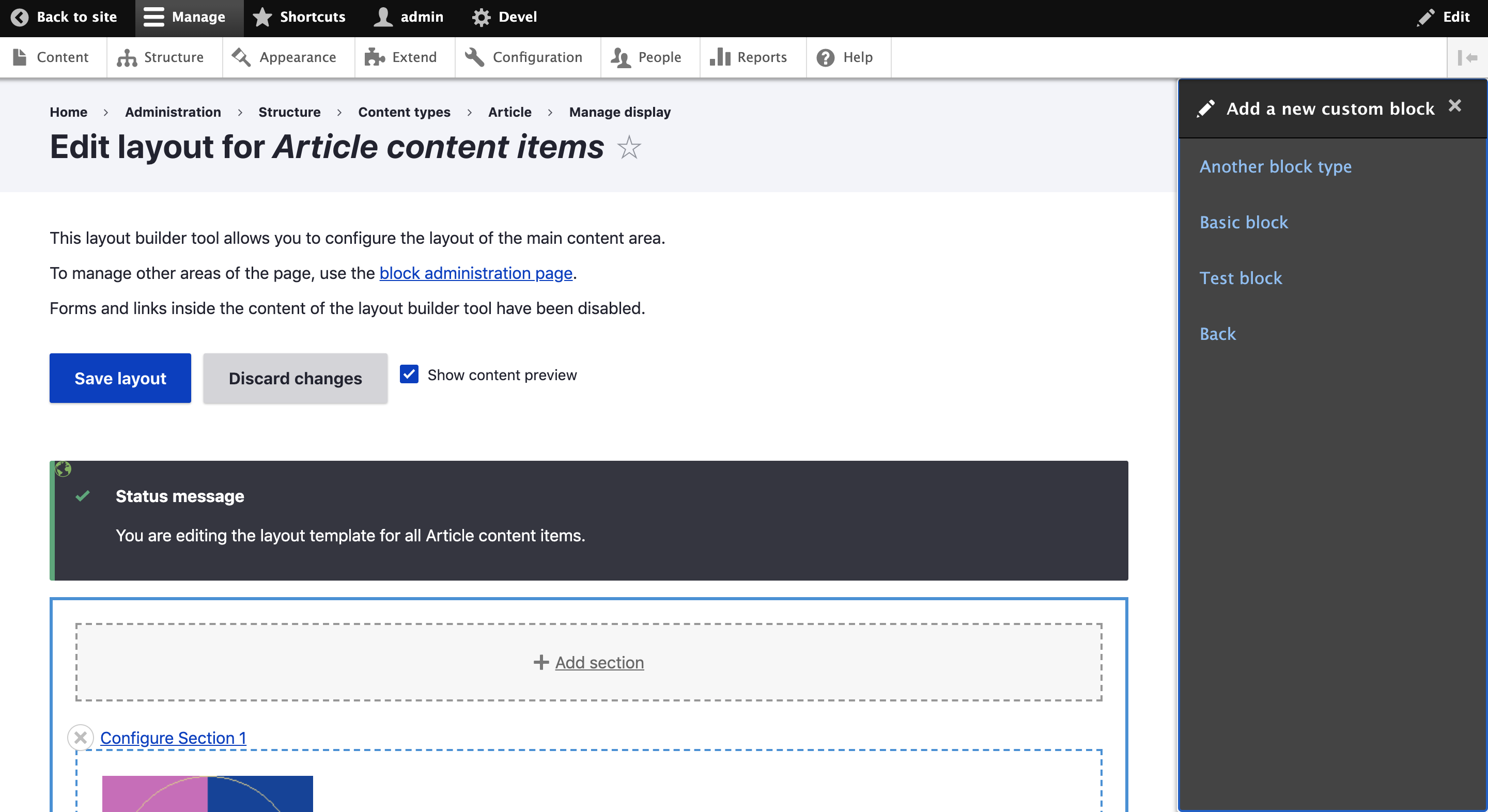
Unfortunately this patch doesn't fix this issue : you have to click "Create Custom Block" to reproduce it (providing some block type exist)
Comment #7
davidferlay commentedComment #8
indrajithkb commentedComment #9
indrajithkb commentedHi @davidferlay ,
when am trying to click "Create Custom Block" to reproduce am getting the below window.
i have created the custom blocks, but still i am getting this screen.
Comment #10
lauriiiI tested the steps in the issue summary and this works as expected for me. Can anyone else reproduce this?
Comment #11
davidferlay commented@Indrajith KB I guess you need to have more than 1 Block Type created to get UI with list of Block Types available to create a Content Custom Block from. Or did you have already created multiple Block Types when you tried to reproduce ?
@lauriii if you can't reproduce at all, it may mean this issue is caused by another patch (solely or conflicting) from our composer.json : https://github.com/skilld-labs/skilld-docker-container/blob/master/compo...
Comment #12
davidferlay commentedComment #13
kostyashupenkoI reproduced that issue with multiple block_types against drupal 8.9.0 and these problems comes from

layout-builder.csswhich is here/core/themes/stable/css/layout_builder/layout-builder.cssThe following patch should solve your issue @davidferlay against 8.9.0, but it is more likely temporary fix.
Comment #14
KondratievaS commentedComment #15
KondratievaS commentedTested patch form #13 and result is NOT OK for mobile - there is no background
Comment #16
KondratievaS commentedComment #17
KondratievaS commentedComment #18
kiran.kadam911taking this up.
Comment #19
kiran.kadam911Not able to reproduce the issue on 8.9.x, here i am attaching screenshot(desktop, tab & mobile) which all are working fine. After applying patch #13 onHover of list item background is getting transparent and which is fine. I think there is no other issues in it, feel free to add your opinion.
Thanks!
Comment #20
kostyashupenkoImproved my patch from #13.
And again - it is temporary fix, which shouldn't be included in Claro globally.
Comment #21
KondratievaS commentedTested patch from #20 in different browsers for mobile and desktop and result is OK
Comment #22
KondratievaS commentedComment #23
bnjmnmSwitching this back to needs work for the following reasons:
#444. The issue summary incorrectly says the solution should be a white background, so tagging with "needs issue summary update". This is how the dialog should appear (and in my case, does appear, as I'm not experiencing the symptoms)I'm looking forward to the steps to reproduce, this looks like an interesting one.
Comment #24
amykhailova commentedI can confirm that I cannot reproduce the issue as well.

I am on Drupal 9.0.1
Comment #25
bnjmnmComment #26
jefuri commentedI have implemented my own OpenOffCanvasDialogCommand in an ajax response.

This use case creates also the empty background issue for me in drupal 8.9
It seems it's because background is set to none, en a padding exists for the content within the dialog.
This issues also occurs therefor in Gin theme.
Comment #27
bnjmnmThe screenshot in #26 may be evidence that a problem is being experienced, but does not provide any information on how to reproduce. This issue can't be set to active unless there are specific steps for how to reproduce the issue in Drupal core. If we can follow steps to get to the same symptoms as the ones in the screenshot, things can move forward!
Comment #31
smustgrave commentedClosing as outdated since there hasn't been a follow since moving to PNMI 2 years ago
if you still feel this is an issue please reopen providing the information requested in #27 with updated issue summary and testing steps.
Comment #32
kopeboyFiled a new related issue.