

Closed (fixed)
Project:
Commerce Invoice
Version:
8.x-2.x-dev
Component:
Miscellaneous
Priority:
Critical
Category:
Support request
Assigned:
Unassigned
Reporter:
Created:
24 Oct 2019 at 08:30 UTC
Updated:
18 Mar 2024 at 14:06 UTC
Jump to comment: Most recent, Most recent file


Comments
Comment #2
jsacksick commentedWe could probably create a service for that, but not sure what action would call it... We probably need to expose a checkbox on the order invoice generate page that says "Email the invoice to the customer" or something.
Patches are welcome :).
Comment #3
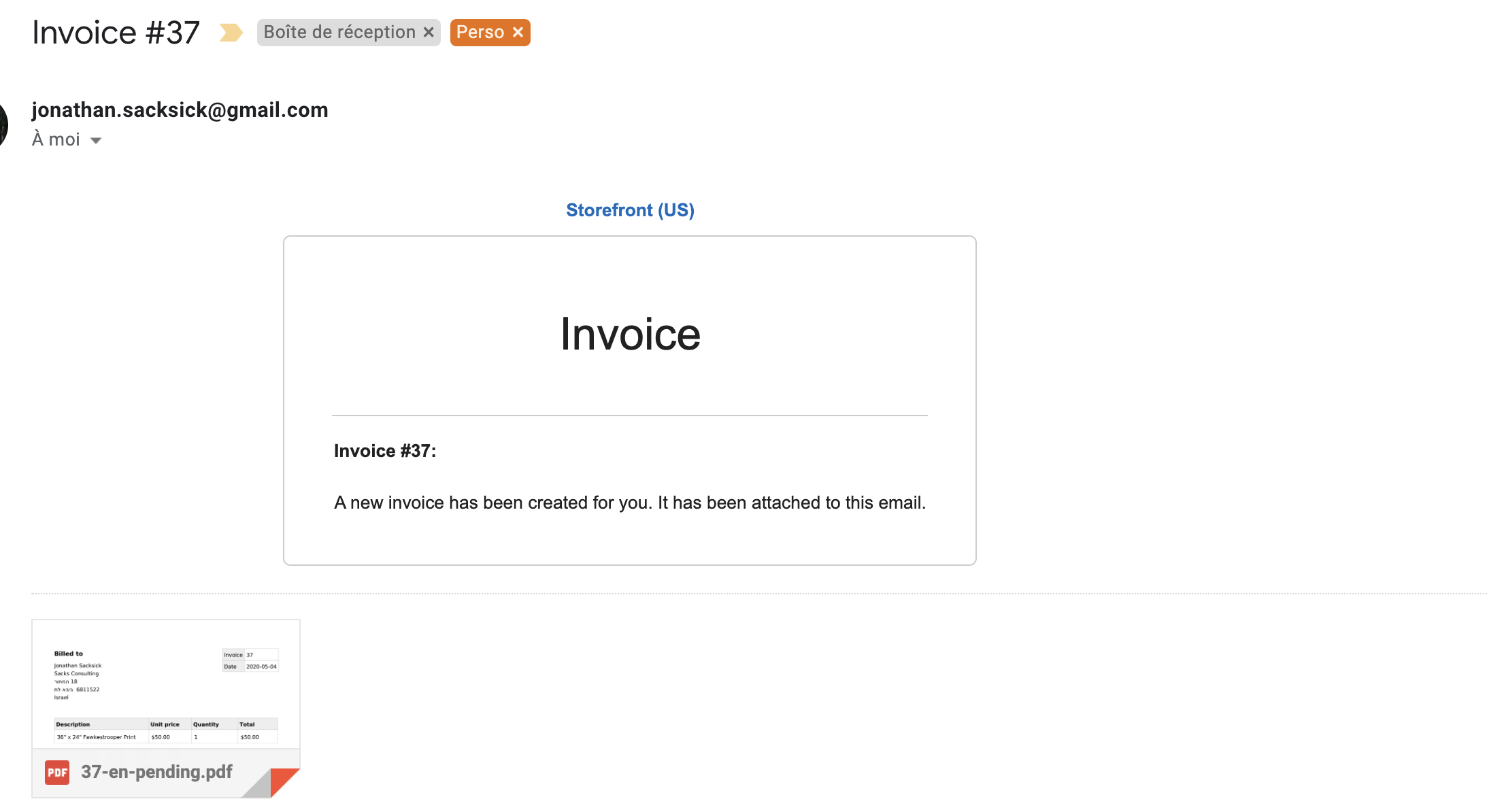
archnode commentedI prepared a patch that adds an option to the generate form to send an email with attached pdf to the invoice email.
Maybe this could be coupled to a new workflow transition "confirm" which sits between "draft" and "pending"? We could use the transition to make triggering the mail optional per invoice type (analogous to order type and notification).
Comment #4
jsacksick commentedThis needs tests and a few changes:
I haven't manually had time to manually test the patch yet.
Comment #5
czigor commentedFixing a typo. Tested the patch locally manually with Mail Safety module, it works as expected.
Comment #6
jsacksick commentedIs this the wrong interdiff/patch? I don't really see any change there?
Comment #7
czigor commentedThe patch just removes an excess comma after the last argument that caused some syntax error.
Comment #8
archnode commentedI made following further additions:
Comment #9
lisastreeter commented@archnode Sorry I didn't see your new patch until just now. I've been mostly working on test coverage, but it looks like there's considerable overlap in our two updates. I can review your patch and work on combining the two, but for now I'm just going to post this patch as-is so that I can verify that the tests work here and not just locally.
Comment #10
lisastreeter commentedI've reviewed patches 8 and 9 for differences and fixed coding standards issues. I'll attach that interdiff.
In patch 9, the invoice confirmation email is sent when an invoice is inserted (created and saved). In patch 8, the email is sent when a new "confirm" transition is executed. I started to change patch 9 to use the new workflow transition but then I realized that in the invoice generation method, the "confirm" transition is automatically triggered right before the newly generated invoice is saved. So I'm not sure we actually need the new transition when the "insert" event occurs at the same time.
In comparing the two patches, I also found a bug in patch 9 related to how the attachment was added to the email params. I updated that to match patch 8. Automated tests are working correctly, but it would be great to have someone confirm that the email is properly generated on an actual site. (I haven't yet set up a print engine on my local dev site.)
Patch 9 also pulls some of the code into a new service that can be used by both the Download controller and the Email confirmation service. Otherwise, most of the differences seem to be mostly naming.
Comment #11
lisastreeter commentedRemoving the "needs tests" tag.
Comment #12
jsacksick commentedThe problem with sending the invoice email on insert is that we don't even check the invoice state, so the transition might make sense after all...
I won't have time to review this today, but hoping to do that at the end of this week.
Comment #13
jsacksick commentedOk, I've been reviewing this and made some changed to the patch. I refactored the tests, I'm now using the transition, but the only problem I see with using the transition is that we might also want to send the invoice when it's paid... But if we react to the "confirm" transition, and the "paid" transition at the same time, two emails could be sent for the same invoice during the same request...
I've been trying to test this manually, but couldn't for some reason.
Comment #14
jsacksick commentedok, I'm not getting the attachment with the email.
Comment #15
jsacksick commentedOk, I fixed several issues, and managed to get the invoice confirmation email.
Sending the email right away from the subscriber was causing issues, because it's sent during a transition, and calling
savePrintable()would save the invoice causing the transition to be triggered twice (2 emails were sent, and sometimes none)...So I copied the PaymentOrderUpdated approach, and also fixed the attachments...
Comment #16
jsacksick commentedComment #17
jsacksick commentedCommitted, thanks everyone!
Comment #20
mandus.cz commentedI get emails when the invoice is not paid.
Once the payment is marked as complete and I create an invoice, the email is not sent.
How do I fix it? (invoice should always be sent)
Comment #21
mindhunter75 commentedThank you very much for this great patch!
When i generate an invoice manually, the invoice is send immediately, which is very nice. I'm very glad with it!
But when activate "Invoice when the order is placed" on /admin/commerce/config/order-types/default/edit, no invoice is send to the customer.
Is there a way to achieve this? So that customers get the invoice right after the placed an order?
Thank you in advance and kind regards!
Comment #22
filipetakanap commentedI need for the module to auto-send invoices only when "paid"... any help?
Comment #23
rgeerolfI just discovered that the auto-send invoices do work for me but only when I use a default commerce payment gateway. If I use the gateway provided by commerce_mollie, it does not auto-send the invoice. Not sure if this is an issue related to commerce_invoice or to commerce_mollie.
Comment #24
Maroela commentedOkay so let me rephrase ... So when my site is in maintenance mode and a purchase is made on the site, the site sends an email with the attached invoice "invoicenumber-en-pending.pdf".
But when in live mode testing, nothing is send.
When i go to the "Invoices" and download an invoice that has state "paid" the invoice is name "invoicenumber-en-paid.pdf". I need this to be sent after successfull payment to the client, instead now i have to maually download this pdf after every payment.
Any help!!
Comment #25
marcom2021 commented@rgeerolf
I'm having the same issue as you, did you find a solution?
Default payment auto sends the invoice, but when I use Commerce Mollie it does not.