

The purpose of the Draggable dashboard module is to create dashboards, that consist of different blocks.
Screenshots:

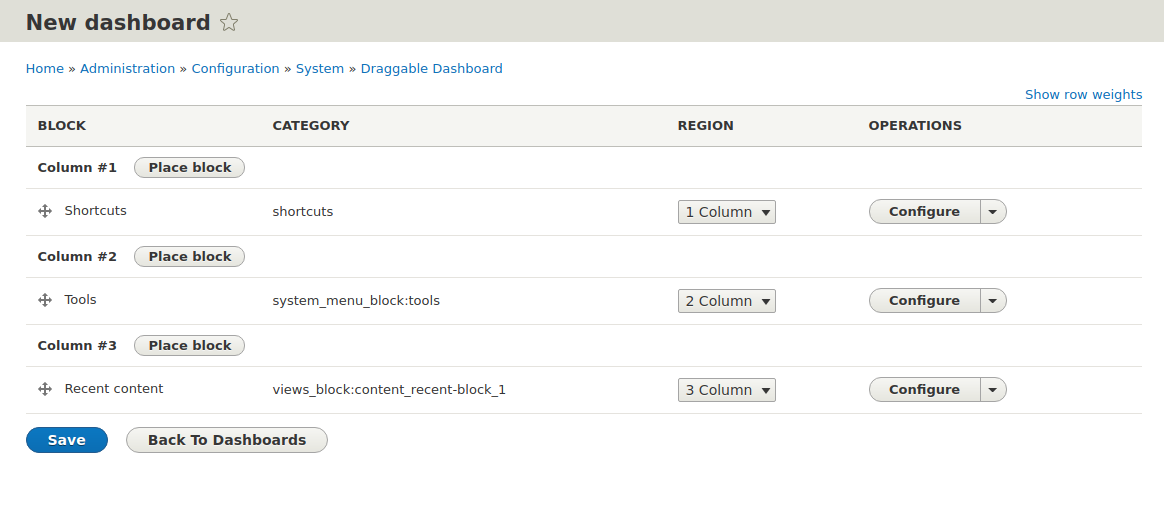
Main features/ functionalities:
- Draggable dashboard allows privileged users create dashboards that can be placed as blocks anywhere on the website.
- For each dashboard a layout and blocks for display can be configured.
- Users can drag the blocks around on the dashboard and maximize or minimize blocks.
- The changed layout and the minimized options are saved to Local Storage of the browser - so when the user loads the page again it will display the saved settings.
Installation:
- Install module
- Create a dashboard under '/admin/config/system/draggable_dashboard' (1.x version) or '/admin/structure/draggable-dashboard' (2.x version) and add the blocks you want to display on the dashboard. This will create a block for the dashboard.
- Go to Block Layout and add your dashboard block to the page.
Configuration:
In the backend '/admin/config/system/draggable_dashboard' (1.x version) or '/admin/structure/draggable-dashboard' (2.x version) logged in users can:
- Create dashboards
- Choose layout: from 1 to 4 columns
- Add, re-arrange and remove blocks
- The available blocks can be configured
Supporting organization

1xINTERNET is a full-service digital agency with a focus on creating robust and innovative digital solutions based on Drupal. Having a wide expertise in Drupal development, we support our clients in all steps of the way towards a successful digital transformation. 1xINTERNET is a Gold Certified Drupal Partner and active contributor to the Drupal Community.
Supporting organizations:
Sponsor development
Project information
- Project categories: Administration tools, Content display
 561 sites report using this module
- Created by breidert on , updated
 Stable releases for this project are covered by the security advisory policy.
There are currently no supported stable releases.
Releases
8.x-2.0-alpha8
released 10 October 2025
Works with Drupal: ^9.2 || ^10 || ^11
Install:
Development version: 8.x-2.x-dev updated 10 Oct 2025 at 12:35 UTC


