

 The 2026 Drupal Business Survey is open. Your response will help shape the future of the Drupal business ecosystem.
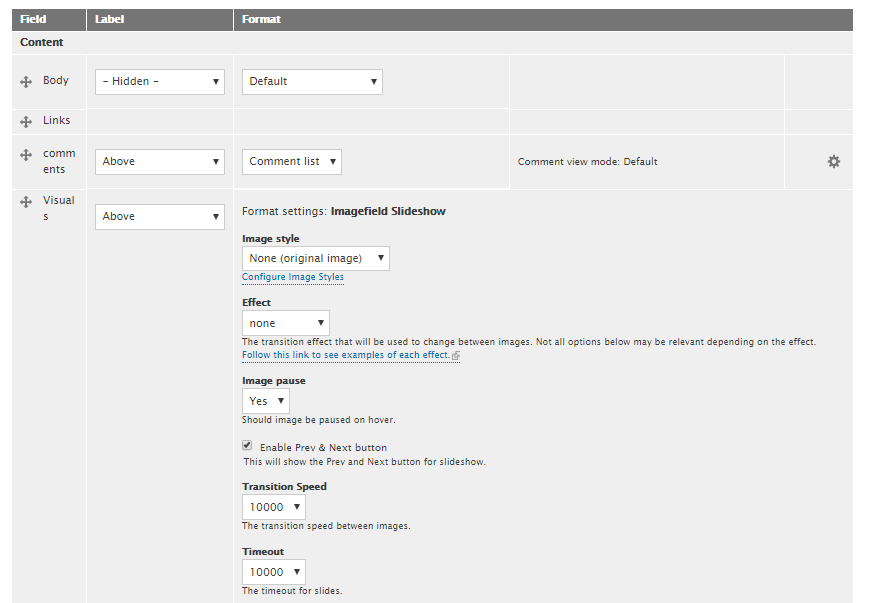
Images displayed by Image fields with the Imagefield Slideshow are very small. 'Original size' for a large wallpaper (1080p) is less than 100px wide, other default image styles are much smaller, displaying a tiny square black about 30px wide, or a broken image icon.
See attached files for field display settings and output when viewed.
| Comment | File | Size | Author |
|---|---|---|---|
| #4 | 2931146-4.patch | 1.37 KB | nishantkumar155 |
| #3 | 2931146-3.patch | 800 bytes | nishantkumar155 |
| output.PNG | 22.77 KB | mslaxmeter | |
| display settings.PNG | 26.14 KB | mslaxmeter |


Comments
Comment #2
Ortaga commentedI had the same issue with the images showing up really small.
Check the README.txt file.
You need to add a jquery.cycle folder into your libraries folder, and drop the jQuery Cycle plugin librarie into it, then it works.
Side note:
When the Prev/Next controls are enabled it seems to go back to the small images, not sure whats going on there.
Comment #3
nishantkumar155 commentedPlease review patch #3 , which fix Images displayed are extremely small.
Comment #4
nishantkumar155 commentedSorry for the last patch that was a bad fix, please review #4.
Comment #5
nishantkumar155 commentedComment #6
neeraprajapati commentedPatch working fine.
Comment #8
xaiwant commentedThank you @nishantkumar155 , @neeraprajapati and Ortaga.