

Sell your goods using PayGate PayHost as a payment gateway.
-
Autoload
Loads all OO stuff for you. -
Elysia Cron
Checks incomplete payments, when a customer hasn't come back to the website. -
Commerce Utilities
Unified, object-oriented interface for building payment methods.
Usage
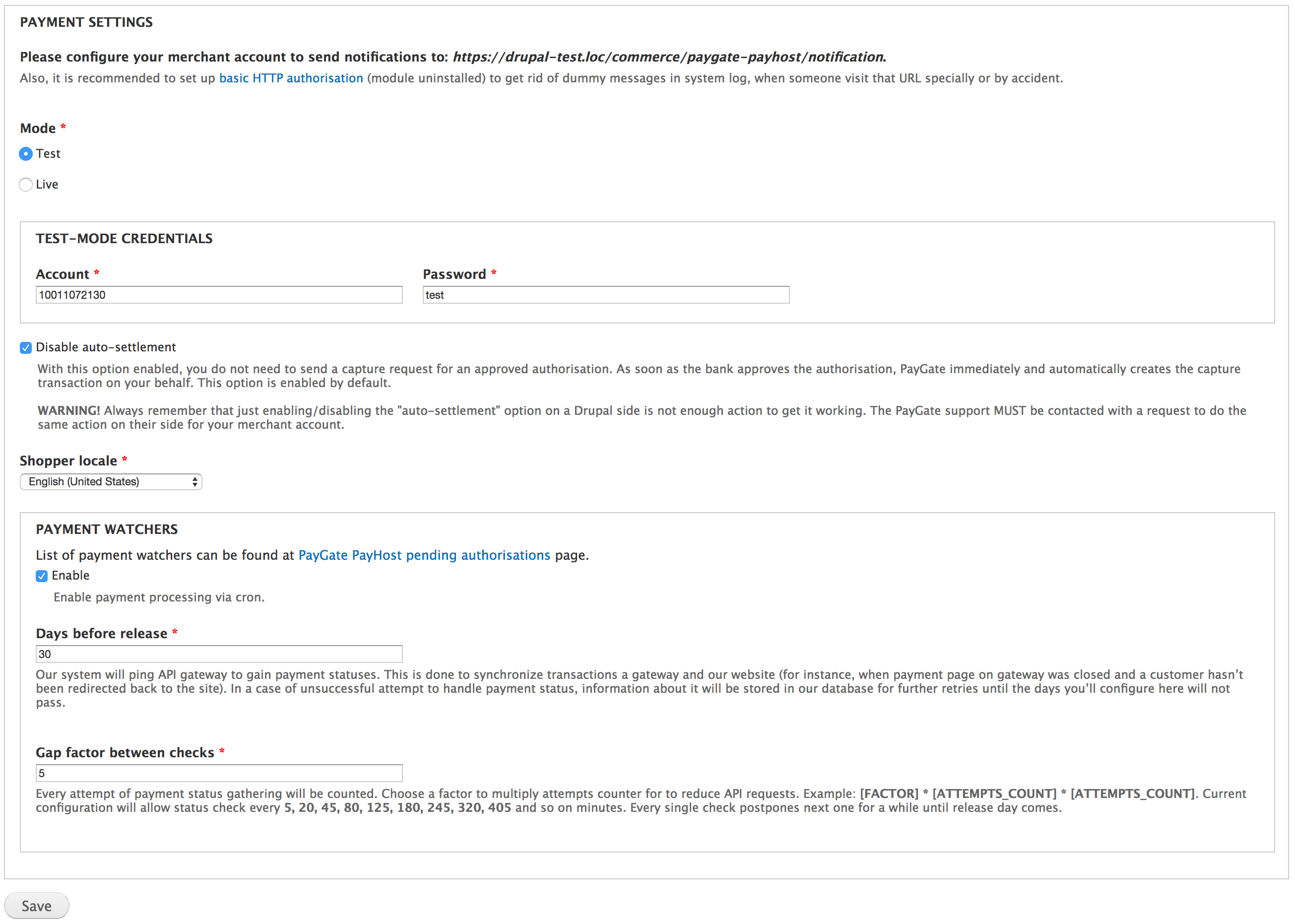
Configure the payment method at Store » Configuration » Payment methods » PayGate PayHost (admin/commerce/config/payment-methods/manage/commerce_payment_commerce_paygate_payhost).
Pending authorisations
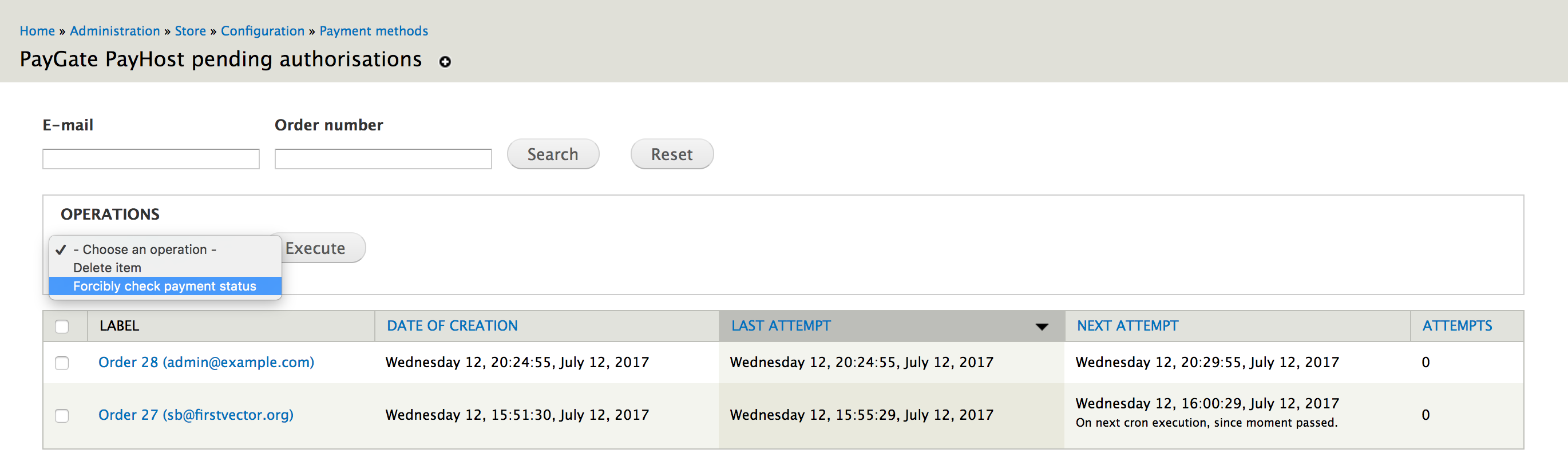
To see the list of uncompleted payments you have to enable the commerce_payment_watcher_ui and clear the cache. After this, it will appear at Store » Configuration » Payment methods » PayGate PayHost pending authorisations (admin/commerce/config/payment-methods/payment-watchers/commerce-paygate-payhost).
Moreover, there you'll be able to forcibly check payment status using an appropriate action.
Tests
drush dl drupal-7 --drupal-project-rename=commerce_paygate_payhost_test
cd commerce_paygate_payhost_test
drush dl commerce_paygate_payhost autoload entity views ctools commerce_utils commerce rules addressfield composer_manager elysia_cron
drush si standard --db-url="mysql://root@localhost/commerce_paygate_payhost_test" --account-pass=propeople -y
drush en simpletest -y
php ./scripts/run-tests.sh --color --verbose 'Commerce PayGate PayHost'
Supporting organizations:
Project information
- Project categories: E-commerce, Integrations, Developer tools
- Created by br0ken on , updated
 Stable releases for this project are covered by the security advisory policy.
There are currently no supported stable releases.


