
Workflows overview
The Drupal Workflows module allows you to manage workflow with states and transitions.
After installing the Workflows module you will find a "Workflows" link on the admin configuration page linking to /admin/config/workflow/workflows. Unless you have enabled any other modules you will be presented with the message "There are no workflow types available. In order to create workflows you need to install a module that provides a workflow type. For example, the Content Moderation module provides a workflow type that enables workflows for content entities."
Dependent Modules
- Content Moderation is a core module that harnesses the Workflows module to allow revisionable content entities to move between different moderation states.
- Workflows Field is a contributed module that allows for generic state transitions, but is unconcerned with publishing (unlike Content Moderation).
Configuration
Once you have enabled a module that harnesses workflows, go to Configuration > Workflow > Workflows. This is an overview of all workflows By default there will be one workflow, "Editorial", but you can create more to specify different workflows for different content types.
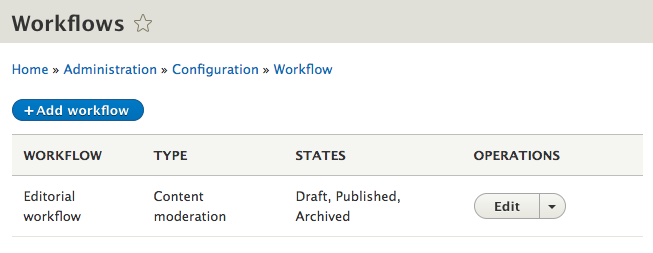
Configuring a workflow
A workflow consists of "States" and "Transitions".
States
States are the different statuses your content can have (draft, published etc). Default moderation states for the "Editorial" workflow are "Draft" and "Archived" in addition to the basic "Published" option. You can set up new states custom to your workflow, such as "Review".
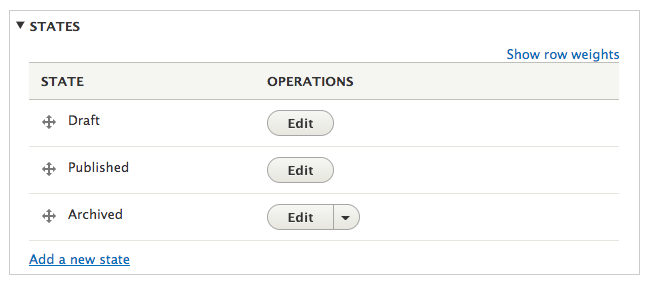
You can click the blue "Add a new state" link to create new states:
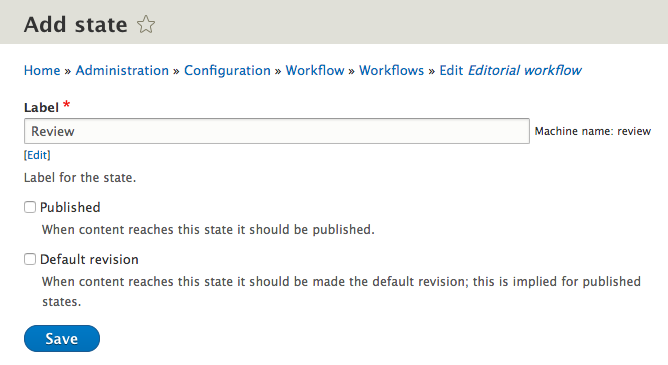
States can be "published" and/or a "default revision". A state marked "published" updates the core publishing status to published, otherwise it is updated to unpublished. A state marked "default revision" updates the entity revision to be the default loaded when loading the entity, this may be with the canonical route, via a View, etc.
Transitions
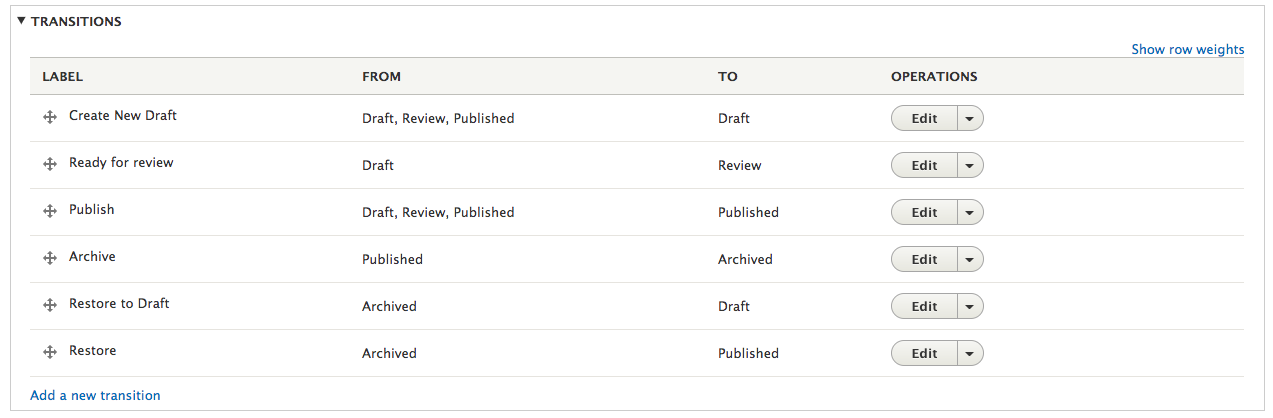
After you set up the states, you can create the actual workflow between them at the "Transitions" accordion. You decide the direction in which content moves from state to state. To decide which user roles are allowed to make what move, see the Permission section further below.
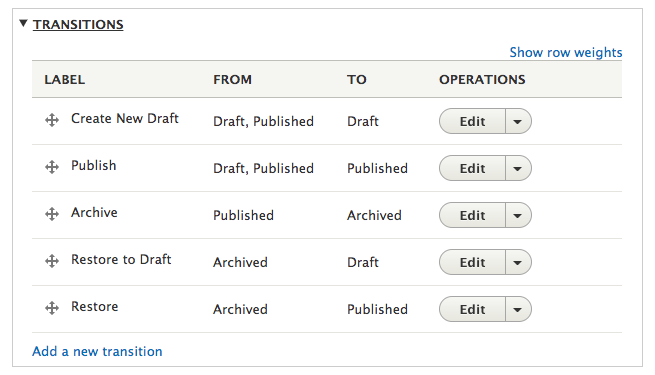
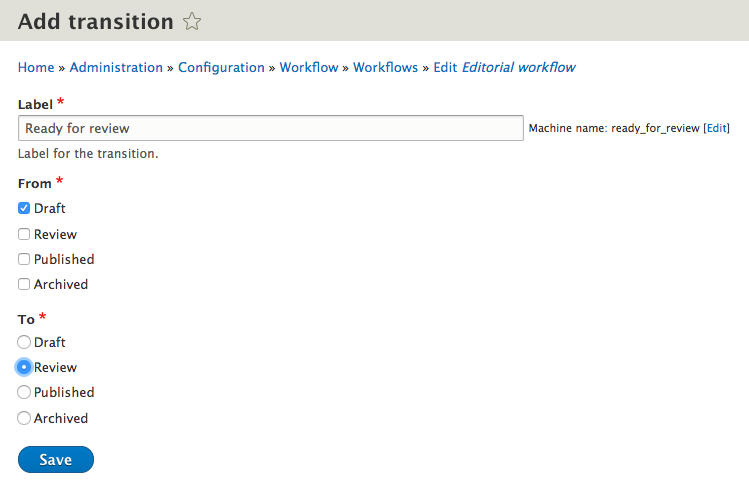
To create a new transition, click the blue "Add a new transition" link. To make the new "Review" state useful, you can add a "Ready for review" transition. This transition should be available to content in "Draft" state and move the content into the new "Review" state.
This new transition will by default be at the bottom of the transition table. Use the crosshair beside the label to move it to its desired position between the "Draft" and the "Publish" states.
Creating modules to use Workflows
Workflows is here for you to use when building a module that requires things to move between different states. Create a WorkflowType plugin that extends \Drupal\workflows\Plugin\WorkflowTypeBase and also a schema file detailing the schema for your Workflow type_settings.
Some examples to follow are:
Help improve this page
You can:
- Log in, click Edit, and edit this page
- Log in, click Discuss, update the Page status value, and suggest an improvement
- Log in and create a Documentation issue with your suggestion
