

Closed (fixed)
Project:
Drupal core
Version:
8.0.x-dev
Component:
javascript
Priority:
Normal
Category:
Bug report
Assigned:
Unassigned
Issue tags:
Reporter:
Created:
10 Feb 2016 at 00:41 UTC
Updated:
21 Mar 2016 at 03:54 UTC
Jump to comment: Most recent, Most recent file

Comments
Comment #2
andypostComment #3
droplet commentedComment #4
catchLooks sensible but until we have automated js testing it'd be good to ensure this is manually tested before it goes in.
Comment #5
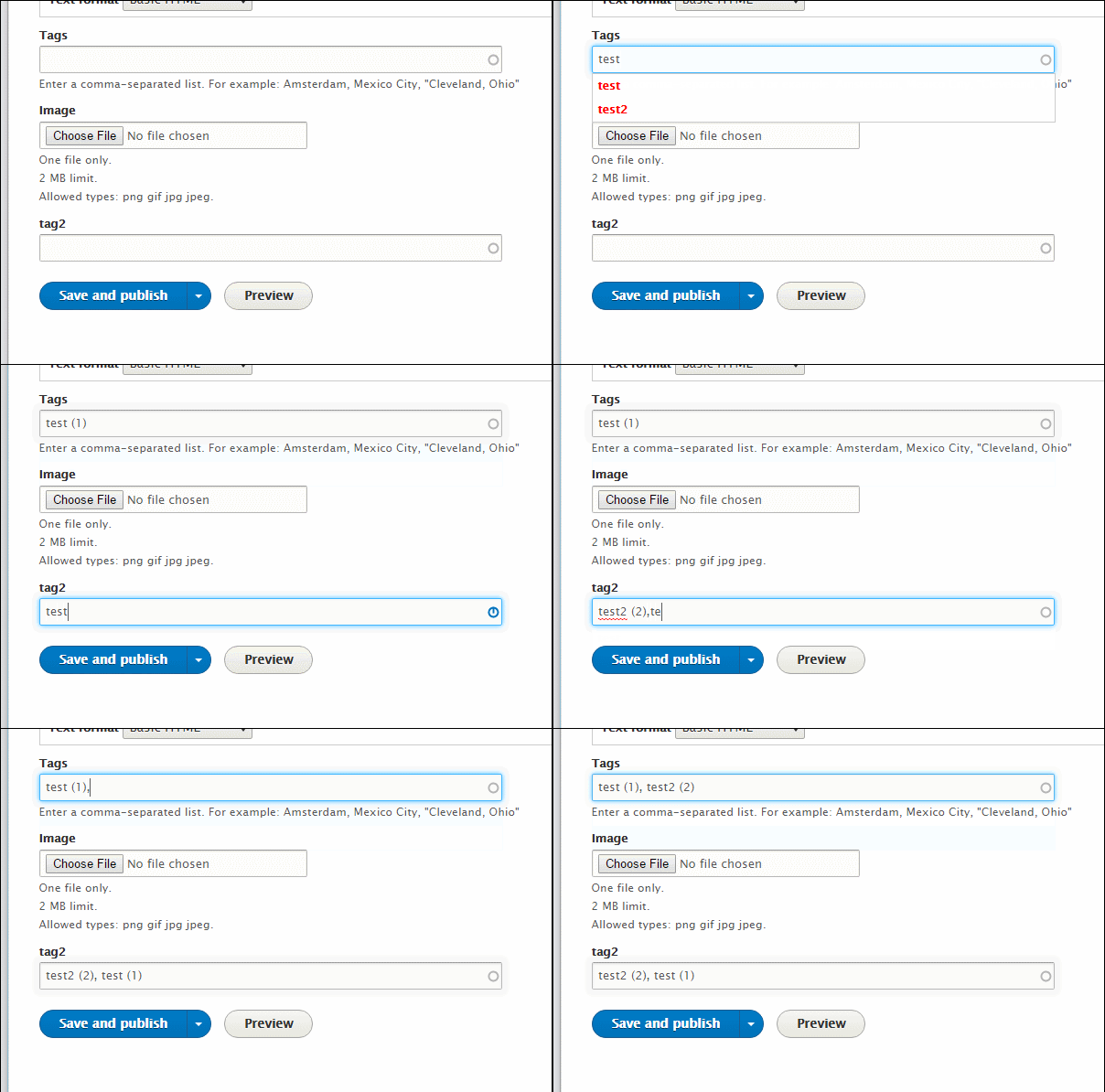
droplet commented:)
Comment #6
catch#5 doesn't work for me.
The first autocomplete field on the page the matches are highlighted in red.
In the second, the match has the escaped, suggesting these are still not behaving consistently.
Comment #7
droplet commentedhave you remove caches ? I re-test again, no problems.
Comment #8
catchYes cleared all caches. If you can re-test and post a screenshot that'd help.
Comment #9
droplet commentedWell, make you a GIF. If you're Chrome users, you should try Private mode or close it completely. As I known Chrome sometimes failed on clean caches.

Comment #10
droplet commented@catch,
maybe you can provide a screenshot to help us understand your problem ?
Comment #11
catchNo that's OK, I'll assume it's an issue on my end.
Comment #13
andypostback rtbc
Comment #17
catchCommitted/pushed to 8.2.x and cherry-picked to 8.1.x. Thanks!