
On this page
Creating a carousel in a basic page
You are browsing documentation for an older version of Drupal, which is not supported any longer, and the information may not be correct. See current documentation for Contributed modules
Here you will learn how to create a images carousel in basic page with Total Gallery Formatter.
Create an image field
Create a image field in Basic page, you can find this option at "admin/structure/types/manage/page/fields".

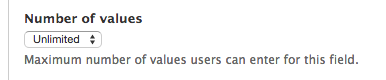
Be sure that the option "Number of values" in Field Settings is Unlimited or more than 1.
Configure the formatter
Go to "admin/structure/types/manage/page/display" and select the "TGF: Gallery with carousel" in the FORMAT column for the images field you have created before.
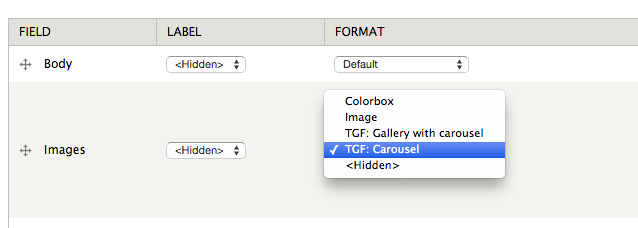
This works fine with the default formatter settings, but you can change those to fit your needs by clicking the configuration icon placed in the right side of the field.

If you have changed the formatter settings click on "Update" button.
And finally save.
Create content
Go to "node/add/page" and upload many images in the images field you have created before.
After you save the new page you will see the images carousel.
Help improve this page
You can:
- Log in, click Edit, and edit this page
- Log in, click Discuss, update the Page status value, and suggest an improvement
- Log in and create a Documentation issue with your suggestion
