
 The 2026 Drupal Business Survey is open. Your response will help shape the future of the Drupal business ecosystem.
Access control and Data Privacy
Personal additions are marked by a *)
Open Atrium Developers Demo #2
Focus on Access control and Data Privacy. (38m), April 26th, 2013.
Video: https://vimeo.com/64895874
00:45 Slide Summary.
01:38 Slide Alpha Release.
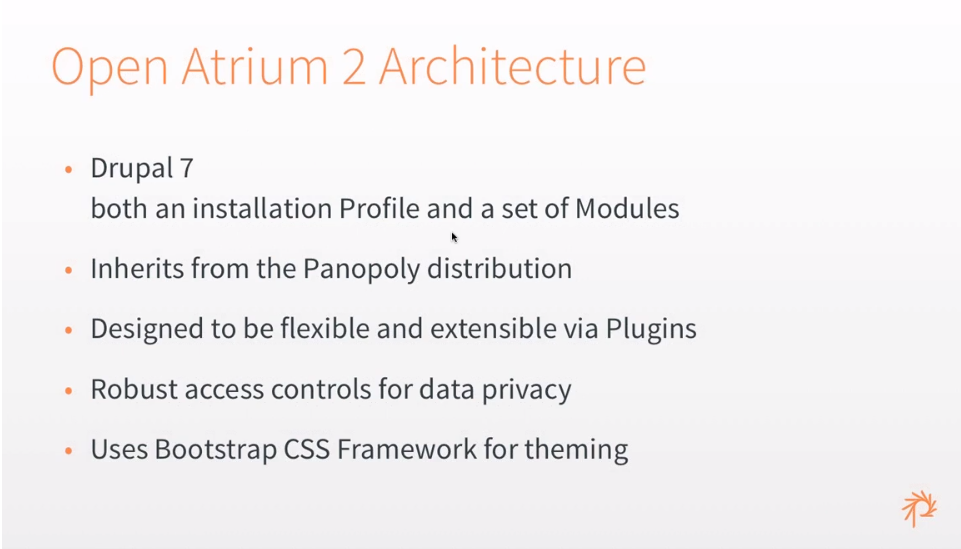
02:21 Slide Open Atrium 2 Architecture.
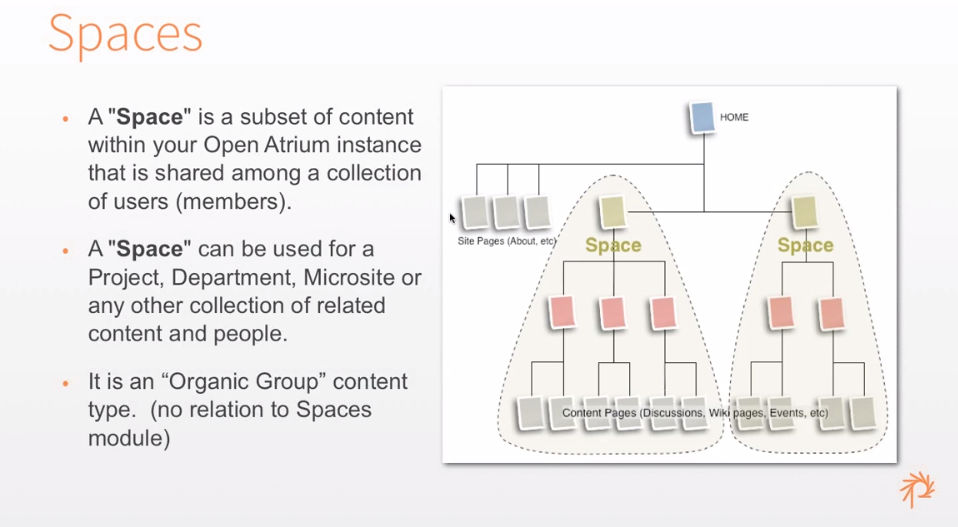
03:08 Slide Spaces. Recap architecture: a Space is an Organic Group content type.
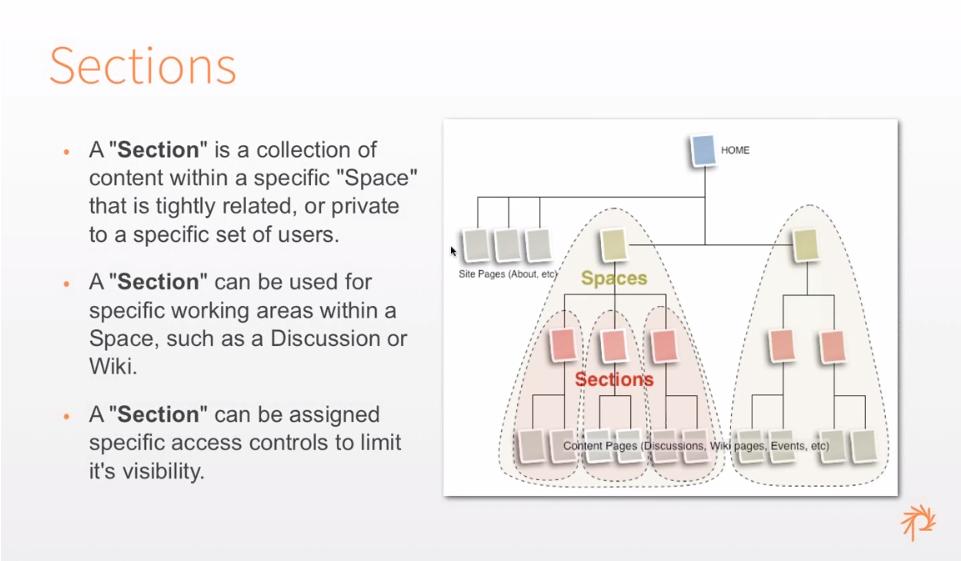
04:36 Slide Sections: a collection of content within a Space. Difference between sections and sub-spaces: sections have a finer level of access control.
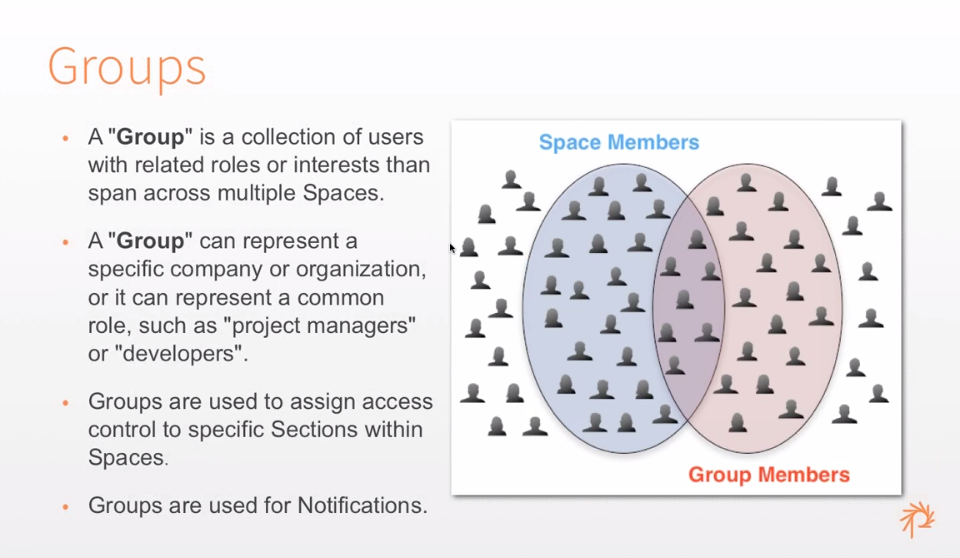
05:44 Slide Groups: collection of users that exist across multiple Spaces. Examples. Groups are used for access control.
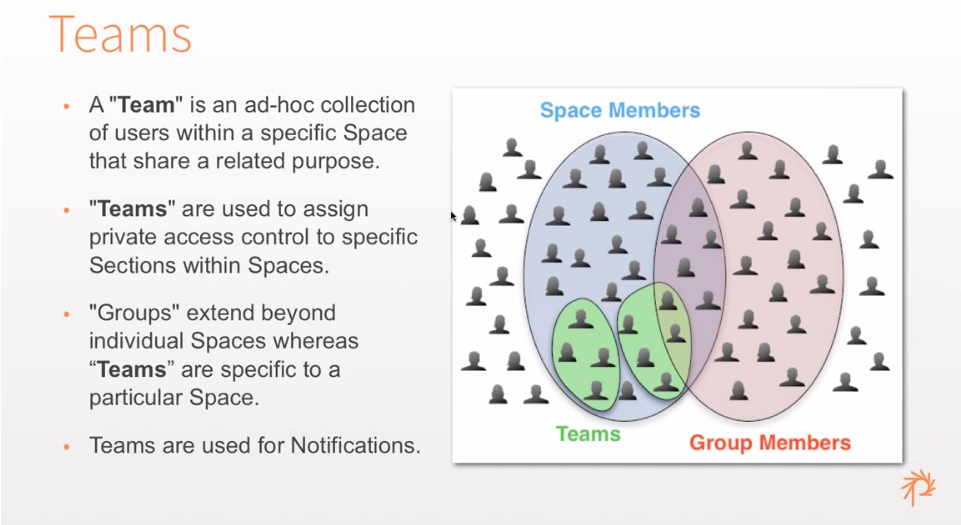
07:05 Slide Teams: a collection of users within a single Space. Teams can have the same name in each different Space. Teams are also used for access control, and for notifications. Examples.
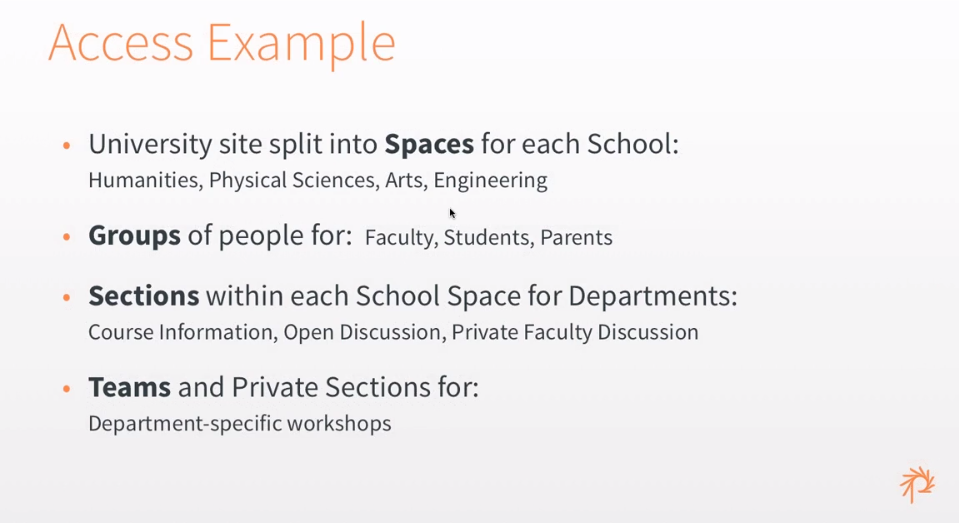
07:45 Slide Access Example, a university site.
08:30 Start Demo part 1.
09:16 Favorite Spaces.
10:15 Anonymous users can't see content from private Sections.
10:50 Private Sections are visible to (user) Groups given access to it.
11:35 After login in you are taken to the user Dashboard.
12:40 (User) Group members can view content from all Sections that Group has access to, but
12:58 Only Space members can create content within that Space.
13:53 OA2 uses Drupal's node grant access system.
14:22 Example Team Section, adding and removing members.
15:50 End Demo part 1.
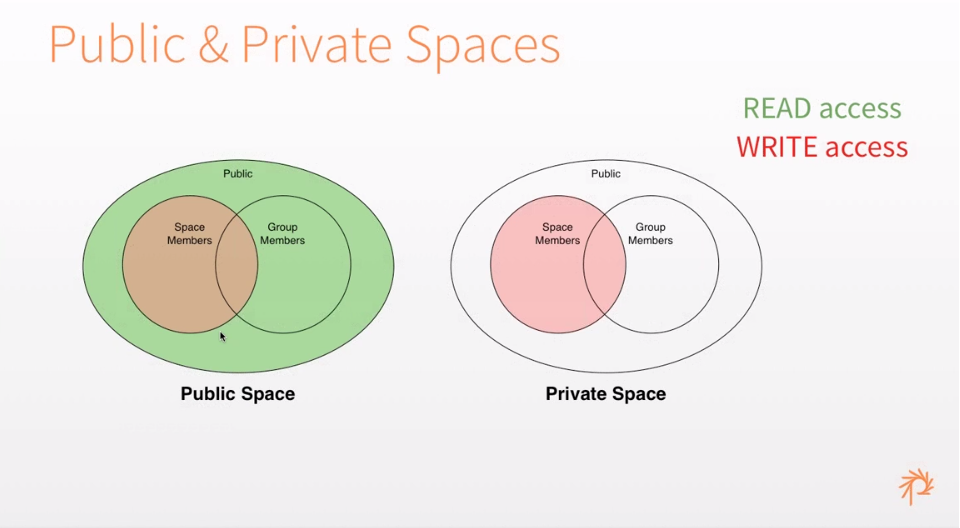
15:53 Slide Public & Private Spaces: Venn diagram of read and write access. Comparable with access in Atrium 1.
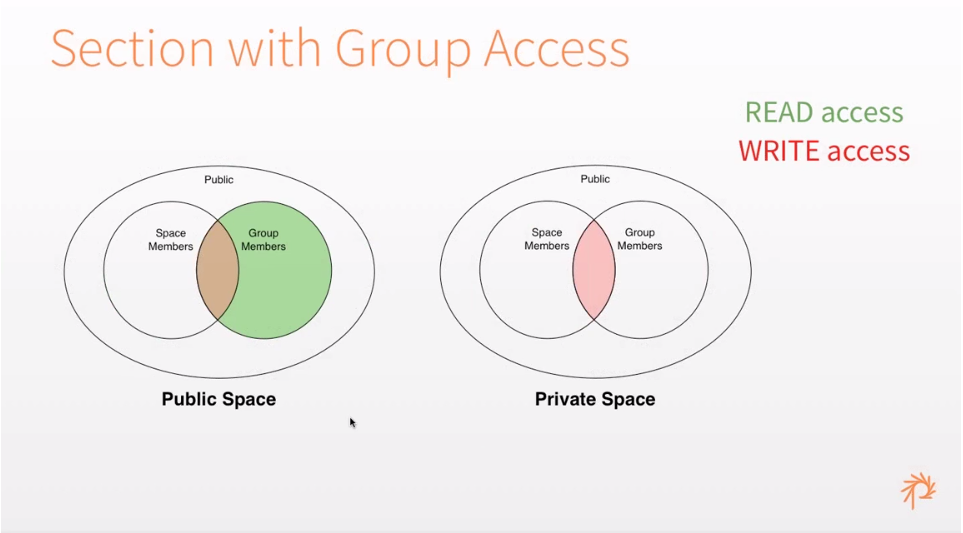
17:01 Slide Section with Group Access.

18:08 Slide Section with Team Access.
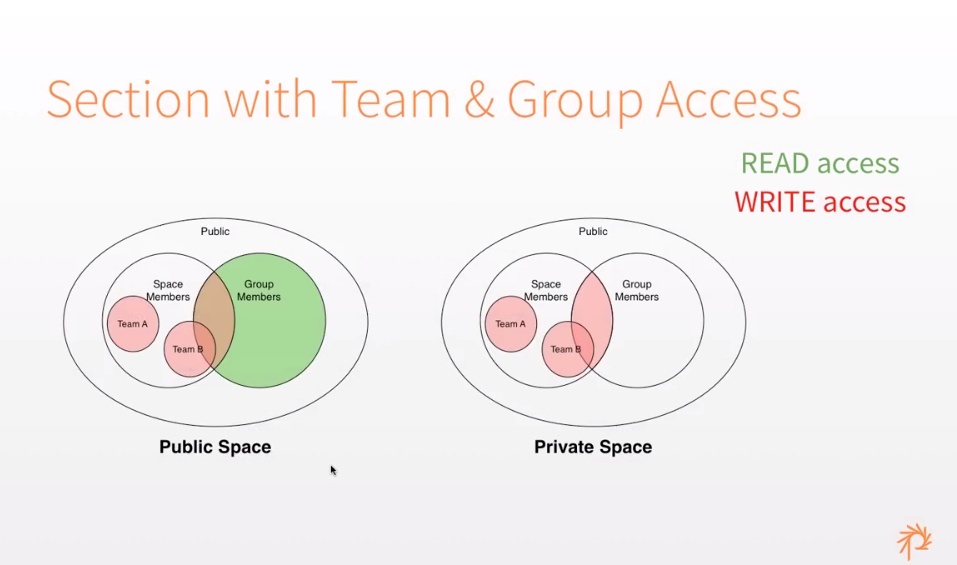
18:32 Slide Section with Team & Group Access ( *) only visible 1 second, text about it goes on until 18:55. Added a screenshot above).
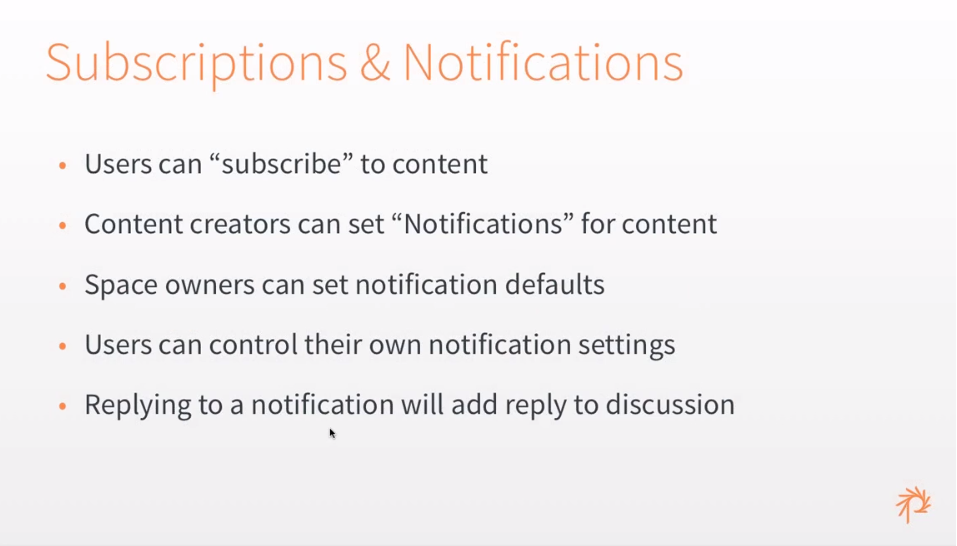
18:33 Slide Subscription & Notifications.
19:58 Notification system uses similar concept as access control.
19:00 Start Demo part 2.
19:13 Notifications are used for sending out emails when posting new content or editing existing content.
19:30 Notifications about a piece of content are only send to (user) Group members who are also member of the Space the content is in.
20:00 Notifications can be send on a Group, Team or User level.
20:25 Users can set how and when Notifications are sent through the settings at the user Dashboard. *) The layout and functionality of the settings page has been improved since this demo.
22:00 Notification defaults for content within Sections can be set up at the Space level.
22:20 End Demo part 2.
22:22 Users can subscribe to content.
22:55 Slide Core Modules (not discussed).
22:58 Slide Creating Plugins & Widgets (not discussed).
22:59 Slide Theming (not discussed).
23:00 Slide Migrating from Open Atrium 1.x (not discussed).
23:01 Slide Code details (not discussed).
23:02 Slide How to Help (discussed at 35:35).
23:05 Q & A.
24:50 Question 1: In the UI (at the bottom of the node edit forms) there are places where it says Groups but means Spaces, is this correct? Answer: This is correct, there are still instances in the admin UI that have Organic Groups terminology that need changing the name. There are plans to set up a taxonomy for this, so you can rename them yourself.
27:20 The Space and Section fields on a node can be used by the admin to move content from one Space or Section to another.
28:40 Demo example of these Access settings on the node edit form.
29:15 Question 2: Normal notification functionality like digest and periodic notification seem to be absent? Answer: Notifications are build upon the Message module, digest etc are indeed not yet implemented in Open Atrium. Also other notification plugins like SMS are not yet implemented.
31:50 Question 3: Installing Open Atrium on Simply Test Me doesn't seem to be work? Not answered.
32:48 Question 4: When installing OA2 the Open Atrium theme doesn't seem to be enabled? That is correct, the default Panopoly theme is show, the Open Atrium Radix theme has to be activated manually. *) This has been corrected in later releases.
33:45 The theme functionality in Open Atrium has been split from the look and feel. The Twitter Bootstrap UI module has to be used for non Twitter Bootstrap themes, so the javascript from Twitter Bootstrap is turned on. By default Twitter Bootstrap is called through a CDN because of licensing issues on drupal.org.
35:35 Slide How to Help.
Help improve this page
You can:
- Log in, click Edit, and edit this page
- Log in, click Discuss, update the Page status value, and suggest an improvement
- Log in and create a Documentation issue with your suggestion
