
Automatically publish nodes to facebook with publish checkbox
Last updated on
30 April 2025
You are browsing documentation for an older version of Drupal, which is not supported any longer, and the information may not be correct. See current documentation for Contributed modules
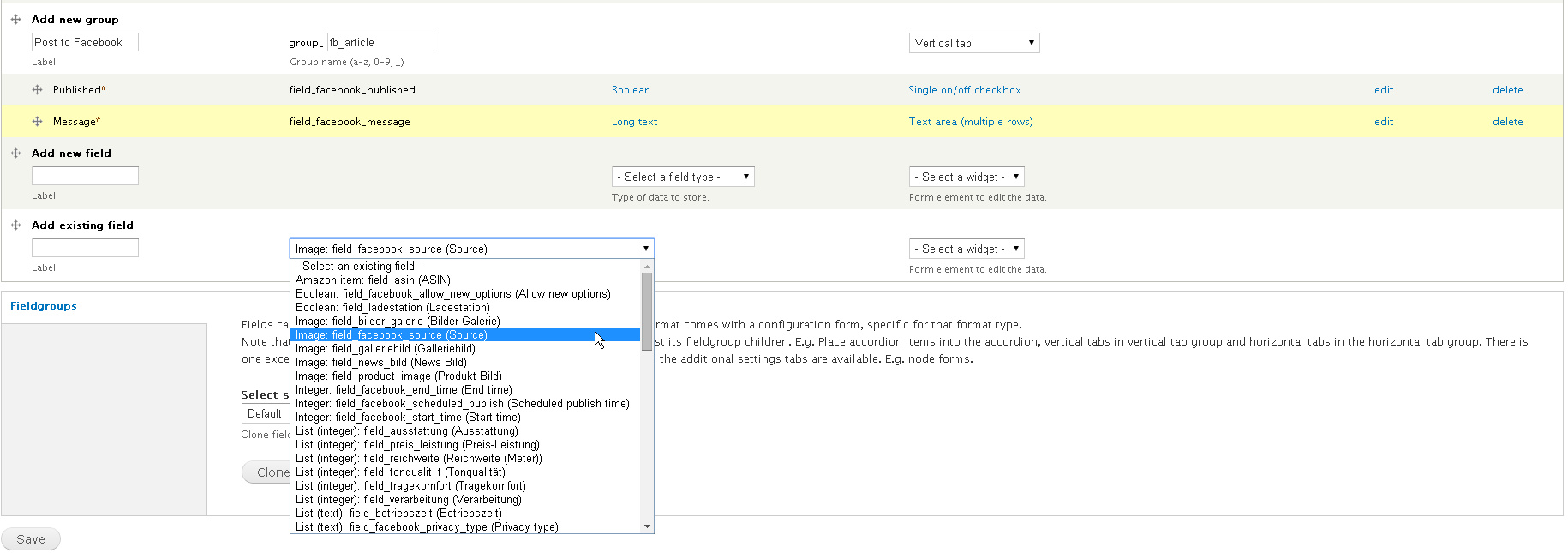
Step 1 adding fields
At first create a node type and add existing fields as seen in this image
Step 2 creating rule
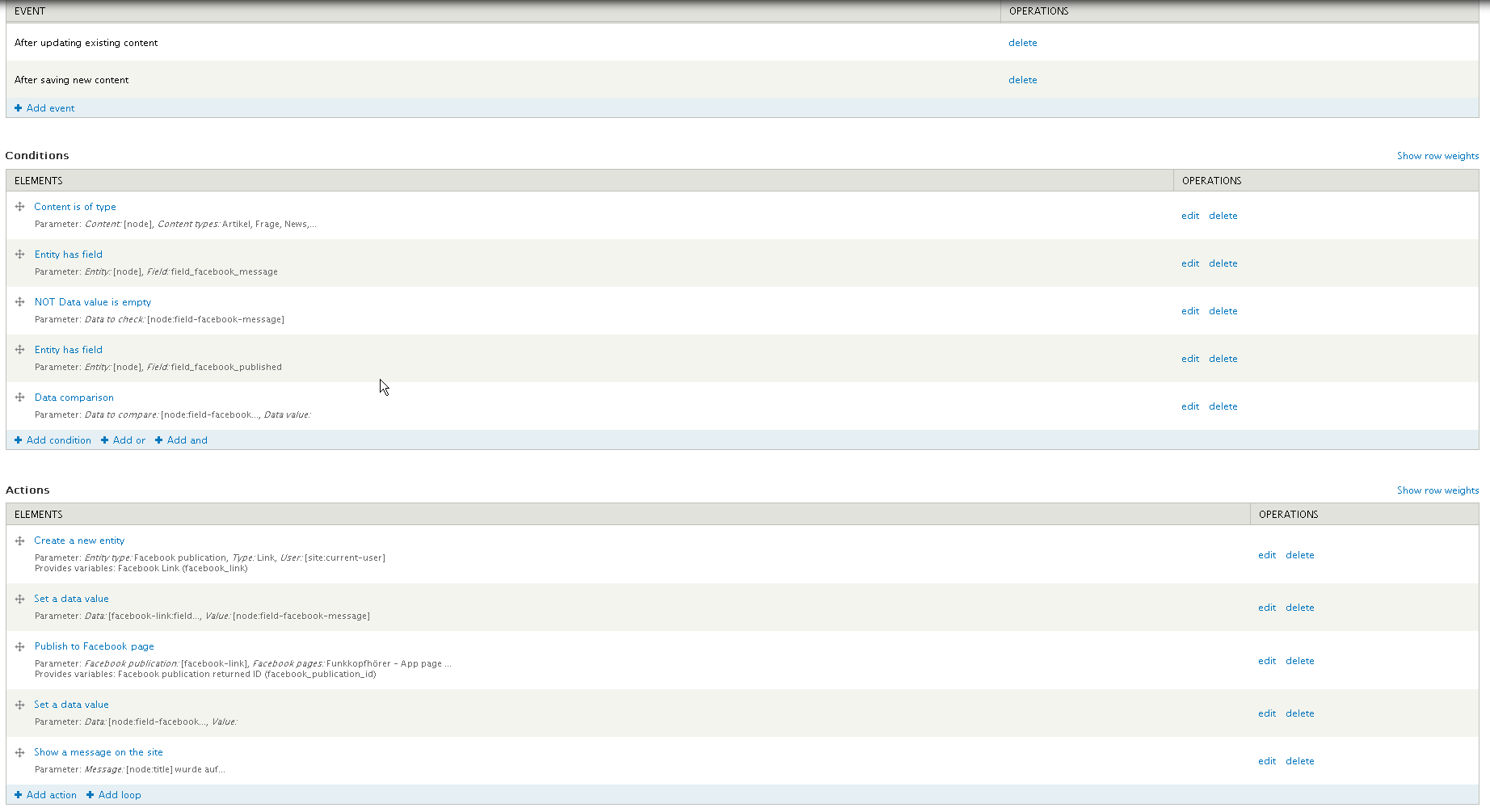
Rule code example
Note: Remember to change the page ID
{ "rules_post_nodes_to_facebook_wall_on_update" : {
    "LABEL" : "Post nodes to Facebook Wall",
    "PLUGIN" : "reaction rule",
    "OWNER" : "rules",
    "TAGS" : [ "facebook" ],
    "REQUIRES" : [ "rules", "fb_autopost_entity" ],
    "ON" : { "node_update" : [], "node_insert" : [] },
    "IF" : [
      { "node_is_of_type" : {
          "node" : [ "node" ],
          "type" : { "value" : {
              "article" : "article",
              "frage" : "frage",
              "news" : "news",
              "product_review" : "product_review"
            }
          }
        }
      },
      { "entity_has_field" : { "entity" : [ "node" ], "field" : "field_facebook_message" } },
      { "NOT data_is_empty" : { "data" : [ "node:field-facebook-message" ] } },
      { "entity_has_field" : { "entity" : [ "node" ], "field" : "field_facebook_published" } },
      { "data_is" : { "data" : [ "node:field-facebook-published" ], "value" : 1 } }
    ],
    "DO" : [
      { "entity_create" : {
          "USING" : {
            "type" : "facebook_publication",
            "param_type" : "link",
            "param_user" : [ "site:current-user" ]
          },
          "PROVIDE" : { "entity_created" : { "facebook_link" : "Facebook Link" } }
        }
      },
      { "data_set" : {
          "data" : [ "facebook-link:field-facebook-message" ],
          "value" : [ "node:field-facebook-message" ]
        }
      },
      { "publish_to_facebook" : {
          "USING" : { "publication" : [ "facebook-link" ], "pages" : "1XXX3402865" },
          "PROVIDE" : { "facebook_publication_id" : { "facebook_publication_id" : "Facebook publication returned ID" } }
        }
      },
      { "data_set" : { "data" : [ "node:field-facebook-published" ], "value" : 0 } },
      { "drupal_message" : { "message" : "[node:title] wurde auf Facebook ver\u00f6ffentlicht." } }
    ]
  }
}
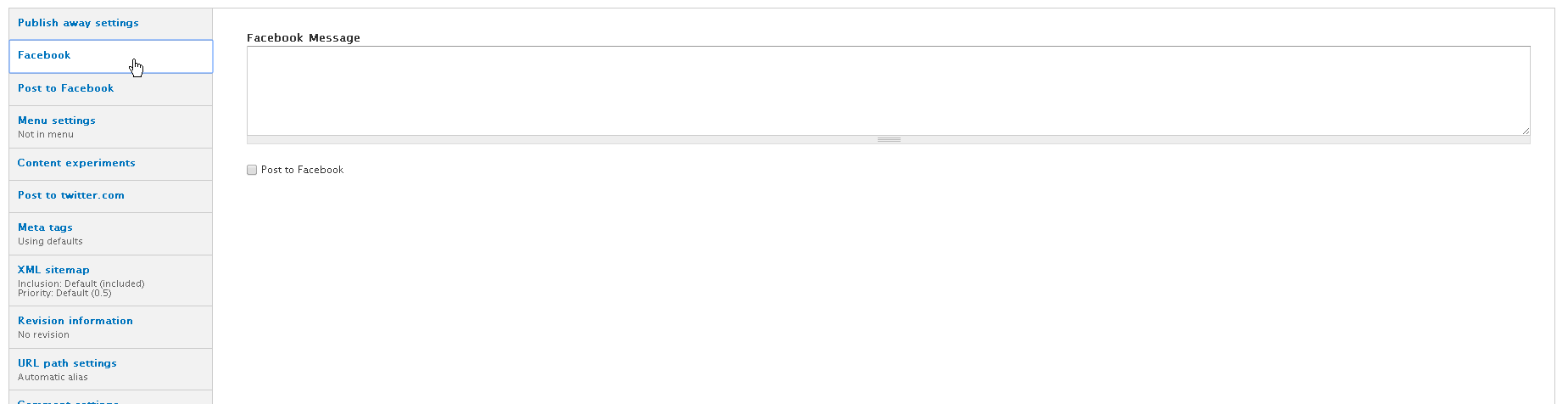
Step 3 final result
IMPORTANT
You also needed to set permissions :

set "Publish Actions." If i dont it doesnt work.
Help improve this page
Page status: Not set
You can:
You can:
- Log in, click Edit, and edit this page
- Log in, click Discuss, update the Page status value, and suggest an improvement
- Log in and create a Documentation issue with your suggestion
