

Closed (works as designed)
Project:
Boost
Version:
7.x-1.0-beta2
Component:
Miscellaneous
Priority:
Normal
Category:
Support request
Assigned:
Unassigned
Reporter:
Created:
28 Apr 2014 at 06:50 UTC
Updated:
29 Apr 2014 at 14:01 UTC
Jump to comment: Most recent, Most recent file

Comments
Comment #1
Anonymous (not verified) commentedWhat is the path ? because boost never saves using it's own filename so it could be a request from a bot to a non-existent file like http://example.com/boostABCDE
Comment #2
blueblade commentedHello Phillip,
Do you mean the path to the cache folder? here it is if that's what you mean
/public_html/cache/normal/mysite.com and /public_html/cache/normal/www.mysite.com
Comment #3
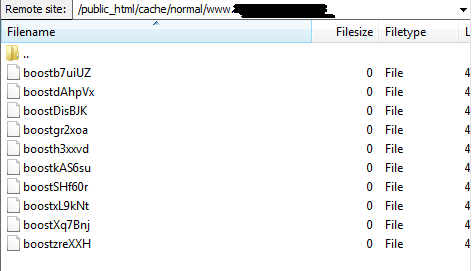
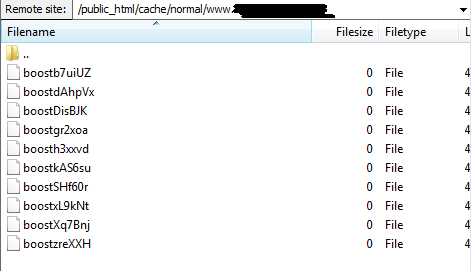
Anonymous (not verified) commentedso if you type in www.mysite.com/boostABCDE does it generate a zero byte file and if boost were functioning then there would be a lot more files in that folder (from the PNG) if it's the top level.
Comment #4
blueblade commentedno matter if i type in the url with or without www, i get 0 byte files. those files you saw in the png image were generated when 2-3 pages from the site were visited. do you know what is wrong here?
Comment #5
blueblade commentedoh, no it doesnt. I get a page not found message:
Page not found
The requested page "/english/boostb7uiUZ" could not be found.
Comment #6
blueblade commentedthe same "boostb7uiUZ" file generates http://www.mysite.com/userXprofile page no matter if I type in http://www.mysite.com/userXprofile/ABC/boostb7uiUZ or http://www.mysite.com/userXprofile/DEF/boostb7uiUZ...
Comment #7
Anonymous (not verified) commentedTry installing fast404 module as a start, I think this may be an "core dump" where something is not working with your 404 pages and boost is the last exited module so it is using that as a filename. Certainly at no point does boost use that filename structure nor generate any temporary files so I think the error is higher up the chain and because the ob_start handler is used in drupal (so that pages can be created, blocks inserted), everything is held in memory until it exits at boost.
Comment #8
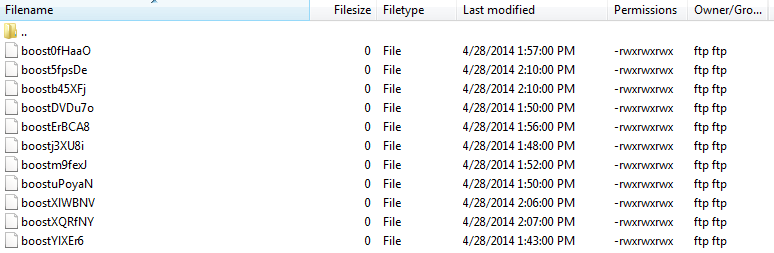
blueblade commentedattached (untitled 2)is the image of files generated when www.mysite.com is viewed. no more files get added tho even if i continue to view more pages under that particular user (all nodes created by users on my site has paths that looks like www.mysite.com/(username)/(category/(etc))
Comment #9
blueblade commentedHi Phillip,
I dont see any changes after installing fast404 but I did see a list of error messages that looks like the one below when trying to run update.php:
Warning: unlink() [function.unlink]: SAFE MODE Restriction in effect. The script whose uid is 501 is not allowed to access cache/normal/www.mysite.com//boostDisBJK owned by uid 100 in _boost_rmdir() (line 1238 of /home/admin/domains/mysite.com/public_html/sites/all/modules/boost/boost.module).
Also, this was found in the log:
Array
(
[scheme] => http
[host] => www.mysite.com
[path] => yogaero
[query] =>
[full_path] => english/yogaero
[base_path] => /
[query_array] => Array
(
)
[url_full] => www.mysite.com/yogaero_
[url] => http://www.mysite.com/english/yogaero
[url_decoded] => /yogaero_
[base_dir] => cache/normal/www.mysite.com/
[filename] => cache/normal/www.mysite.com/english/yogaero_
[directory] => cache/normal/www.mysite.com/english
[normal_path] => user/305
[path_alias] => yogaero
[args] => Array
(
[0] => user
[1] => 305
[2] =>
)
[menu_item] => Array
(
[page_type] => authenticated user, UserType II
[page_id] => 305
[path] => user/%
[load_functions] => Array
(
[1] => user_load
)
[to_arg_functions] =>
[access_callback] => user_view_access
[access_arguments] => a:1:{i:0;i:1;}
[page_callback] => user
[delivery_callback] =>
[fit] => 2
[number_parts] => 2
[context] => 0
[tab_parent] =>
[tab_root] => user/%
[title] => yogaero
[title_callback] => user_page_title
[title_arguments] => a:1:{i:0;i:1;}
[theme_callback] =>
[theme_arguments] => Array
(
)
[type] => 6
[description] =>
[position] =>
[weight] => 0
[include_file] => sites/all/modules/ctools/page_manager/plugins/tasks/user_view.inc
[href] => user/305
[tab_root_href] => user/305
[tab_parent_href] =>
[options] => Array
(
)
[access] => 1
[localized_options] => Array
(
)
[original_map] => Array
(
[0] => user
[1] => 305
)
[status] => 200
[extra_arguments] =>
)
[is_cacheable] =>
)
Comment #10
blueblade commentedAlso this:
Notice: Undefined index: args in boost_deliver_html_page() (line 1433 of /home/admin/domains/mysite.com/public_html/sites/all/modules/boost/boost.module).
and in yet another log message, this:
Array
(
[cache_this] =>
)
Comment #11
Anonymous (not verified) commentedThat's a server configuration problem, your web server cannot write out the files to the cache because the owner or permissions are wrong. The cache folder should be writeable by the web server and then cache/normal should be generated by boost, unfortunately debugging file permissions is not a boost issue and SAFE_MODE is a defunct PHP feature that is deprecated. I did think it was "odd' that the file were being generated with 0666 permissions.
There are so many server configurations that it is very difficult to give advice but drupal core should have warned you if cache is not writeable so I would start by deleting the "normal" folder and trying to get boost to regenerate it and then seeing what the permissions are using your ftp program and applying those to sub folder and then reduce them gradually from 0777 to 0755 and see if things start working, but fast404 should have at least given you a 404 page, and those errors you are mentioning are when zero value pages are passed to the boost function which is "normal" as boost goes, well I should have had something in memory at this exit point.
Comment #12
blueblade commentedThanks, Philip. Finally we have some ideas now what could have gone wrong. I checked the folders and here are the permission for each when those errors occured:
cache = 777
normal = 777
www.mysite.com = 775
mysite.com = 775
Under Status Report page, I get : "Boost installed correctly, should be working if properly configured."
I dont see any 404 page at all no matter what page i go.
Whatelse could have cause that problem?
also, below is the boost script I am using:
### BOOST START ###
# Allow for alt paths to be set via htaccess rules; allows for cached variants (future mobile support)
RewriteRule .* - [E=boostpath:normal]
# Caching for anonymous users
# Skip boost IF not get request OR uri has wrong dir OR cookie is set OR request came from this server OR https request
RewriteCond %{REQUEST_METHOD} !^(GET|HEAD)$ [OR]
RewriteCond %{REQUEST_URI} (^/(admin|cache|misc|modules|sites|system|openid|themes|node/add|comment/reply))|(/(edit|user|user/(login|password|register))$) [OR]
RewriteCond %{HTTPS} on [OR]
RewriteCond %{HTTP_COOKIE} DRUPAL_UID [OR]
RewriteCond %{ENV:REDIRECT_STATUS} 200
RewriteRule .* - [S=3]
# GZIP
RewriteCond %{HTTP:Accept-encoding} !gzip
RewriteRule .* - [S=1]
RewriteCond %{DOCUMENT_ROOT}/cache/%{ENV:boostpath}/%{HTTP_HOST}%{REQUEST_URI}_%{QUERY_STRING}\.html\.gz -s
RewriteRule .* cache/%{ENV:boostpath}/%{HTTP_HOST}%{REQUEST_URI}_%{QUERY_STRING}\.html\.gz [L,T=text/html,E=no-gzip:1]
# NORMAL
RewriteCond %{DOCUMENT_ROOT}/cache/%{ENV:boostpath}/%{HTTP_HOST}%{REQUEST_URI}_%{QUERY_STRING}\.html -s
RewriteRule .* cache/%{ENV:boostpath}/%{HTTP_HOST}%{REQUEST_URI}_%{QUERY_STRING}\.html [L,T=text/html]
### BOOST END ###
Comment #13
blueblade commentedhmmm wihtout changing any settings, I deleted "normal" folder and browsed a few pages but no new "normal" folder nor any new cached files being generated under "cache" folder, which has 777 permissions..what else could be wrong here? From directAdmin, I do see that "cache" folder is a "protected" folder, does that mean something?
Comment #14
blueblade commentedTried different permissions but still got nothing working...would you mind to take a look at the error messages Ive got here, please?
Details
Type php
Date Monday, April 28, 2014 - 19:05
User Anonymous
Location http://www.mysite.com/english/yogaero
Referrer http://www.mysite.com/english/yogaero/about/yogaero-art-music-dance
Message Warning: Parameter 1 to dul_user_load() expected to be a reference, value given in DrupalDefaultEntityController->attachLoad() (line 330 of /home/admin/domains/mysite.com/public_html/includes/entity.inc).
Severity warning
Hostname xxx.xxx.xxx.xxx
Operations
======
Type php
Date Monday, April 28, 2014 - 19:05
User Anonymous
Location http://www.mysite.com/english/yogaero
Referrer http://www.mysite.com/english/yogaero/about/yogaero-art-music-dance
Message Warning: Parameter 1 to dul_user_load() expected to be a reference, value given in DrupalDefaultEntityController->attachLoad() (line 330 of /home/admin/domains/mysite.com/public_html/includes/entity.inc).
Severity warning
Hostname xxx.xxx.xxx.xxx
Operations
=======
Type boost
Date Monday, April 28, 2014 - 19:05
User Anonymous
Location http://www.mysite.com/english/yogaero
Referrer http://www.mysite.com/english/yogaero/about/yogaero-art-music-dance
Message Array
(
[scheme] => http
[host] => www.mysite.com
[path] => yogaero
[query] =>
[full_path] => english/yogaero
[base_path] => /
[query_array] => Array
(
)
[url_full] => www.mysite.com/yogaero_
[url] => http://www.mysite.com/english/yogaero
[url_decoded] => /yogaero_
[base_dir] => cache/normal/www.mysite.com/
[filename] => cache/normal/www.mysite.com/english/yogaero_
[directory] => cache/normal/www.mysite.com/english
[normal_path] => user/305
[path_alias] => yogaero
[args] => Array
(
[0] => user
[1] => 305
[2] =>
)
[menu_item] => Array
(
[page_type] => authenticated user, UserType II
[page_id] => 305
[path] => user/%
[load_functions] => Array
(
[1] => user_load
)
[to_arg_functions] =>
[access_callback] => user_view_access
[access_arguments] => a:1:{i:0;i:1;}
[page_callback] => user
[delivery_callback] =>
[fit] => 2
[number_parts] => 2
[context] => 0
[tab_parent] =>
[tab_root] => user/%
[title] => yogaero
[title_callback] => user_page_title
[title_arguments] => a:1:{i:0;i:1;}
[theme_callback] =>
[theme_arguments] => Array
(
)
[type] => 6
[description] =>
[position] =>
[weight] => 0
[include_file] => sites/all/modules/ctools/page_manager/plugins/tasks/user_view.inc
[href] => user/305
[tab_root_href] => user/305
[tab_parent_href] =>
[options] => Array
(
)
[access] => 1
[localized_options] => Array
(
)
[original_map] => Array
(
[0] => user
[1] => 305
)
[status] => 200
[extra_arguments] =>
)
[is_cacheable] =>
)
Severity debug
Hostname xxx.xxx.xxx.xxx
Operations
Comment #15
blueblade commentedAlright, hope this one finally helps:
Boost Can not write to file-system
Directory /home/admin/domains/mysite.com/public_html/cache/normal credentials - Permissions: 0775. Owner 501. Group 502.
Your credentials - Group ID: 502. User ID: 501. Current script owner: admin.
I know how to set the permission to 777 but can someone please tell me what to do with Owner 501 and Group 502, where do we change those and what to? Many thanks in advance.
Comment #16
Anonymous (not verified) commentedit would be more helpful if I went over the principles. Your server appear to only like certain file permissions or below (more restrictive), on my server I have that files are being created as 0644 and folders at 0775. Probably your server wants files and folder as 0644 and 0755 or 0640 and 0750 and the other problem here is that the PHP process may only want to write to files at 0640 but creates them at 0655 or it may be running under a different user to the ftp user.
Boost creates html files for direct serving, .htaccess files for security (can't see any on your server pngs, and folders. the file permissions are created using a drupal core function
drupal_chmodin boost.module, so you could put under each call to the function a linechmod($filename, 0644)for files and 0755 for folders and then reduce the values until folders start generating.Comment #17
blueblade commentedThank you so much for being so patient with me. I finally see a .htaccess file generated and the content is as below. Still dont see any cached files with html extension tho...just contacted my hosting company, I hope they will find something that helps. Will let you know soon. Thanks again.
AddDefaultCharset utf-8
FileETag MTime Size
ExpiresDefault A5
Header set Expires "Sun, 19 Nov 1978 05:00:00 GMT"
Header unset Last-Modified
Header append Vary Accept-Encoding
Header set Cache-Control "no-store, no-cache, must-revalidate, post-check=0, pre-check=0"
Header set X-Cached-By "Boost"
AddCharset utf-8 .html
AddEncoding gzip .gz
ForceType text/html
SetHandler Drupal_Security_Do_Not_Remove_See_SA_2006_006
Options None
Options +FollowSymLinks
Comment #18
Anonymous (not verified) commentedYou need to be an anonymous user to generate files so don't forget to log out.
Comment #19
blueblade commentedyeah I have been clicking on the reload button without logging in...I hope it wont break anytime soon...
Comment #20
blueblade commentedhow come .htaccess file is now created but I dont see any html being generated? waiting for reply still from my hosting...
Comment #21
blueblade commentedThis is really strange...finally, finally I start to see some html files generated but they are NOT generated for all pages. My site is available in Malay, English and Chinese, with the path set to something like http://www.mysite.com/malay, /english and /chinese, right now those html files seems to be generated for MALAY pages only...so is boost partially working for my site now? How can this be possible?
Comment #22
blueblade commentedOne question, should UID and GID of the CACHE folder be set to apache?
Comment #23
blueblade commentedSo this is where I am right now, with the settings below, I only saw
1. ONE cached html file, named English.html (my site has english as the main language, chinese and malay the second and third); it was a cached version of the home page of the site. Disappeared after a few min, I dont know why.
2. Another two files under "chinese" folders, showing two html files which are cached copies of two pages from the site.
Here are the permissions of the folders:
Cache folder: 777 UID/GID apache
---Normal folder: 777 UID/GID apache
------www.mysite.com folder: 775 777 UID/GID apache
---------.htaccess file
---------chinese folder: 755 777 UID/GID apache
--------------blue-store folder: 755 UID/GID apache
--------------news folder: 775 UID/GID apache
-------------------blue-news-1_.html: 664 UID/GID apache
Hope this can help someone help me...
==============
after finish writing what I did above, I found that the chinese folder was magically gone, replaced by a new folder named malay, within it another two folders representing two different urls and their cached files...does it look like it only allows one folder, either chinese or malay, to exist at any given time? i am giving up on this...what other options do I have other than boost?
Comment #24
Anonymous (not verified) commentedThis would be the point where I ask if you have a cookie when logged out on your system called DRUPAL_UID, then you track down the module that is incorrectly setting it and search through these threads to find out why that's not boost's issue either.
This bug is closed now because boost is working (all along) and appears to be caching items that you could check the requests in your logs. The ownership and group permissions depend on how your server is set up, if the web server is writing things out then it would need to be apache, nobody or wwwrun + others for different servers, but if php is running as a differing user then it would be writing them out and a different set of rules would apply which is what your hosting company should be dealing with.
Comment #25
blueblade commentedHello again Philip,
Thanks again so much for your kind help.
I am embarassed when saying so but I dont quite understand what you mean when you said "if you have a cookie when logged out on your system called DRUPAL_UID, then you track down the module that is incorrectly setting it and search through these threads to find out why that's not boost's issue either." I do not know how I can "track down" the module and how to "search through these threads" What I can tell you is that I have been using Chrome as a logged in user and checking boost with Safari as an annonymous user.
There is news tho...I have absolutely no idea why but a few minutes after post #24, I started to see folders popping up in my cache folder under another subfolder named after my site's url. They are "chinese" "malay" and "english" folders, with more folders in each of them, and then some html. Boost is serving those html files when I visit those pages (YAY!!!) but it seems like those english pages are not generated in real time when I did some test by visiting them, I wonder if they are going to be generated at all if I were to wait for another few more minutes. Is that how Boost works? do we have to give it time to do its things before we can see cached pages added to where they are supposed to be?
Thanks again Philip you have been helping me all day. I wish I could be there to get you some drinks at least!
Comment #26
Anonymous (not verified) commenteddoing a google search for my name in the last month and drupal_uid
#2245161: Page cached by Boost only displays if I clear my browser history
Comment #27
blueblade commentedThis is what I have got: https://www.google.com/search?q=Philip_Clarke+drupal_uid&oq=Philip_Clark...
Also, today when I checked again in the afternoon, I see that those cached files from last night were all gone. I have
"text/html - Maximum Cache Lifetime" set to 4 weeks
and
"text/html - Minimum Cache Lifetime" set to 5 min
arent those files supposed to stay up to 4 weeks? Does it look like something is not right?
Comment #28
blueblade commenteddoesnt boost supposed to create a cached version of each page that we visit? I dont see this happeneing. Last time I saw those cached files, they were not pages that I visited but just pages that does exists on the site. I dont think there's any visitors yet to the site that could have perhaps generated those cached files tho...does this again means my boost is not running correctly?
Comment #29
blueblade commentedIm still getting these messages in my log each time a page is visited by an annonymous user. What is going wrong here?
Details
Type php
Date Tuesday, April 29, 2014 - 15:06
User Anonymous
Location http://www.mysite.com/english/yogaero
Referrer http://www.mysite.com/english/yogaero
Message Warning: Parameter 1 to dul_user_load() expected to be a reference, value given in DrupalDefaultEntityController->attachLoad() (line 330 of /home/admin/domains/mysite.com/public_html/includes/entity.inc).
Severity warning
Hostname xxx.xxx.xxx.xxx
Operations
--------------------------------------
Details
Type php
Date Tuesday, April 29, 2014 - 15:06
User Anonymous
Location http://www.mysite.com/english/yogaero
Referrer http://www.mysite.com/english/yogaero
Message Warning: Parameter 1 to dul_user_load() expected to be a reference, value given in DrupalDefaultEntityController->attachLoad() (line 330 of /home/admin/domains/mysite.com/public_html/includes/entity.inc).
Severity warning
Hostname xxx.xxx.xxx.xxx
Operations
----------------------------------
Details
Type boost
Date Tuesday, April 29, 2014 - 15:06
User Anonymous
Location http://www.mysite.com/english/yogaero
Referrer http://www.mysite.com/english/yogaero
Message
Array
(
[scheme] => http
[host] => www.mysite.com
[path] => yogaero
[query] =>
[full_path] => english/yogaero
[base_path] => /
[query_array] => Array
(
)
[url_full] => www.mysite.com/yogaero_
[url] => http://www.mysite.com/english/yogaero
[url_decoded] => /yogaero_
[base_dir] => cache/normal/www.mysite.com/
[filename] => cache/normal/www.mysite.com/english/yogaero_
[directory] => cache/normal/www.mysite.com/english
[normal_path] => user/305
[path_alias] => yogaero
[args] => Array
(
[0] => user
[1] => 305
[2] =>
)
[menu_item] => Array
(
[page_type] => authenticated user, UserTypeII
[page_id] => 305
[path] => user/%
[load_functions] => Array
(
[1] => user_load
)
[to_arg_functions] =>
[access_callback] => user_view_access
[access_arguments] => a:1:{i:0;i:1;}
[page_callback] => user
[delivery_callback] =>
[fit] => 2
[number_parts] => 2
[context] => 0
[tab_parent] =>
[tab_root] => user/%
[title] => yogaero
[title_callback] => user_page_title
[title_arguments] => a:1:{i:0;i:1;}
[theme_callback] =>
[theme_arguments] => Array
(
)
[type] => 6
[description] =>
[position] =>
[weight] => 0
[include_file] => sites/all/modules/ctools/page_manager/plugins/tasks/user_view.inc
[href] => user/305
[tab_root_href] => user/305
[tab_parent_href] =>
[options] => Array
(
)
[access] => 1
[localized_options] => Array
(
)
[original_map] => Array
(
[0] => user
[1] => 305
)
[status] => 200
[extra_arguments] =>
)
[is_cacheable] =>
)
Severity debug
Hostname xxx.xxx.xxx.xxx
Operations
----------------------------------------
Details
Type php
Date Tuesday, April 29, 2014 - 15:06
User Anonymous
Location http://www.mysite.com/english/yogaero/stories/music-little-mozarts
Referrer http://www.mysite.com/english/yogaero
Message Warning: Parameter 1 to dul_user_load() expected to be a reference, value given in DrupalDefaultEntityController->attachLoad() (line 330 of /home/admin/domains/mysite.com/public_html/includes/entity.inc).
Severity warning
Hostname xxx.xxx.xxx.xxx
Operations
-------------------------
Details
Type php
Date Tuesday, April 29, 2014 - 15:06
User Anonymous
Location http://www.mysite.com/english/yogaero/stories/music-little-mozarts
Referrer http://www.mysite.com/english/yogaero
Message Warning: Parameter 1 to dul_user_load() expected to be a reference, value given in DrupalDefaultEntityController->attachLoad() (line 330 of /home/admin/domains/mysite.com/public_html/includes/entity.inc).
Severity warning
Hostname xxx.xxx.xxx.xxx
Operations
Comment #30
Anonymous (not verified) commentedI think that you should search google more often for your problem or pay for professional help.
dul_user_loadgoogle gives
#1351924: Warning "Parameter 1 to dul_user_load() expected to be a reference" appears after module enabled
a flawed module where the comments indicate that it is broken.
Comment #31
blueblade commentedOne day when I am able to pay I will always make sure to choose you. (sorry, I must have annoyed you.)
Comment #32
Anonymous (not verified) commentedNot particularly, writing always appears harsher, but I have little time for issues that are boost unrelated.
Comment #33
blueblade commentedOk, I just wanted to let you know that for some reasons caching is working now on my site after installing also filecache module. I dont know what is working exactly but everything is loading real fast. Thanks so much for your help. I was a little overwhelmed and was too frustrated to do my search online (after so many searches that didnt help)
Thanks again you have been real great!! and if anyone asks me if i know someone professional, i definitely will say yes.