Here's what I'm trying to accomplish:
I have a blog with tags. Blog posts and tags both have an image field, and I want to show the tag image if the blog post doesn't have one. I'm accomplishing that functionality with the Views If Empty plugin and a Content: Tags relationship:
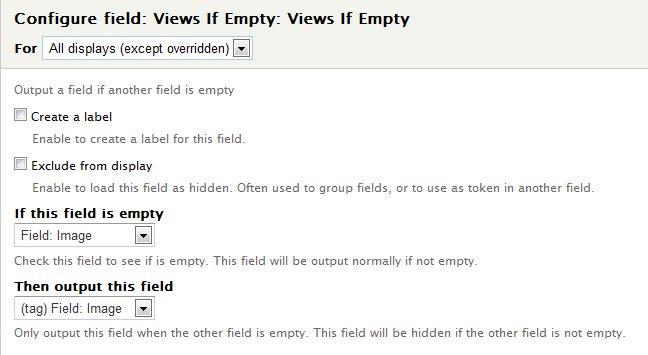
But exposing the Content: Tags relationship now means that the node displays for each tag associated with it. If a node has Tag A and Tag B, it now shows up twice on the Blog page. I've tried to use contextual filters to limit the results of the Content: Tags relationship to only one result, but none of the settings I've tried do that. Depending on what I put in, I either show everything or nothing.
I have the PHP filter installed and tried to shift the first value off the Tags array, but I don't think I know the right hook or variable to use.
Is there any way to return only one taxonomy term for this relationship? If so, what filter do I need to use to do it?



Comments
Comment #1
MrsWho commentedOne day I'm going to learn that taking a break from a problem almost inevitably leads to me finding the solution when I come back. For those needing to accomplish the same thing I did, here's what to do:
Add a normal filter of Content: Tags (field_tags:delta). Then set the operator "Is equal to" to "%1."
Comment #2
Jeana_with_a_j commentedI'm just adding my thanks to @MrsWho for posting her update. This worked for me. I had to make sure I was selecting the right Content: _____ (field_xxx:delta). For me it was Content: Department ... as I had created a taxonomy based on departments.