After installation
Drupal 7.20 + Firefox 19.0.2;
a left click anywhere in drupal screen (admin menu, main menu, white space, text areas) launches modal form/frame/overlay with ajax loader, which runs & runs & runs until user manually closes the overlay, and the user is returned to same page view (if a link/menu item is clicked, user receives pop-up modal form/box and when closed remains on same page; thus user cannot move to new page/view/admin option).
IF I first click the "Quick Edit" link, then the modal overlay pops up; BUT ..
THEN returns me to the inline edit form/fields view (mydomain/node/#edit)
AND if i tab (and do not click anywhere), I can move through the fields & edit & save may edits.
IF i click anywhere, I get eh pop-up, but closing it returns me to the #edit view.
IF i then click "Quick Edit", I am taken to the #view page
Any [Tab] to & [Enter] to select a link (to go to a new page) opens the modal form & closing it, returns me to the same page/node; the same as the left click scenario.
IF i log out, left click & menus work normally.
Firebug messages listed below.
IE 8 (8.0.6001.18702)
IE 8 behavior is similar, except there is no pop-up modal form, this action seems to fail; and left clicks on menu items simply do not respond to a click.
Left click on 'Quick Edit" show some content, defaulting to the content block, with the left nav bar & header disappearing.
Clicking a text field, then runs ajax loader and only the selected field is displayed along with the main menu (no sidebar or header content).
I have to use browser address bar to navigate back to page/node as sidebar & Quick Edit link is not visible.
IE 8 error messages listed below.
Chrome Version 24.0.1312.56 m
Quick check seems like Firefox.
Drupal 7.20 is a Fresh install (manual- not from cPanel installer on shared hosting @ hostgator.com- currently running a Drupal 7.16 site) with minimal content- but many contributed modules (all was well no log errors before install of Edit). Currently I am creating a base with all desired features & services installed & configured, to move current site content from the existing Drupal 7.16 site created on a drupalgardens base & moved to hostgator which proves to be a limited foundation for continued use.
Theme - Fusion Core + Fustion starer subtheme copied to create new custom subtheme (only a few base options selected- no departure/add-on to Fusion cosign at this point)
-I installed edit-7.x-1.0-alpha6
- applied patches
- core-field_api_single_field-1821906-28.patch
- 1902882-1.patch
to resolve errors
- - Undefined variable: items in edit_metadata_generator()
- - Undefined variable: instance_info in edit_metadata_generator()
- - Undefined index: editor in edit_metadata()
Cleared caches, ran update, checked & rebuilt permissions, ran cron & status report & dblog (as this tends clear & flush out error messages with any new module or configuration change).
- Reviewed ckEditor settings for possible configuration issues.
- dblog is now error free.
Firebug reports:
Error: cboxElement missing settings object
https:/my_domain.com/home/sites/all/libraries/colorbox/jquery.colorbox-min.js?mjnvy8
https://my-domain.com/home/sites/all/modules/edit/js/createjs/editingWid...
https://my_domain.com/home/sites/all/modules/jquery_update/replace/jquer...
IE 8 reports
Webpage error details
User Agent: Mozilla/4.0 (compatible; MSIE 8.0; Windows NT 5.1; Trident/4.0; chromeframe/24.0.1312.56; .NET CLR 3.5.30729; .NET CLR 3.0.4506.2152; .NET CLR 2.0.50727; .NET CLR 1.1.4322)
Timestamp: Thu, 14 Mar 2013 18:57:30 UTC
IE 8
Message: 'console' is undefined
Line: 6 Char: 542 Code: 0
URI: https://my_domain.com/home/sites/all/libraries/colorbox/jquery.colorbox-...
Message: 'console' is undefined
Line: 6 Char: 542 Code: 0
URI: https://my_domain.com/home/sites/all/libraries/colorbox/jquery.colorbox-...
Message: 'console' is undefined
Line: 6 Char: 542 Code: 0
URI: https://my_domain.com/home/sites/all/libraries/colorbox/jquery.colorbox-...
Installed modules: sources of possible conflict (jQuery & inline edit related modules)
- jQuery Update 7.x-2.3-alpha1+0-dev
- jQuery Multi 7.x-1.0-beta1
- BeautyTips API 7.x-2.0-beta2
- elFinder 7.x-2.x-dev (as ckEditor file browser)
- Superfish 7.x-1.9-beta5
- jqGrid 7.x-1.3 (which will not render edit-able view in page view (but renders in views add.edit- still testing)
- Slickgrid 7.x-1.4 (which will only render frame not content w/edit-ability still testing)
- Views Supertable 7.x-1.1
- Colorbox 7.x-2.3
- Back To Top 7.x-1.3
- Navigate 7.x-1.0
Overlay module not installed
For now I will disable the module and reflect.
Thank you.. for your help and this great module!




Comments
Comment #1
drupal888 commentedI did not recognize this before as the same/similar error- but it is
http://drupal.org/node/1933166
Proposed solution use jQuery Update version 1.7 provides improvement (Firefox seems to work OK upon VERY quick test; IE not so great, clearing cookies etc to reset IE and will also check Chrome).
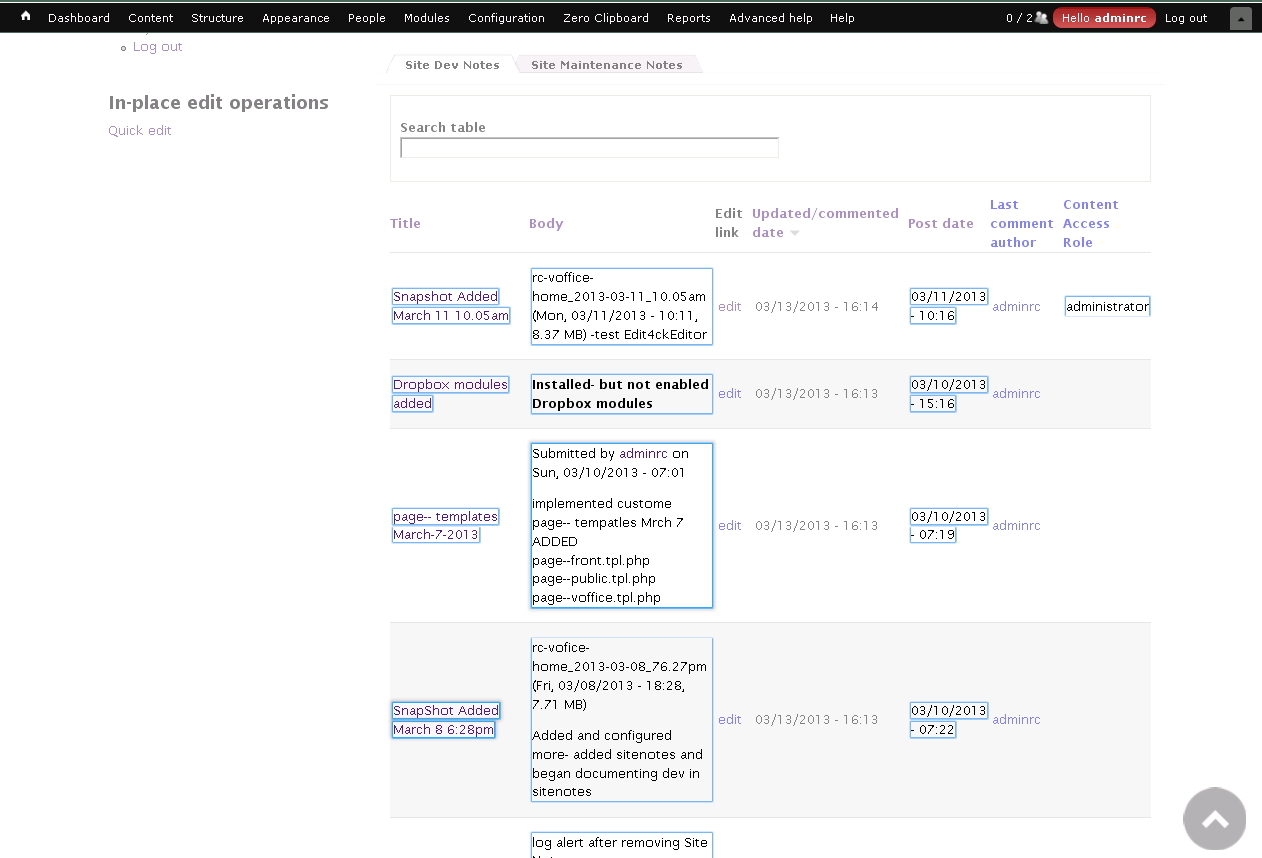
Firebug is not pointing out any issues for the page I have loaded, pretty good considering it is a Supergid (jQuery) view, in a QuickTab block (more jQuery) and all of the text fields seem to be fine.. no, Extra fine, Super fine.. I think I have died and gone to Drupal Edit Heaven!!
ckEditor is kicking in with all WYSIWYG features and the Select Option list renders BEAUTIFULLY!
Screenshots attached.. i really did not expect this to work!
This FAR exceeds getting Edit-able grids... THANK YOU.. this is WONDERFUL!!!
I will continue to test... I hope the rest of the modules like JQuery 1.7.. if they do not they will lose, no way I will give up Edit+ckEditor!!! :)
Comment #2
wim leersLooks like you fixed this yourself :)