

Closed (fixed)
Project:
Drupal Commons
Version:
7.x-3.0
Component:
User interface
Priority:
Major
Category:
Bug report
Assigned:
Reporter:
Created:
26 Feb 2013 at 08:56 UTC
Updated:
15 Mar 2013 at 20:00 UTC
Jump to comment: Most recent file

Comments
Comment #1
Dani_what commentedComment #2
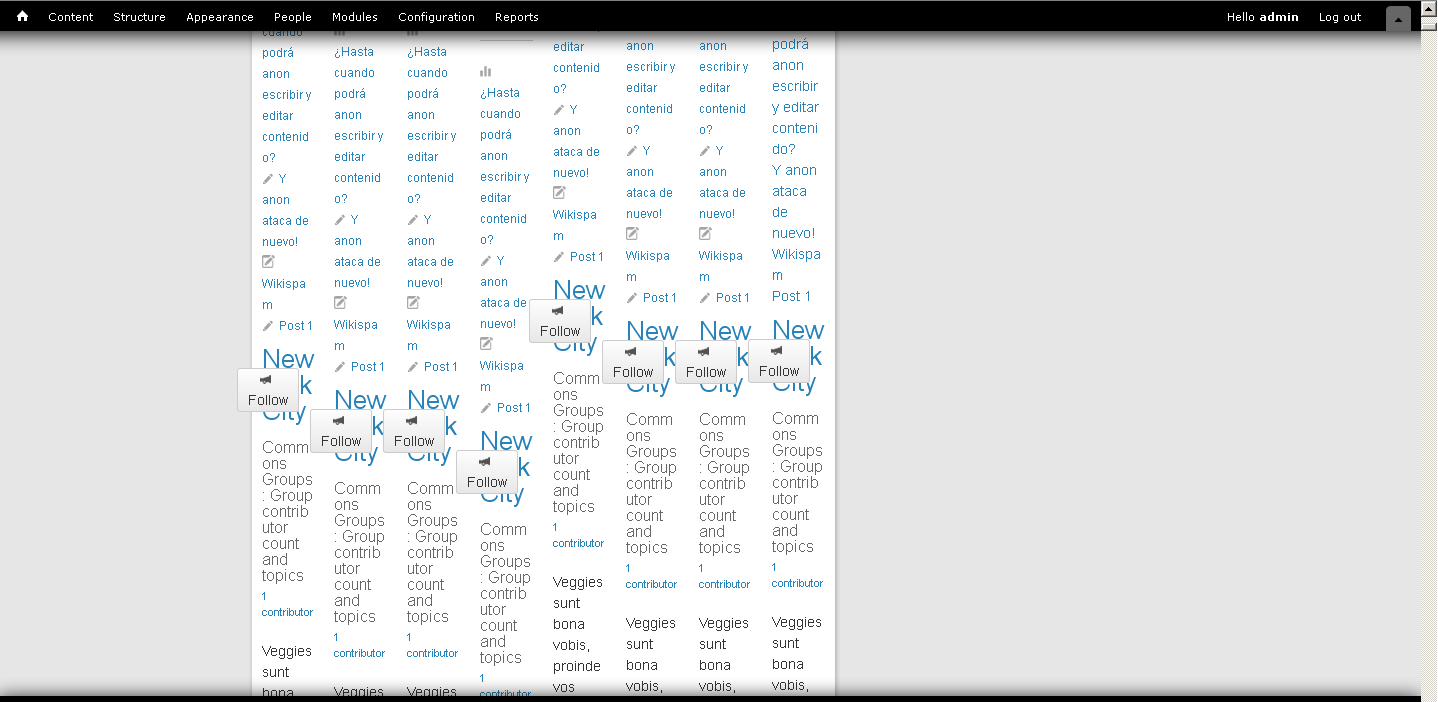
Dani_what commentedI've tryed it on a fresh 7.x-3.0 install and the only difference is how the "junk" is laid out, but it's still there.
Edit: if you try to use the filter with 1 or 2 letter only, all the groups will disappear and you'll get a "No groups matched the text you entered." message. Then you have to reload de page for the groups to come back, as the filter won't find them (oh, no junk!).
Comment #3
japerryI cannot reproduce this issue, I've tried typing in various words, matching group words, parts of words, etc and none of them work. What words did you type in to get this result?
Comment #4
Dani_what commented"new", "york", "city", "boston", "team", "sunt", "esse", "online home", ...
It happens whenever I type any word or array of words that matches completely something in the name or description of any groups. If it can't find exactly what I typed there is no effect at all.
Oh, wow. Just before saving this comment I felt I should try the filter with a different browser, just in case that was the problem... and with Torch (which is based on chromium) the filter worked perfectly. Until now I had only used it with Firefox 19.
Have you tryed / Can you try it with firefox?
Comment #5
japerryDuplicated. This is definitely an issue with firefox 19, although I'm having trouble figuring out why its generating not only different display, but different results.
Investigating.
Comment #6
japerryChanged title to be a bit more descriptive of the specific issue. Turning of AJAX fixes this problem. Seeing if that will be sufficient from a UX perspective.
Comment #7
japerryFixed by removing Ajax. we'll reopen if we need to enable ajax and find another solution to this.
http://drupalcode.org/project/commons_groups.git/commit/cd6b47c