

Closed (duplicate)
Project:
Drupal core
Version:
8.0.x-dev
Component:
taxonomy.module
Priority:
Major
Category:
Bug report
Assigned:
Unassigned
Issue tags:
Reporter:
Created:
10 Feb 2013 at 08:40 UTC
Updated:
5 Apr 2016 at 10:41 UTC
Jump to comment: Most recent, Most recent file



Comments
Comment #1
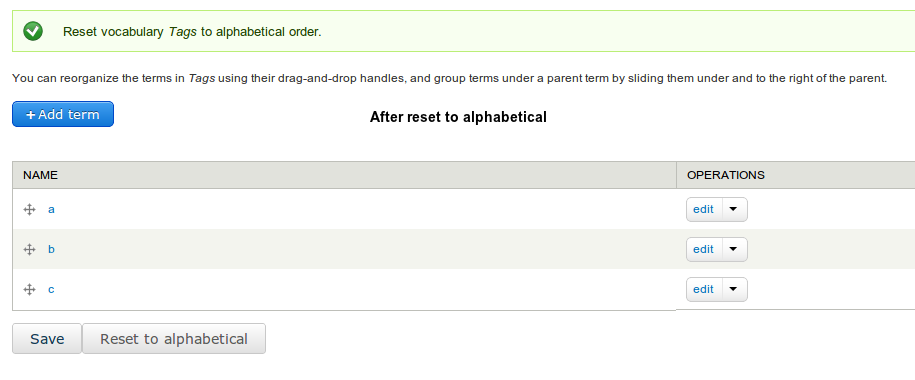
roysegall commentedI adding some screenshots.

Before reset:
After resetting to alphabetical:
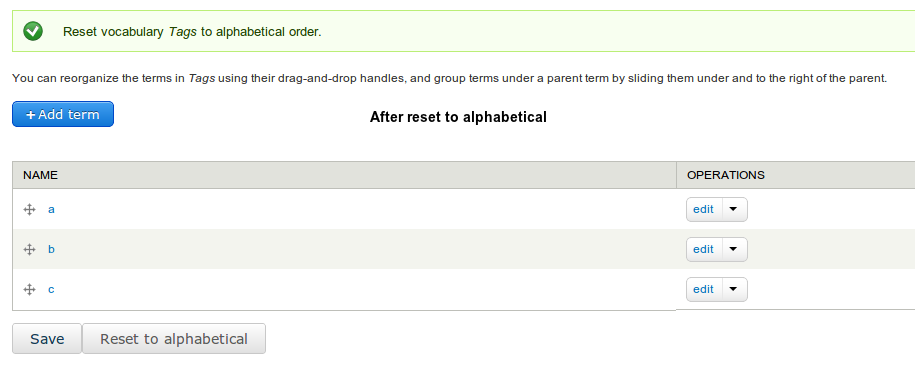
After clicking on the save button, the order of the terms is set back to the way he was before the resetting:

Now i can see that the save button set another ordering, but still this not the way it suppose to behave.
Comment #2
maciej.zgadzaj commentedThe issue comes from call to
uasort($form_state['values'], 'drupal_sort_weight');intaxonomy_overview_terms_submit().Essentially, when Reset to alphabetical is used, all term weights are set to 0, and when they are passed to
drupal_sort_weight()for sorting, due to PHP sorting functions not supporting stable sort after PHP 4.1.0, the results of such sort could be random. Which is even explained on usort page in PHP Manual:Attached patch fixes this issue, based on similar approach in
module_config_sort()(although slightly improved).Comment #4
maciej.zgadzaj commented#2: drupal-taxonomy_reset_to_alphabetical-1913276-2.patch queued for re-testing.
Comment #5
hass commentedSounds like a duplicate of another case.
Comment #6
roysegall commentedDidn't found like this.
I would be happy for a link to issue if there is one like this.
Comment #7
hass commented#941266: Order of terms with same weight messed up after saving or #815682: Taxonomy term ordering on node view & edit not consistent with taxonomy weight or #394422: Taxonomy terms should be listed in order they are entered
Comment #9
maciej.zgadzaj commentedSee comment #7.
Comment #10
gavin.hughes commentedI realised this issue is closed see #7 and its in progress and for back porting to drupal 7 not sure how that is best done. So
I was trying out patch in #2 it needed a re-roll for Drupal 7 site but it works! with a few warnings 'Illegal string offset Warning PHP'
So I tried to manage that a little :-)
Here is the re-rolled the patch for drupal 7 it may be of some help
Comment #11
misthero commentedpatch #10 works!