Hi!
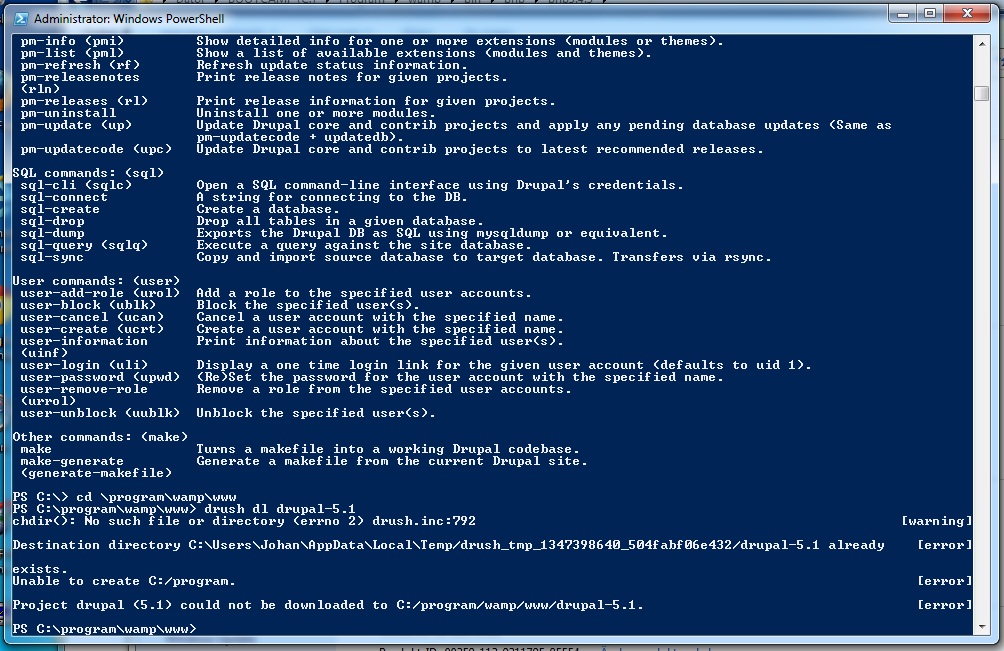
I've tried to install drush on my windows machine now for several hours but can't get it to work. I've run the windows installer and added the correct paths to environmentvariables.
It seems like drush work in general, when i type drush I get all the help info and when I type drush status from a non drupal directory I get:
C:\Program\wamp\www>drush st
PHP configuration : C:\Program Files (x86)\Drush\Php\php.ini
Drush version : 5.7
Drush configuration :
But then if I run the comman inside a Druapl directory and expect some info about the current drupal installation I get.
C:\Program\wamp\www\mysite>drush st
require_once(C:/Program/wamp/www/mysite/includes/common.inc): [warning]
failed to open stream: No such file or directory bootstrap.inc:684
Drush command terminated abnormally due to an unrecoverable error. [error]
Error: require_once(): Failed opening required
'C:/Program/wamp/www/mysite/includes/common.inc'
(include_path='.;C:\php\pear') in
C:\ProgramData\Drush\includes\bootstrap.inc, line 684
Please somebody, can't get around this one.


Comments
Comment #1
Nexsoft commentedIs there sombody that had been able to install latest drush windows installer who can share the success story?
Comment #2
Nexsoft commentedComment #3
Niremizov commentedI had the same error, it was caused by spaces inside Drupal root path: "C:\Users\Nikko\My Documents\xampp\htdocs\git\personal" , after changing path to C:\Users\Nikko\Documents\xampp\htdocs\git\personal error has disappeared.
Comment #4
rbruhn commentedI was able to install Drush 5.8 on my Windows 7 alright. I use git-scm and when installing Drush I made sure the Environment variables was selected so it would work in my git bash. However, when doing a simple code sniffer test like >drush dcs index.php from within my Drupal root directory, I was given an error about the file not existing. As with Niremizov, it was due to spaces in my path.
I simply created a symlink that does not use spaces:
Then in my /sites/default/drushrc.php file I added:
$options['r'] = 'E:\User\Work\drupal.loc\public_html';Not sure if it will help you, but perhaps help someone else in the future.
Reading over your issue again, how about using the drushrc.php in your site folder as I do above, and setting the paths so the correct bootstrap is used?
Comment #5
greg.1.anderson commentedThis issue was marked
closed (won't fix)because Drush has moved to Github.If you still need help, please ask your question again on Drupal Answers and then post a link here to the new question. Please also change the status of this issue to
closed (duplicate).Use our Github project for contributing code, or reporting bugs, or requesting features.