

Closed (fixed)
Project:
Link
Version:
7.x-1.0
Component:
Code
Priority:
Normal
Category:
Support request
Assigned:
Reporter:
Created:
4 Sep 2012 at 12:11 UTC
Updated:
10 Mar 2014 at 11:06 UTC
Jump to comment: Most recent, Most recent file

Comments
Comment #1
jcfiala commentedIn a lot of themes, using a class of 'button' on a link makes the link look like a button - try adding the button class to the link field in the field's configuration.
If this does what you want, let us know and we can close this. If it doesn't, maybe you could give a bit more detail on what you need?
Comment #2
joshualoman commentedThats exactly what i need! But where exactly do i add the "button" class?
Comment #3
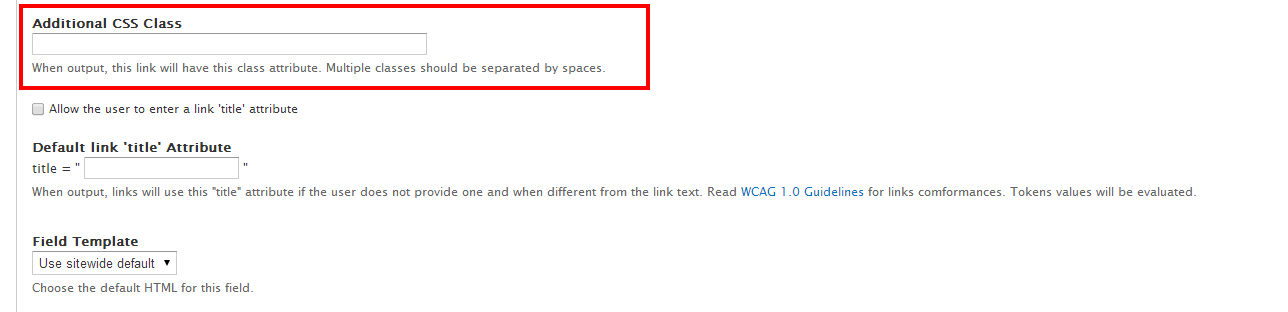
jkingsnorth commentedYou can add a class to the link by editing the field (Structure > Content types > X > Manage fields > Your link field).
About halfway down the settings page is the 'Additional CSS Class' option. Type 'button' in here. (Screenshot attached).
If that doesn't work you could use custom CSS to style the link, perhaps writing your own 'button' class.
(Marking as closed fixed since this is an old issue, please reopen if you still need assistance.)