Closed (fixed)
Project:
References
Version:
7.x-2.x-dev
Component:
Code: node_reference
Priority:
Normal
Category:
Support request
Assigned:
Unassigned
Reporter:
Created:
22 Aug 2012 at 17:09 UTC
Updated:
22 Aug 2012 at 19:36 UTC


Hello,
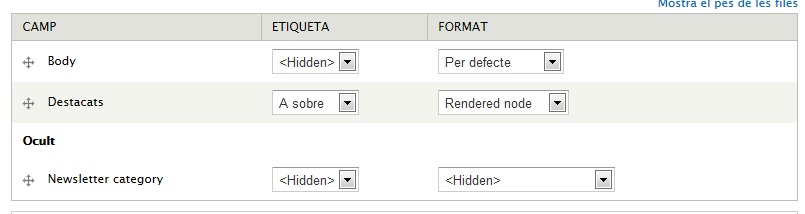
I try to do a very simple configuration, but I don't find where to do this.
What I did and want to do:
Am I missing something?
Do I need to activate something before the options for "Rendered node" being provided?
thx
| Comment | File | Size | Author |
|---|---|---|---|
| references.jpg | 32.31 KB | llribas |

Comments
Comment #1
llribas commentedI realized that the problem was the combination of "display suite" and "references":
if you have display suite installed and try to setup a node reference field, without choosing one of the display suites layouts for that content type, the options for the fields doesn't appear.
Once I selected a display suite layout, the options for the fields came up.