


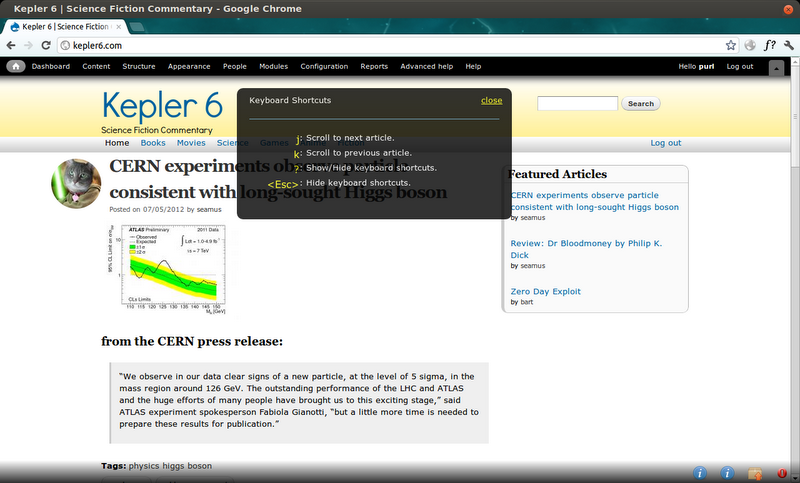
Article Jump
About this module
Article Jump adds jQuery functionality to a page to allow the user to scroll from one article to the next via a hotkey. For instance you can scroll down through a stream of node teasers by pressing "j" several times. Then scroll back to the previous article by pressing "k".
The jQuery selector is configurable, so if you have a stream of feed items, you can add a selector of ".content .feed-items" on the module configuration page and users will be able to navigate that stream by pressing "j" and "k" as well.
The hotkeys are also configurable. So, if you prefer "n" and "p", than you can change them on the configuration page.
Requirements
This module requires the libraries module and mousetrap.js, a javascript library.
Installation
1. Create a libraries directory at: sites/all/libraries/
2. Download and enable http://drupal.org/project/libraries
3. Download mousetrap.min.js into sites/all/library/moustrap/
https://raw.github.com/ccampbell/mousetrap/master/mousetrap.min.js
4. Download and enable Article Jump.
Configuration
On the module's configuration page you can configure the jQuery selectors that will be used as the article jumping anchors and also the speed of the scroll. You can also configure the hotkeys.
Demonstration
You can see a demo of how the module works by visiting this Demo Site and pressing "j" and "k" to scroll through the stream of articles. Also, to see the hotkey guide, press "?".
Features
- Allows site users to scroll to the next/previous articles, feed items, or node teasers with a hotkey.
- Allows site administrators to adjust the jQuery selectors that create the scrolling endpoints on the module configuration page.
- Allows site administrators to adjust the scrolling speed on the module configuration page.
Requirements
- Libraries module
- mousetrap.js
Browser Compatibility
The functionality has been tested and works in latest versions of Chrome, Firefox, and Opera, and IE 8 and above.
Project information
- Project categories: Developer tools, Site structure
- Created by bartlantz on , updated
 Stable releases for this project are covered by the security advisory policy.
There are currently no supported stable releases.

