On the project page, it's mentioned that in order to load necessary javascript in the modal, "You will need to make sure your javascript is...inline in the html that's being loaded..."
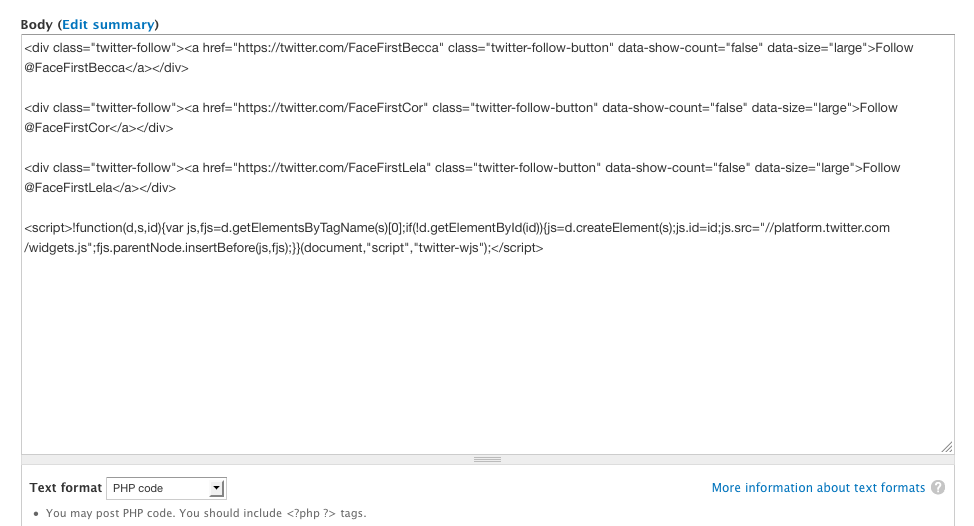
I'm trying to include a script for use with Twitter "follow" buttons, and no matter how I seem to format it inside the target element on the node, it doesn't seem to come along for the ride in the modal. Below is the script - I'm pretty ignorant when it comes to js, so I'm not sure if there's something inherent in the script or loading order that prevents this from working. On the actual node itself, it seems to work no matter how or where I include the script (inline, .tpl, etc.).
I also tried a few other scripts just to be sure, and none of them make it into the modal.
Any ideas would be much appreciated. Thanks!
<script>!function(d,s,id){var js,fjs=d.getElementsByTagName(s)[0];if(!d.getElementById(id)){js=d.createElement(s);js.id=id;js.src="//platform.twitter.com/widgets.js";fjs.parentNode.insertBefore(js,fjs);}}(document,"script","twitter-wjs");</script>


Comments
Comment #1
drclaw commentedThat's strange. I haven't done a ton of testing with inline javascript. I'll take a look though and let you know.
Comment #2
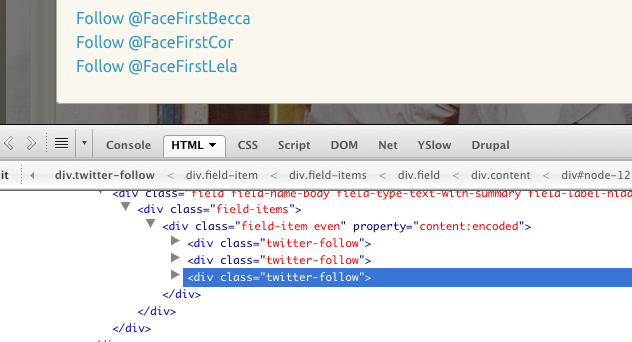
deardagny commentedI appreciate the quick reply and great module. For what it's worth, I've attached screenshots of both the body field on the target node, as well as the output from the modal. The field is currently set to "PHP code," but I've also tried it with "Full HTML" with all cleanup filters shut off (and just about every other combination I could come up with). Thanks again for taking a look.
Comment #3
drclaw commentedThis should be fixed now. I committed and it should be available as a new release (7.x-1.5)
Thanks for the report!
Comment #4
deardagny commentedEdit:
Sorry, think I jumped the gun a little. After updating, the javascript seems to have been called in the dialog window. However, if I close and then reopen it, the script is no longer called. The strange thing is, even when it works (the first time the modal is opened), the script still doesn't show up anywhere in the markup.
Any idea what could cause that? Thanks again.
Comment #6
paulmckibbenI have the latest 7.x-1.x-dev version, and my inline script is not executing. The script executes fine if I load the URL on its own page.
Comment #7
drclaw commentedCan you provide your simple dialog link html and, if possible, the target html with the inline javascript in it?
Comment #8
drclaw commentedNo reply in almost a year.