
Feed Import Taxonomy Terms
Feed Import is a module that allows you to import content into entities from various file types (like XML, HTML, CSV).
In this page we will find how to import taxonomy terms.
Our terms will be plants and we'll use an xml file from w3schools http://www.w3schools.com/xml/plant_catalog.xml.
Import code for feed below can be found here.
First, create a new vocabulary named Plants (admin/structure/taxonomy/add).
Add a new feed named Taxonomy Plants, for entity name select taxonomy_term and for url use
http://www.w3schools.com/xml/plant_catalog.xml
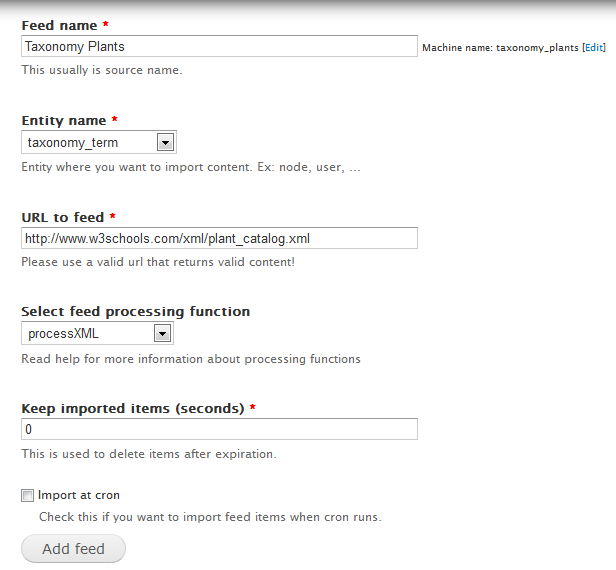
Click add button then go edit your new feed configuration. Open xml file and take a look at its structure to find xpaths.
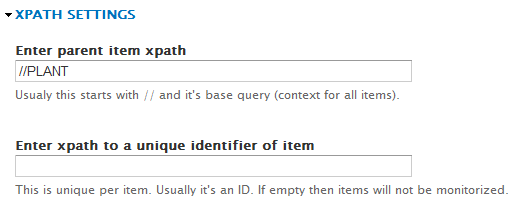
You can see that the parent xpath will be //PLANT. We don't use an unique identifier because this is a one time import but if you don't want to have duplicate terms you can add the same xpath as the name have (see below the xpath for name).
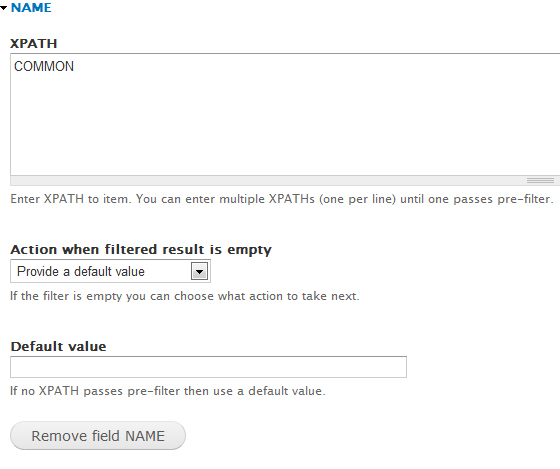
Add field named name with xpath COMMON
You can also add field named description where you can save botanical name with xpath BOTANICAL
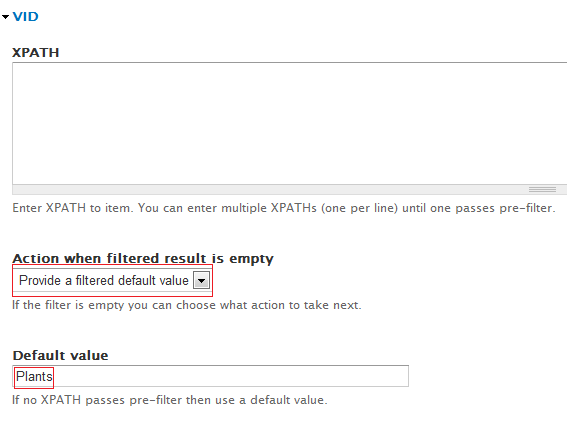
You have to specify in which vocabulary you want this term so add field named vid (which stands for vocabulary id). For this field use "Action when filtered result is empty" set to "Provide a filtered default value" and as a default value the vocabulary name, which is Plants.
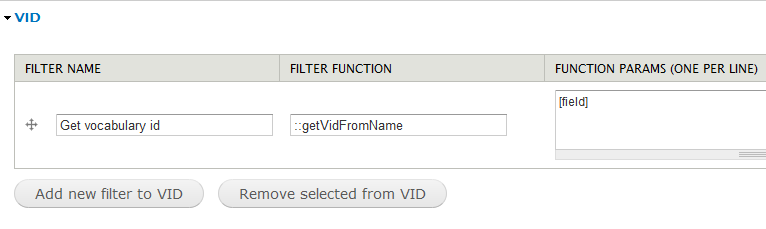
One step left to do: add a filter for vid field to get id from name. Click on Edit filters tab and add a new filter for vid field with name Get vocabulary id, function name ::getVidFromName and one param: [field]
Save settings and you are ready to import the feed.
After import you should have about 36 taxonomy terms in Plants vocabulary.
Help improve this page
You can:
- Log in, click Edit, and edit this page
- Log in, click Discuss, update the Page status value, and suggest an improvement
- Log in and create a Documentation issue with your suggestion
