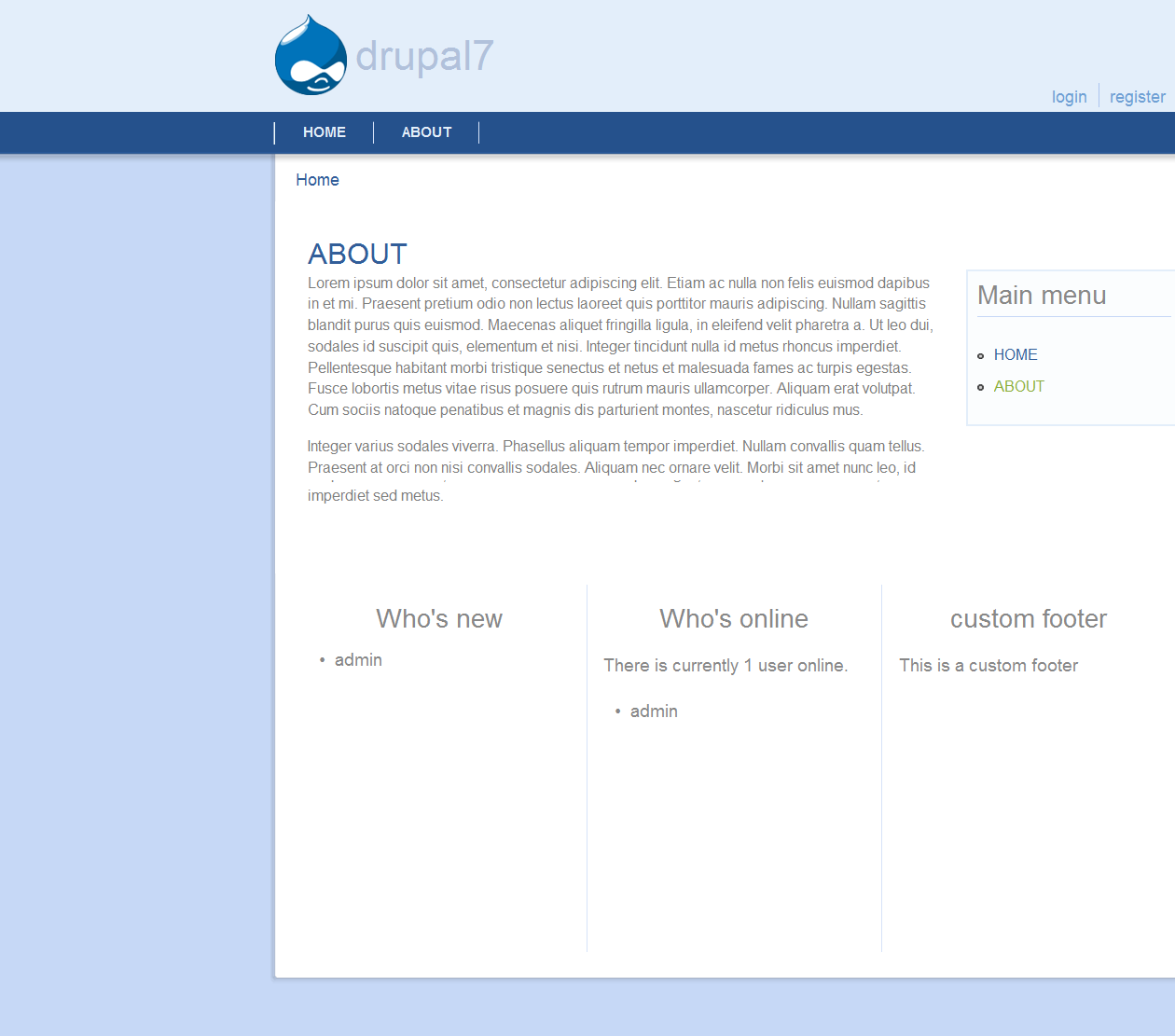
BlueJems is simple web theme. For they who want a simple view, simple layout, simple color, and simple use. Combined with good color, that make this theme is good looking.

Bluejems is beautiful theme for Drupal 7. Bluejems support from IE 6 to modern browsers.
Features :
- 1, or 2 column design.
- Tableless.
- 11 collapsible block regions.
- Superfish drop down menu.
- Primary links and secondary links.
- Custom login form.
The wide banner featured in this release using a beautiful photo of Rodrigo, this released under GPL license.
Bluejems use :
(To use javascripts above, see README.txt in repository.)
Developers
Bluejems was created and developed by Gunawan Probo Swandono, and was inspired by Metropolis.
Sandbox link: http://drupal.org/sandbox/igoen/1586444
Clone here git clone --branch 7.x-1.x http://git.drupal.org/sandbox/igoen/1586444.git bluejems
Reviews of other projects:






Comments
Comment #1
amauric commentedHi,
There are many errors to correct. See report on http://ventral.org/pareview/httpgitdrupalorgsandboxigoen1513454git
Comment #2
igoen commentedHi,
Thanks for your attention, this is the first theme that i made, so if there many error please understandable. Then there any idea to fix that error?
But before, if i use this theme in my localhost, there's no error visible, why it's be like that?
Comment #3
amauric commentedThese are errors of styles, you must respect the standarts Drupal in comments, indentation, ...
For example you use 'tabs' while only spaces are allowed to indent the code, the old CVS tags ($ Id) is no longer needed, ...
In addition, you must add a README.txt and remove LICENSE.txt which is added automatically by drupal.
These are not necessarily errors that prevent the smooth functioning of the theme but the rules to ensure a good reading source code for the entire Drupal community.
Comment #3.0
igoen commentedUpdate for my error git.
Comment #3.1
igoen commentedUpdate git repository.
Comment #4
igoen commentedI had changed the git preference be " igoen@git.drupal.org:sandbox/igoen/1524924.git " , and it can fix some error, but still had three error. What do you think?
Comment #5
nalan commentedHi,
I'm unable to clone the project (igoen@git.drupal.org:sandbox/igoen/1524924.git), it is asking for password!!
Comment #6
D4Ko commentednalan,
maybe he means by:
git clone http://git.drupal.org/sandbox/igoen/1524924.git bluejems
Comment #7
nalan commentedHi Dako,
I tried it, but it clones only 3 files (2 info files and one readme.txt).
I don't know what is going wrong!!
Have you cloned it? Is it cloning well?
Comment #8
D4Ko commentedNalan
I think that it is master brache http://git.drupal.org/sandbox/igoen/1524924.git which should contain only readme.txt
git clone --branch 6.x http://git.drupal.org/sandbox/igoen/1524924.git bluejems
and git clone --branch 7.x http://git.drupal.org/sandbox/igoen/1524924.git bluejems
igoen please read
Release naming conventions
Moving from a master to a major version branch
Creating a branch or tag in Git
and correct your project.
Comment #9
nalan commentedThanks for the info Dako.
Comment #10
igoen commentedHi, sorry i have a lot of things to do, so i just read it,
Nalan, yes of course, dako's said is right. Because i create it to another branch, but maybe it have some bugs. So sorry for this misunderstanding. I will fix it later.
Dako, thank you for your explanation for this misunderstanding, i'm new comers, so i will learn it again. And thanks for your suggestion.
Comment #14
patrickd commentedSpam reported, sorry guys
#1525562: Spamer: hammsa.com
Comment #15
igoen commentedhi patrickd, how to delete this spam?
Comment #16
igoen commentedthanks
Comment #16.0
igoen commentedupdate patch of git
Comment #16.1
igoen commentedupdates
Comment #17
igoen commentedafter read the suggestions, i move it into another repository. And i just create the bluejems 7.x-1.0.
How now? are there some errors? need review.
Comment #17.0
igoen commentedupdates
Comment #17.1
igoen commentedupdate
Comment #18
nalan commentedHi igoen,
I just checked your theme, it looks good, especially the “highlighted” and “content-top” regions are well designed. Here are my manual reviews:
Manual review:
1) The sidebar-left and sidebar-right are not working. I created new blocks and placed them in left and right sidebars, they are not working. But the same blocks work fine in the bottom regions.
2) If we place the search form in the left sidebar, the design breaks completely (see screenshot in the attachment)
3) The photos that you have used in slideshow, do you have proper rights to distribute it on drupal.org under the GPL?
4) Remove the license file (it will be added by drupal team) and add a well documented readme file. Also please mention how to use the slideshow option.
5) Put the template files (ie: *.tpl.php) in a separate folder called “templates” and put the css files in a separate folder called “styles”. By doing so, you need to change the path in the info file too. This suggestion is just to make the theme well structured.
Comment #18.0
nalan commentedupdate
Comment #19
igoen commentedHi Nalan,
Before, thanks for the review,
Answering you,
1)Has you change the page.tpl.php before, because for default i make one sidebar( right sidebar ). For left sidebar i disable it in page.tpl.php and style.css (see screenshot).
2)For this reason i have no ideas, are there some clues, maybe what you use in another block.
3)Yes, this is my fault, i will give some list.
4)Oh, it give by drupal team, right, i will create it.
5)I understand, you right for this, my file is not good in structure. I will change it, and make more simple.
Comment #20
nalan commentedHi,
1) I cloned your latest version from “ git clone --branch 7.x-1.x http://igoen@git.drupal.org/sandbox/igoen/1526544.git bluejems” and checked it. Regarding the sidebars (left and right), if you don’t need it, then you can remove it from the info file. In that way, it cannot be seen in the “Regions” (…/#overlay=admin/structure/block). Then, unlike you said, you have not disabled the left sidebar in page.tpl.php but you put them in comments and those comments are only for html tags and it won’t work for php codes. Could you check if the default sidebar is working?
2) For the design break, if you are going to remove the left sidebar then you don’t have to worry about it. But check if is displaying properly in default right sidebar.
Comment #21
igoen commentedhi,
1) This is my weakness, i think if i just put them in comments maybe for the beginner its more simple to understanding that it actually have two sidebars. But maybe i'm wrong, i will fix it again. Just wait it...
2) I was enable two sidebars in bluejems on my localhost. And it work properly. Maybe i will turn the default be two sidebar directly.
lets try bluejems 7.x-1.2
Comment #21.0
igoen commentedupdate
Comment #22
igoen commentedNew repository " git clone --branch 7.x-1.x http://igoen@git.drupal.org/sandbox/igoen/1529652.git bluejems " bluejems 7.x-1.0 version with some bugs fixed. Need review
Comment #23
nalan commentedHi Igoen,
There are lot of coding style errors that you have to take care of which I found through auto review http://ventral.org/pareview (see attachment drupalcs-result.txt).
Here are my manual reviews for --branch 7.x-1.x,
1) The design of the sidebars (left and right) is slightly collapsed in firfox3.5 and in IE8 the left sidebar is completely missing (see attachment screen1_firefox3.5.png and screen1_IE8.png).
2) Add README file.
3) Put the template files (ie: *.tpl.php) in a separate folder called “templates” and put the css files in a separate folder called “styles”. By doing so, you need to change the path in the info file too. It is not a good idea to put template files and css files in the same place.
Comment #23.0
nalan commentedupdate
Comment #23.1
igoen commentedupdate
Comment #24
igoen commentedHi Nalan,
Yes i'm still work to fix this one, and still there many bugs.
But i'll try to fix my code style, and next i will update for this bugs code style.
1) I've decided to use one sidebar, i choose right sidebar. Maybe because my theme have small width, it can't take two sidebars in one condition, it will make the main content too small. So the left sidebar is deleted.
2) What README.txt container? I still confuse to add this one.
3) I don't do it yet. Because i still don't understand if i put it into different folder, how to call that file? Maybe you have some suggestion.
I have deleted left sidebar, add small README.txt, and fix my code styles even though it's still have many error.
git clone --branch 7.x-1.x http://igoen@git.drupal.org/sandbox/igoen/1530614.git bluejemsComment #25
nalan commentedHi Igoen,
It wil take some time to correct the coding styles, take your time. Let me know if you need any help to correct some style issues.
1) Good.
2) The README.txt should contain
This link may help you to create the read me file guidelines for in-project documentation. You can also check the readme file from other popular themes and analyse how they have structured and provided the information in the readme file.
3) If you replace the CSS files in new folder "styles", you have change its path in the info file (stylesheets[all][] = styles/style.css). If you replace the *.tpl.php files in new folder "templates", you don't have to do anything, drupal will take care of it automatically. It's simple, isn't it!!
Comment #26
igoen commentedHi Nalan,
Still try to fix this code. But in 7.x-1.0 rev C, it was not like the code styles. Maybe, can you review my code? And tell me the difference of my code with the standard code?
1) OK.
2) I've add it. But it just simple explanation. Are this ok?
3) I've do it. Thanks for your suggestions. It look like more simple, I think.
git clone --branch 7.x-1.x http://igoen@git.drupal.org/sandbox/igoen/1530614.git bluejemsComment #27
igoen commentedSory because focusing to fix styles code, bluejems font-color is collapsed. Bluejems 7.x-1.0 rev D is fixing for the font-color bugs.
git clone --branch 7.x-1.x http://igoen@git.drupal.org/sandbox/igoen/1530614.git bluejemsComment #28
igoen commentedI've created bluejems to 7.x-1.2 rev A. But still have some error of my coding style. Can anyone help me to resolve this problem? Need review.
Comment #29
nalan commentedHi,
The branch 7.x-1.2 is not found.
Could you give me the direct clone link for the right branch.
Comment #30
igoen commentedI've created a new branch, 7.x-2.x.
Clone links :
git clone --branch 7.x-2.x http://igoen@git.drupal.org/sandbox/igoen/1530614.git.I've try to clone it, but all branch cloned into my directory.
And for ventral.org review's, i search 7.x-2.0 version by myself. Ctrl+F and i write 7.x-2.0. There's five errors, and I can't fix them. Please help.
Comment #31
nalan commentedCould you attach the errors which you are in need of help.
Comment #32
igoen commentedThis is the attach of errors.
Comment #33
igoen commentedI work until 7.x-2.2 rev H, and still leave some errors. Can anyone review my theme?
Comment #33.0
igoen commentedupdate
Comment #33.1
igoen commentedupdates
Comment #33.2
igoen commentedupdates
Comment #33.3
igoen commentedupdates
Comment #34
igoen commentedAll problems with coding style had fixed. Can anyone review now?
I also move it to another repository, clone here
git clone --branch 7.x-1.x http://git.drupal.org/sandbox/igoen/1559454.git bluejems.Comment #35
bloke_zero commentedHi igoen,
1. I think the branch should be 7.x-1.x
2. The folder 7.x-1.0 shouldn't exist, the files should be in the root of the repo.
3. I think you shouldn't prescribe which blocks are where, specifically 'authorize' should be configurable, what's wrong with having the drupal login block positioned somewhere? I'd get rid of authorize block.
4. What is
Doing? The print seems wrong?
5. Also, lots of coding style problems, spaces indenting, etc. in template.php
I think pareview/ Drupal Code Sniffer is freaking out as it shows no errors but I see lots of whitespace and indenting issues in page.tpl.php
6. styles/style.css line 6 should be
font-family: Arial, Verdana, sans-serif;
7. There is a CSS problem with the authorise block: - see attached image, mac chrome and FF latest builds.
I think it needs a bit more work but it's a promising and good looking theme - good luck!
Comment #35.0
bloke_zero commentedupdate
Comment #36
igoen commentedHi bloke_zero
1,2) I see, and I had changed it. Sorry, I'm a new guys.
3) Good suggestions. Maybe I will take it next time.
4) Oh that doesn't work? I think I will deleted it.
5) Page.tpl.php has fixed. But in templates.php, where the error parts? I don't understand the error of coding style in templates.php.
6) Fixed.
7) I work with Windows, so I can't test my theme in another OS (include mac). But I changed the css of form submit. Then, are still the form submit collapsed?
Thanks.
(clone here
git clone --branch 7.x-1.x http://git.drupal.org/sandbox/igoen/1562040.git bluejems.)Comment #37
igoen commentedSomebody there?
Comment #38
patrickd commentedI'm sorry, there are currently hundreds applications waiting for a review and only a handful of reviewers.
We do really need more hands in the application queue and highly recommend to get a review bonus so we can come back to your application sooner.
Comment #39
igoen commentedNo problem.
Right, maybe I'll get it. Just wait for it.
Sorry.
Comment #39.0
igoen commentedupdates
Comment #39.1
igoen commentedupdates
Comment #40
klausiPlease see the issue priority guidelines: http://drupal.org/node/894256#app-priority
Your forgot to add the "PAReview: review bonus" tag as outlined in #1410826: [META] Review bonus.
Comment #41
igoen commentedSorry, how to add tag?
From this comment?
Comment #42
igoen commentedI see.
Comment #43
eiriksmHello. Nice and clean looking theme, and lightweight code. Most stuff seems to work great, but I found these small issues:
1. Your README in the master branch should only contain instructions about using the right branch.
2. The navigation block half-way disappears when used out of the box (see screenshot). I am on ubuntu 12.04 chrome.
3. Also regards the login and register links, the same (in that region).
4. The comment form subject is out of bounds. see screenshot.
5. Also, as someone mentioned. There is no documentation on how to customize the slideshow.
6. There is also no documentation on how to use the "superfish menu" region. I can see from the template that it never gets rendered if you have a main menu. So I tried to delete all links, and the attached screenshot is the region with the menu "development" (from devel module).
Minor:
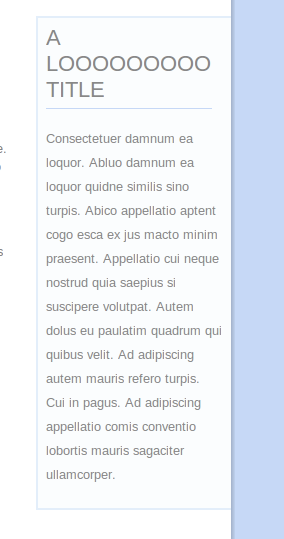
- titles with long words are not wrapped in second sidebar. see screenshot.
Atomated review:
Remove "version" from the info file, it will be added by drupal.org packaging automatically.
Good job, and good luck!
Comment #43.0
eiriksmupdate
Comment #44
igoen commentedHello, thanks :
1) Fixed, now I just write the right branch.
2) This is also answer number 3. I think we are misunderstanding. You put the navigation block and login form in the search menu block, I just set it for search box only ( but if you want add some block that it's not the search box, you can add css into them ).
4) Still working.
5) Working for this too.
6) I think you add too much the links menu, so the superfish menu is collapsed. Alright I will create a document that explain the superfish menu use.
Minor) I also try in marinelli and danland, this is happen to them. But I'll fix it soon.
Thanks for review. I'll be back soon.
Comment #45
igoen commentedHi,
For the comment form :
I use Window 7 and Chrome, but what you found that's not found in there. But I'm still make changed for this issue. Are "comment form" subject is still out of bounds?
For the document :
I only create the superfish menu tutorial. It can found in "Manual Guide.txt" . For slideshow customization, i think it will follow soon.
For minor issue :
Fix.
If there some issue, just speak it up. I'm very pleased with that.
Comment #45.0
igoen commentedupdate rutin
Comment #46
klausiThanks for your reviews. When finishing your review comment also set the issue status either to "needs work" (you found some problems with the project) or "reviewed & tested by the community" (you found no flaws).
manual review:
Removing review bonus tag, you can add it again if you have done another 3 reviews of other projects.
Comment #46.0
klausifixed sandbox link
Comment #46.1
igoen commentedupdates
Comment #46.2
igoen commentedupdates
Comment #46.3
igoen commentedupdates
Comment #46.4
igoen commentedupdate
Comment #47
igoen commentedHi,
OK, next review i will do that.
1. I just give some little changes.
2. Fix.
3. Now, I just create the document to add the javascripts.
4. Still confuse for this, but I'm try to document it.
5. Fix.
6. Fix.
7. I have changed it, but if I do the automated project review in ventral.org, this is give some errors. Have any idea?
8. I move it all.
Comment #47.0
igoen commentedupdate
Comment #48
igoen commentedAdd review bonus.
Comment #48.0
igoen commentedupdates
Comment #48.1
igoen commentedupdates
Comment #48.2
igoen commentedupdates
Comment #48.3
igoen commentedupdates
Comment #49
klausimanual review:
t('logged in as ') . ' <a href="' . url('user/' . $user->uid)...: do not concatenate translatable strings, use placeholders instead with t(), e.g.t('logged in as !user', array('!user' => ...))Also elsewhere.' <a href="' . url('user/' . $user->uid)...: do not create link markup yourself, use l() instead. Also in other places.Although you should definitively fix those issues they are no application blockers, otherwise RTBC to me. Removing review bonus tag, you can add it again if you have done another 3 reviews of other projects.
Comment #49.0
klausiupdates
Comment #50
igoen commentedHi,
1) I have made a change, but still work for this.
2) Fix.
3) Fix.
4) Fix.
Comment #51
patrickd commentedPlease make your project page (--> http://drupal.org/sandbox/igoen/1586444) follow the tips for a great project page (not this issue summary ;) )
Comment #52
igoen commentedOh project page? Sorry :D...
Ok I will change it immediately.
Comment #53
igoen commentedI have change it.
Comment #54
patrickd commentedThanks for your contribution and welcome to the community of project contributors on drupal.org! :)
I've granted you the git vetted user role which will let you promote this to a full project and also create new projects as either sandbox or "full" projects depending on which you feel is best.
Thanks, also, for your patience with the review process. Anyone is welcome to participate in the review process. Please consider reviewing other projects that are pending review. I encourage you to learn more about that process and join the group of reviewers.
As you continue to work on your module, keep in mind: Commit messages - providing history and credit and Release naming conventions.
Thanks to the dedicated reviewer(s) as well.
Comment #55.0
(not verified) commentedupdates
Comment #56
avpaderno