

Closed (works as designed)
Project:
JScrollPane
Version:
7.x-1.x-dev
Component:
Miscellaneous
Priority:
Normal
Category:
Support request
Assigned:
Unassigned
Reporter:
Anonymous (not verified)
Created:
26 Mar 2012 at 22:35 UTC
Updated:
22 Jul 2022 at 10:51 UTC
Jump to comment: Most recent, Most recent file

Comments
Comment #1
Anonymous (not verified) commentedWait, no, this is a Chrome issue it seems.
Comment #2
opdaviesFor reference, I'm running Chrome v17.0.963.56 and I don't get this issue so it may be an issue with your specific version of Chrome. Do you see it around the bottom-right div on http://www.wlsquared.com/home?
Comment #3
Anonymous (not verified) commentedI'm on Chrome 17.0.963.83.
It's not on your website link.
But it's on this one: www.high-horse.com
Oddly it's also around this text area (the one I'm typing into right now). So it must be a Chrome thing. But why is it not around the div on your website? Is there a way to turn that off?
Comment #4
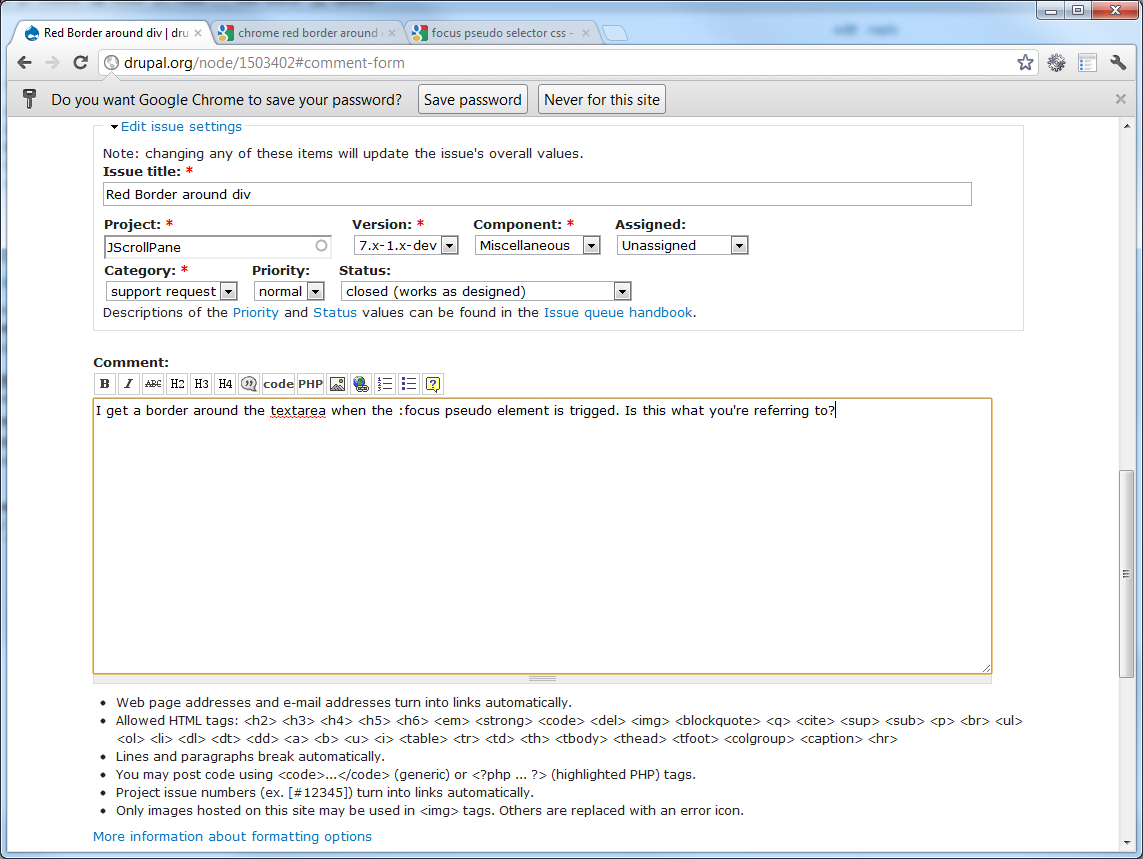
opdaviesI get a border around the textarea when the :focus pseudo element is trigged (screenshot attached). Is this what you're referring to?
Comment #5
Anonymous (not verified) commentedThat's the one.
Why would this particual div on my site be a focusable element? The classes on this are "inner column center scroll-pane jspScrollable".
Comment #6
opdavies:focus is just a selector within CSS, the same as :hover and :active. It doesn't need to have a class within your HTML.
http://www.w3schools.com/cssref/sel_focus.asp
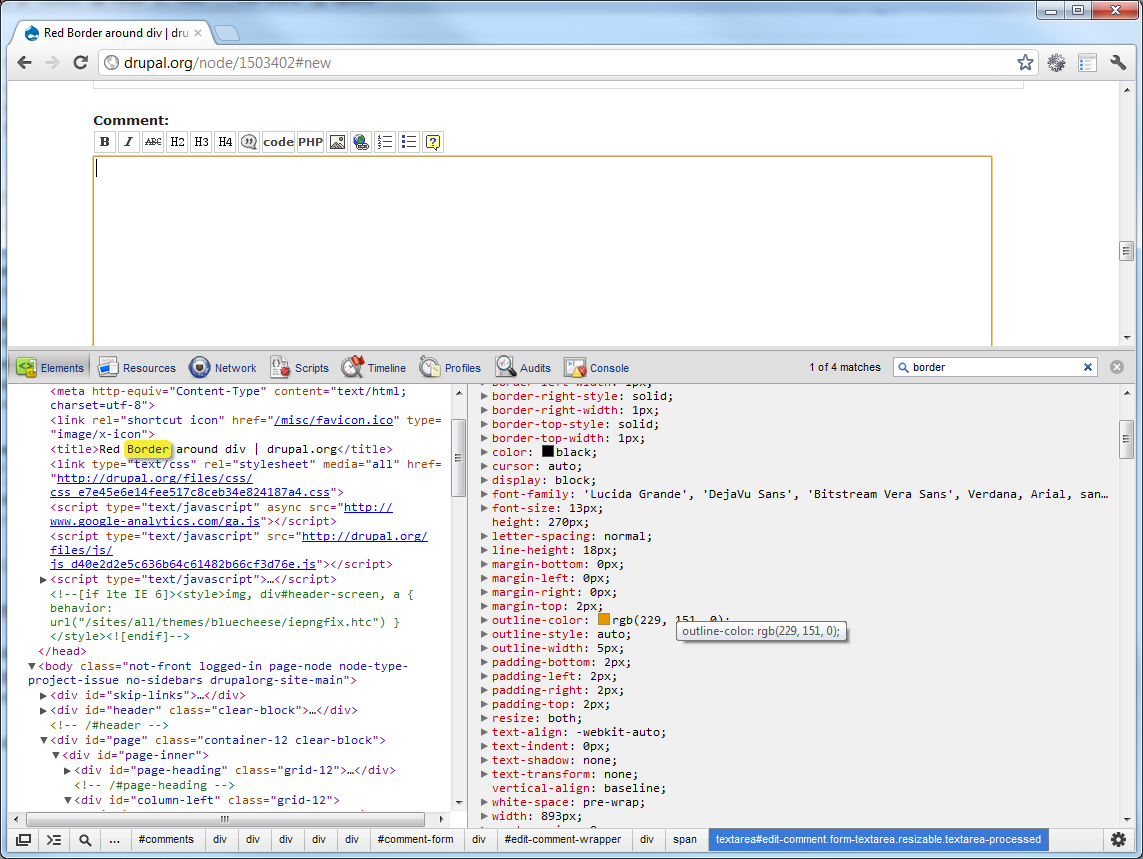
If you use the Element Inspector, then you can see that there's a computed style being applied by Chrome to add an outline-color (I've attached a screenshot).
You could try adding the following into your CSS: