

Closed (fixed)
Project:
Manual Crop (old)
Version:
7.x-1.2
Component:
User interface
Priority:
Major
Category:
Bug report
Assigned:
Unassigned
Reporter:
Created:
25 Oct 2011 at 15:18 UTC
Updated:
16 Apr 2013 at 19:50 UTC
Jump to comment: Most recent file



Comments
Comment #1
matthijsThanks for your bug report, I'll see if I can do something about that as soon as possible.
Comment #2
matthijsI was doing some tests and until now I can't reproduce this issue, neither on Safari, Firefox or Chrome. Are you still having this? Can you please check if you have any modules installed that modify the admin bar?
Thanks! And sorry for the long wait.
Comment #3
matthijsComment #4
jisuo commentedThis happened for me right now when testing this module (7.x-1.2). The image wasn't even that big (640x425). I also have the shortcuts bar visible on the admin menu. If I close that one it still goes about 2-3 pixels below the admin menu.
Using latest chrome on win 7.
Comment #5
matthijsCan you give me a screenshot?
Comment #6
jisuo commentedNot sure how informative these are. Tried to check for any obvious CSS problems, but nothing really. I changed .manualcrop-image-holder to have top: 100px; (or something) and it pushes it down, but then the crop function is off by 100px.
Comment #7
matthijsI just wanted to see the actual problem, because until now I wasn't able to reproduce this :-) So thanks for the screenshots!
This is probably a z-index issue, because the whole overlay should be on top of the admin menu. I'll update you as soon as possible.
Comment #8
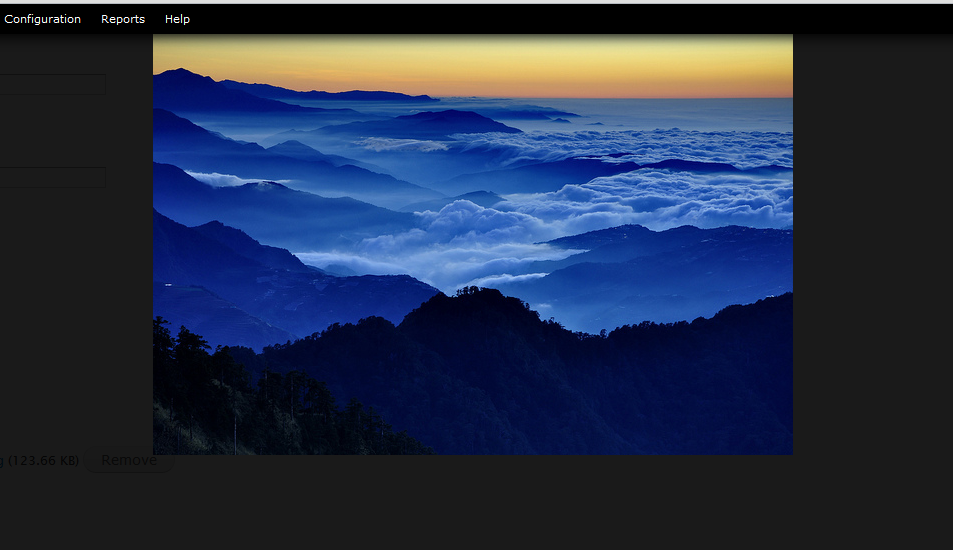
matthijsI'm still not able to reproduce this issue, see the screenshot attached (I've adjusted the brightness so you can see the admin menu behind the image). I also tested it on the latest Chrome on Windows 7.
Is there anyone who has this an can tell me what the exact issue is so I know how to fix this?
Comment #9
matthijsComment #10
bryancasler commentedI believe this has been fixed. Try updating to the latest dev and report back if you're still having the problem.
Comment #11
jlar310 commentedI'm on 7.x-1.3 and I still see this issue, but only when logged in as an administrator. If I login with my "editor" role, the cropping overlay is on top of the toolbar as intended. But as an administrator, the toolbar still interferes. I hope this helps you track down the problem. Thanks for a great tool!
Comment #12
candelas commentedi have the same issue.
i have drupal 7.18 and your last dev version.
the problem comes if you have in your admin theme overlay.
for your css to work, we need that when cropping tool for an image is called, these css are changed, since the #overlay-container, .overlay-modal-background, .overlay-element has a z-index lower than the menu.
and when the image overlay is closed, then comes back to
i am trying to do it by jquery, but i am not used to iframes and i cant get elements...
if i find a solution, i report :)
Comment #13
candelas commentedwhat i did to resolve this problem:
Comment #14
candelas commentedsimplify:
adding the else makes $(document).ajaxSuccess(function() unnecessary.
Comment #15
candelas commentedthis was working with one of my content types that go with ajax, but not with another that doesnt, so, at the end:
i hope it helps someone, and if you know a better solution, tell here, please :)
Comment #16
matthijsHi,
Thanks for your work, but could you upload a git patch so I don't miss anything? Then I will review and apply it.
Thanks again!
Matthijs
Comment #17
candelas commented@Matthijs, thanks for your interest :)
i didnt want to touch the code on your module to be able to upgrade. because of that, i made a separate .js to solve this.
if you do it in your module, it would be to add in:
ManualCrop.showCroptool
and in
ManualCrop.closeCroptool
thanks very much for your module, makes life much easier and sites with better style :)
Comment #18
matkeane commentedHi,
I've been having the same problem with the admin menu in Safari. I'm using Safari 5.1.7, but a client with OS10.8 and the latest release of Safari saw the same thing.
I've just installed the latest dev version and the crop preview image is now displayed lower than the admin and shortcut menu, so it's no longer obscured. However the original image still seems to be displayed behind the admin menu, so the top is partially hidden (see attached screenshot). So although the position of the preview image is much better, the Manual crop interface still seems to be at a lower z-index than the admin menu.
Comment #19
matthijsAfter an insanely long wait (sorry for that) candelas' fix has finally been merged into dev... Thanks!
Matthijs