

 The 2026 Drupal Business Survey is open. Your response will help shape the future of the Drupal business ecosystem.
We have used both versions of Mayo theme available for Drupal 7 to resolve this issue without luck. We are using "Sidebar first comes left, sidebar second comes right" layout. Problem that we are encountering is that we have four blocks in each sidebar. We cannot change order of these blocks. For example, we wanted to move block 2 to block 1 (top) position in the Second sidebar. We tried to move block by either changing the weight or by dragging block to the desired position - blocks go back to the original position as soon as "Save" is hit.
Any ideas and suggestions are appreciated.
Thank you.
Hawkwala
| Comment | File | Size | Author |
|---|---|---|---|
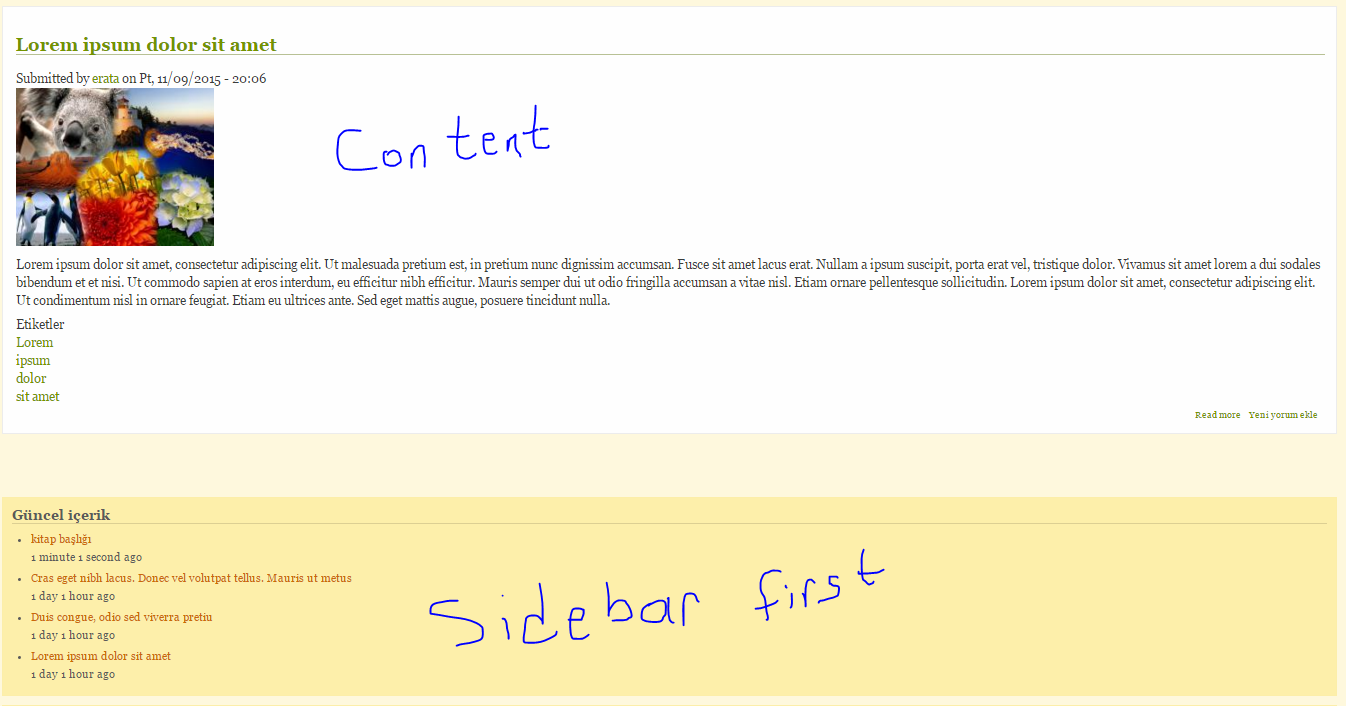
| #4 | problem.PNG | 149.78 KB | erata |

Comments
Comment #1
mermentau commentedI tried to duplicate your issue with no luck. All blocks stay as sorted in Structure>Blocks for both left and right column. Could you please double check and maybe do the same test with Bartik? This is with the latest Dev version.
Your issue indicates 7.x-1.x-dev. Did you try it with that one or a release version like 7.x-1.1?
Comment #2
mermentau commentedComment #3
xaviaranda commentedIn the 7.x-1.2 the order of blocks does not change. And in the block section, the MAYO tab does'nt visible. What happen?
Thank you.
Comment #4
erata commentedhi, i tried mayo theme drupal 8 r3. my sidebar first and second blocks are under content area. i tried but can not show sidebar first blocks on left area. you can show problem attached image belove.