

Closed (fixed)
Project:
Location
Version:
7.x-3.x-dev
Component:
Miscellaneous
Priority:
Normal
Category:
Bug report
Assigned:
Unassigned
Issue tags:
Reporter:
Created:
11 Mar 2011 at 17:04 UTC
Updated:
24 Jul 2012 at 15:59 UTC
Jump to comment: Most recent file




Comments
Comment #1
rooby commentedI know about this but have not had a chance to track down the problem yet.
It is a bug that affects all formatters that use gmaps in their display.
If you are getting "Javascript is required to view this map" instead of a map it is the same problem I have seen (Your screenshots don't seem to have attached correctly).
Comment #2
youssefr commentedComment #3
youssefr commentedHi
by the way, I am not getting "Javascript is required to view this map"
Thanks
Comment #4
tonycpsu commentedSubscribe
Comment #5
natkitten commentedHello!
Looks like it's the same issue with my installation.
And this can hardly be the mentioned javascript gmap issue
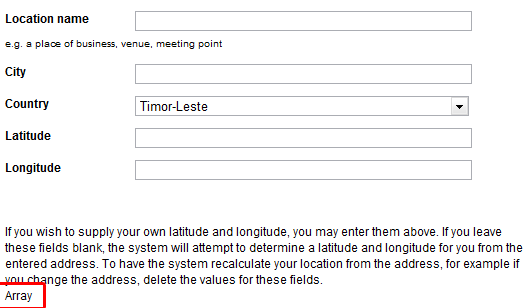
On my site only "Array" shows up instead of coordinate chooser on node editing form.
But on Gmap settings and macro creation pages all maps are displayed properly.
Comment #6
rooby commented@natkitten:
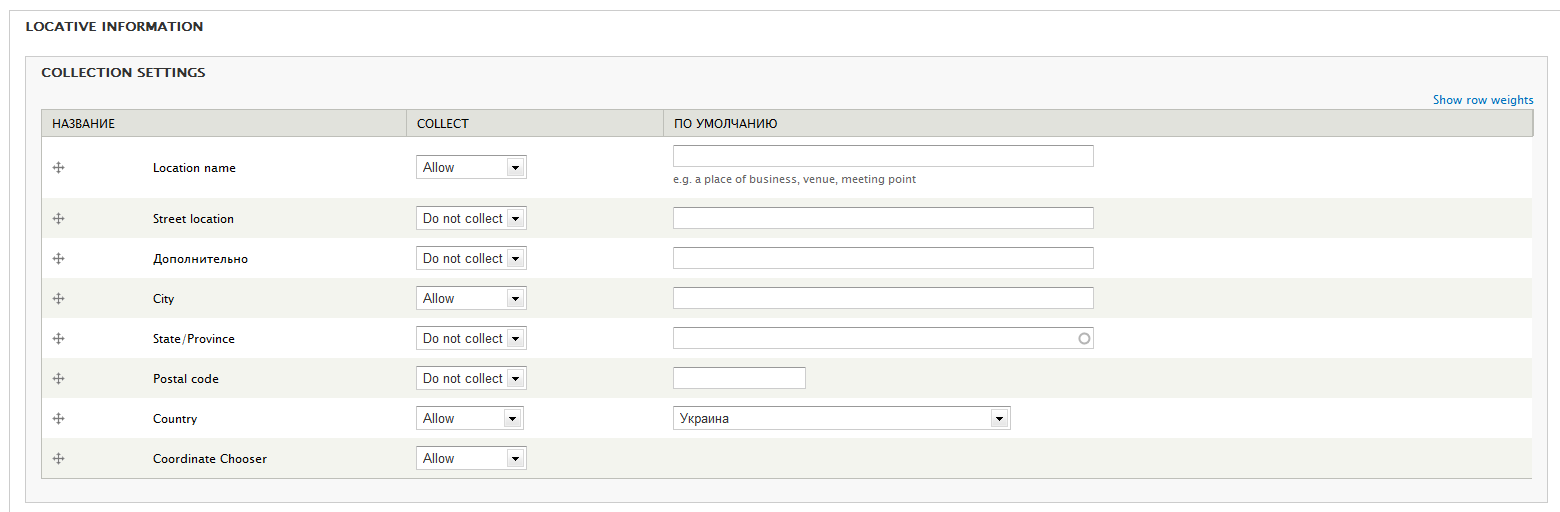
Have you checked the "Use a Google Map to set latitude and longitude " option on the location settings page (admin/config/content/location/main)?
This issue is for when you are viewing a node, not editing a node.
The "Array" you see is another issue, see #1056148: 'Array' appears at the bottom of locations on node edit page.
Comment #7
natkitten commentedOh my... sorry for posting a stupid question to the wrong thread...
"Use a Google Map..." hasn't been checked...
Thanks so much! I just used the wrong administration page assuming everything necessary was in "gmap location" settings...
Node edit works fine now.
And the "javascript required" issue belongs completely to Gmap module, i guess.
Comment #8
Shubin commentedI am also having problems displaying the actual map image. I get the same appearance as youssefr with only the coords appearing and no google map.
Comment #9
movemaine commentedI'm also having this issue. I have tried everything above - made sure the block was active as well - no change.
I just get the label and no map.
Comment #10
movemaine commentedEnded up using this:
https://github.com/mindtree/BingMapsDrupal
Comment #11
youssefr commentedComment #12
movemaine commentedUnfortunately, the bing map broke javascript on the page.
Comment #13
problue solutionsThis issue exists in the latest 6.x version also.
Comment #14
paulgemini commentedsubbing
Comment #15
rooby commentedI have the fix for this, coming asap.
Will have time to give some location love again very soon.
Comment #16
youssefr commentedThanks rooby !
Comment #17
Allan Walker commentedsubscribing!
Comment #18
Allan Walker commentedComment #19
rooby commentedTry this.
Should work for all 3 formatters that use the map.
Comment #20
youssefr commentedHi
I added the code below to the template.php file but still no results. Any ideas?
(MYTHEMENAME replaced with my active theme ninesixty)
Thanks.
Comment #21
rooby commentedThat is not the complete code of the theme_location_cck_field_map() function, it is just the portion of it that was patched, so it won't work by itself. It has to be the current code in that function combined with the changes in the patch file.
You don't have to add anything to your template.php file.
Just apply the patch in #19 to the location module and the problem should be fixed.
Then if people can report here whether or not the patch fixes the problem (does for my testing) it can be committed to the module.
There is loads of patch related informatino at http://drupal.org/patch and its related pages.
for this patch you should be able to just copy the patch file into the location module folder (the main folder, not the location_cck one) and run the following command (from within the location directory):
patch -p1 < location-cck_map_formatters-1089344-19.patchComment #22
youssefr commentedHi
I have copied the patch and run the last line in #21.
...sites/all/modules/location$ patch -p1 < location-cck_map_formatters-1089344-19.patch
The output was the following:
Thanks.
Comment #23
rooby commentedLooks like you are doing the right thing,
When I run it I get:
Are you using the latest location 7.x-3.x-dev?
Comment #24
rooby commentedWhen you are finished the function should look like:
You could even try just replacing the function with the code here but if you are not using the latest 7.x-3.x it may cause problems to do that depending on what your version is.
Comment #25
youssefr commentedI am using
Location 6.x-3.x-dev (2011-Feb-25)Comment #26
rooby commentedAh, that's why then. This issue is for drupal 7 so the patch is for drupal 7 too.
When I get home tonight I'll make one for drupal 6 and post it here.
The fix should be similar but the code in this one definitely won't work with drupal 6 even if you manually copy the code I posted above.
Comment #27
barmentalisk commentedrooby, thank you! your patch solved my problems and now the map is printed in my nodes!
i just had manually opened location_cck.module in editor and paste your changes.
Comment #28
rooby commentedFor all those who say they have this problem in drupal 6 can you give some more details of what your problem is.
I cannot reproduce this on drupal 6 running location 6.x-3.x-dev.
If the problem is that the "Multiple field values on a single map" display formatter is not working you want this issue #841340: Location CCK and Multiple field values on a single map
Comment #29
youssefr commentedHi,
I have been able to reproduce 'not seeing the map' using
Location 6.x-3.x-dev (2011-Feb-25)withDrupal 6.22.Please see attached screenshot. I am using the location field because that is the only one that has the display option. Although it would be great to have it with the node settings itself. Additionally, I have setup my Google Maps API key and jquery_ui module as well.
Thanks.
Comment #30
rooby commentedSorry, since this issue was originally posted for the drupal 7 version I thought it was the problem which is for all cck formatters that use gmaps in the drupal 7 version you only see this text:
"Javascript is required to view this map"
This is not the same problem as the issue you are seeing.
If you locations don't have latitude and longitude values a map will not display.
In your second screenshot this may be the case but in your original one there are coordinates so that is probably not it.
Off the top of my head I can't think of other reasons why this would happen.
I'll have to have a think.
I guess if you are comfortable editing code in your location_cck.module file, then in the function
In between the lines (at the bottom of the function:
Add the following lines:
Then go to your browser and view one of the problem nodes.
You should get a big message displaying a lot of text. If you don't try a refresh.
If you still don't let me know.
If you do get the text (you should), can you paste the text into a text file and attach here.
Then you can remove those lines you added to the code again.
Setting back to D7 as that was what the original post was for and patch is for.
I'll still try to sort out your problem though and if it turns out to be a bug we can open a new issue for the different problem.
Comment #31
youssefr commentedI apologize. Indeed, I did open this for 7.x-3.x-dev and I lost track. Sorry about that.
Now that #27 is confirming that the patch is working, any ideas or possibilities to have this committed.
Would you like me to send you my drupal 6 dev link via your contact form?
Thanks.
Comment #32
rooby commentedIf you like I can have a look. I would need the required permissions for administering content types, creating or administering nodes, administering location & gmap although I can't promise being able to solve it as sometimes filesystem access and debugging is required.
Comment #33
rooby commentedFor reference, the problem youssefr was seeing was not a bug and has been resolved.
Comment #34
rooby commentedCommitted the patch in #19.
http://drupalcode.org/project/location.git/commit/8e30e68
Comment #35
youssefr commentedThanks rooby.
Comment #37
emettler commentedI'm having this problem and what is odd is that it was working for location CCK - and now it is not. A map will display for a node location in a block but that's not really what I need. Anyone else? Any suggestions?