This project is not covered by Drupal’s security advisory policy.
Integrate local AI models with Drupal AI using Docker Model Runner. Run, test, and build complete AI-powered solutions locally without external API costs, privacy concerns, or rate limits.
The Docker Model Runner Provider connects Drupal's official AI framework directly to Docker Model Runner (DMR). It supports 10 operation types—ranging from chat and embeddings to content moderation and multimodal computer vision (image classification and object detection)—all executed on your local machine using hardware acceleration (Apple Silicon Metal / NVIDIA GPU).
Supported Drupal AI Operation Types (10 Operations)
- Generative Text & Chat:
ChatInterface: Interactive LLM conversations, assistants, and tools.SummarizationInterface: Extractive and abstractive text summaries.TranslateTextInterface: Multi-language text translation.
- Content Classification & Safety:
ModerationInterface: Content moderation and toxicity detection with category scoring.TextClassificationInterface: Multi-class and multi-label text categorization.
- Search & Retrieval (RAG):
EmbeddingsInterface: Vector embeddings generation for semantic search (Search API AI, Milvus, Qdrant).ReRankInterface: Semantic re-ranking of search results and document passages.ExtractiveQuestionAnsweringInterface: Precise answer span extraction from contextual passages.
- Multimodal Computer Vision:
ImageClassificationInterface: Image categorization into candidate labels or open visual concepts.ObjectDetectionInterface: Detect visual objects with 2D bounding boxes (xmin,ymin,xmax,ymax) and confidence scores.
Recommended Local Models
- Text, Chat, Moderation, Q&A:
ai/qwen2.5:0.5B-F16(Fast, lightweight, ~940MB) orai/llama3.2. - Embeddings:
ai/mxbai-embed-large(High accuracy, ~640MB) orai/nomic-embed-text-v1.5(~260MB). - Multimodal Vision (Classification & Detection):
ai/gemma3:4B-Q4_K_M(Native vision and 2D spatial localization, ~2.3GB).
1. Preparing Docker Model Runner
Docker Model Runner is a built-in feature of Docker Desktop that runs AI models directly on your local hardware.
Requirements: Docker Desktop 4.40+ (macOS Apple Silicon) or 4.41+ (Windows NVIDIA GPU) with Model Runner enabled.
Verifying Installation
In your terminal, verify that the runner is active:
docker model statusExpected Output: Confirms that Docker Model Runner is running with the llama.cpp backend.

Pulling Recommended Models
Download the models for text, embeddings, and vision:
# Fast LLM for chat, moderation, translation, and summaries
docker model pull ai/qwen2.5:0.5B-F16

# Vector embeddings for semantic search
docker model pull ai/mxbai-embed-large

# Multimodal vision for image classification and object detection
docker model pull ai/gemma3:4B-Q4_K_M
List downloaded models at any time:
docker model list

2. Installing and Configuring in Drupal
Installation
Install the module via Composer (this will automatically pull the required Drupal AI dependencies):
composer require drupal/ai_provider_docker
drush en ai_provider_docker -y
Provider Configuration
- Navigate to Configuration > AI > Providers (
/admin/config/ai/providers). - Under Docker Model Runner, verify the endpoint URL (defaults to
http://localhost:12434or your DDEV/Docker network address). - Set Docker Model Runner as the default provider for your desired operation types (Chat, Embeddings, Vision, etc.).

Creating an AI Assistant
- Go to Configuration > AI > AI Assistants (
/admin/config/ai/ai-assistant). - Click "Add assistant".
- Select Docker Model Runner as the provider.
- Choose your downloaded model (e.g.,
docker.io/ai/qwen2.5:0.5B-F16) from the dynamically populated dropdown. - Save your assistant to begin chatting or embedding it into Drupal blocks.

3. Interactive Testing with AI API Explorers
This module integrates with Drupal's AI API Explorer suite (/admin/config/ai/explorers). You can test all supported operations interactively directly from the Drupal admin UI:
- Chat Explorer:
/admin/config/ai/explorers/chat_generator - Embeddings Explorer:
/admin/config/ai/explorers/embeddings_generator - Moderation Explorer:
/admin/config/ai/explorers/moderation_generator - Text Classification:
/admin/config/ai/explorers/text_classification_generator - ReRank Explorer:
/admin/config/ai/explorers/rerank_generator - Extractive Q&A:
/admin/config/ai/explorers/extractive_question_answering_generator - Image Classification:
/admin/config/ai/explorers/image_classification_generator - Object Detection:
/admin/config/ai/explorers/object_detection_generator
Community Documentation
| Attachment | Size |
|---|---|
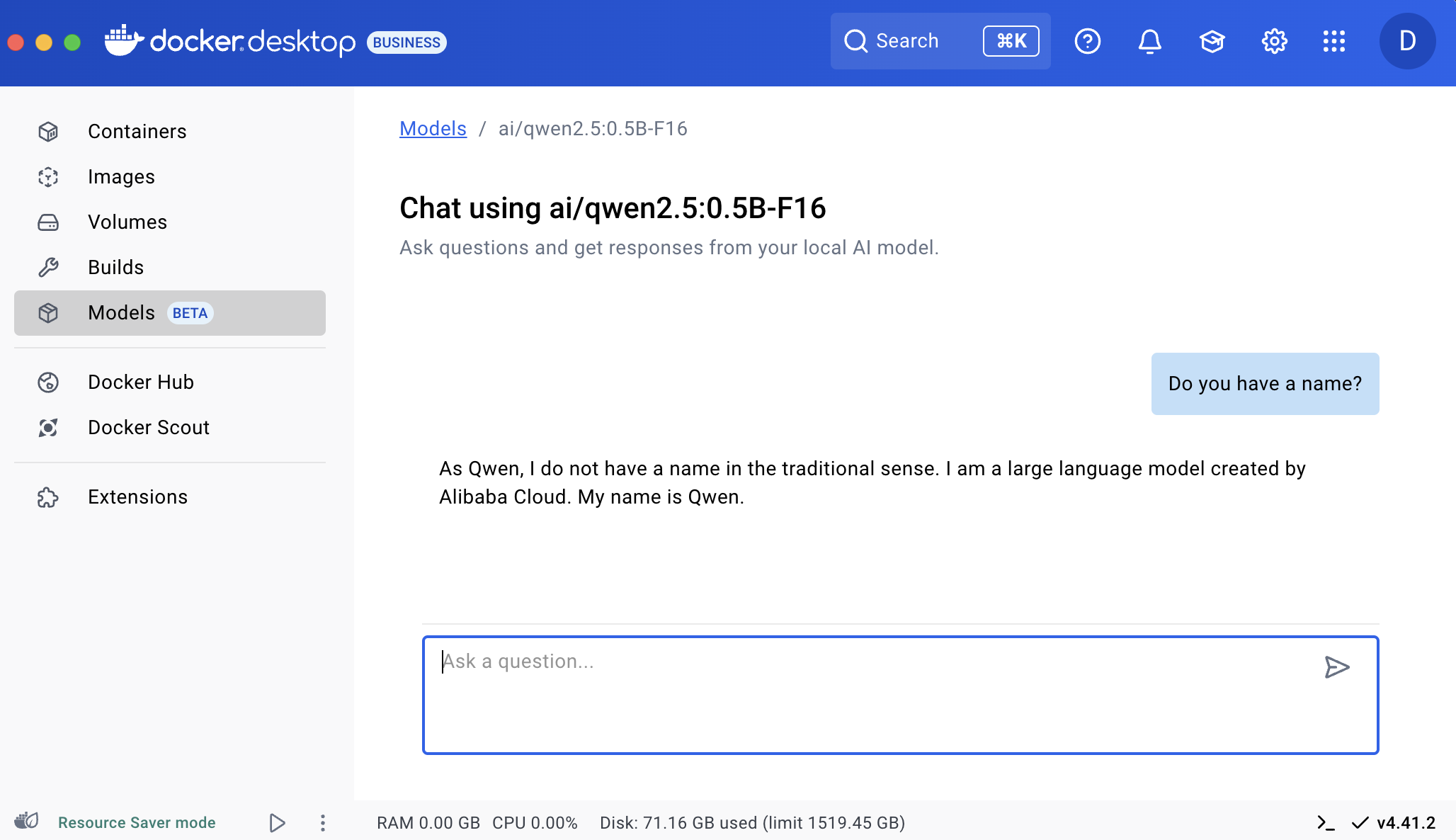
| docker-desktop-models.png | 288.02 KB |
| docker-desktop-chat.png | 287.67 KB |
| docker-model-status.png | 41.47 KB |
| docker-model-list.png | 57.27 KB |
| docker-model-runner-provider-configuration.png | 188.09 KB |
| add-an-ai-assistant.png | 274.9 KB |
Project information
- Project categories: Developer tools, Integrations
- Ecosystem: AI (Artificial Intelligence)
- Created by davidlfg on , updated
 This project is not covered by the security advisory policy.
Use at your own risk! It may have publicly disclosed vulnerabilities.
Releases
Expands Docker Model Runner with 8 new operations: Object Detection, Image Classification, ReRank, Extractive Q&A, Moderation, Summarization, Translation, and Text Classification.
Development version: 1.0.x-dev updated 19 Nov 2026 at 03:36 UTC