

 Come together with the global Drupal community in Rotterdam, 28 Sept – 1 Oct 2026. Sessions, contribution, connection, and Early Bird savings until 8 June.
Problem/Motivation
If a node form has any table drag elements, it creates horizontal scroll on the page, for instance when you open the navigation menu.

Steps to reproduce
1- Create an entity reference field on a content type.
2- Choose 2 items or more on the "number of values" setting.
3- Visit the form page and open it at 712px width, open the main navigation.

Proposed resolution
Make the width of the input fields to be responsive according to the available horizontal space.
Remaining tasks
User interface changes
API changes
Data model changes
Release notes snippet
| Comment | File | Size | Author |
|---|---|---|---|
| #14 | 5:12:2023.mp4 | 723.47 KB | shweta__sharma |
| #12 | Screen Shot 2023-12-04 at 6.38.58 PM.png | 1.23 MB | ankithashetty |
| #12 | Screen Shot 2023-12-04 at 6.37.08 PM.png | 1.19 MB | ankithashetty |
| #10 | #7-MR.gif | 1.69 MB | ankithashetty |
| #9 | Screenshot from 2023-12-04 15-50-49.png | 28.98 KB | kostyashupenko |
Issue fork drupal-3405576
 Show commands
Start within a Git clone of the project using the version control instructions.
Or, if you do not have SSH keys set up on git.drupalcode.org:
- 3405576-table-drag-elements
 changes, plain diff MR !5643


Comments
Comment #4
penyaskitoCreated a merge request with a solution that worked for us. Javi-er thinks this might be a broader issue and not only affecting tabledrag.
Comment #5
smustgrave commentedas UI issue could a screenshot of the issue be added to the issue summary.
Comment #6
ankithashettyComment #8
ankithashetty+ RTBC.
Tested the MR and it fixed the reported issue. Also IS updated with required SS.
Followed the same steps shared in IS to test it.
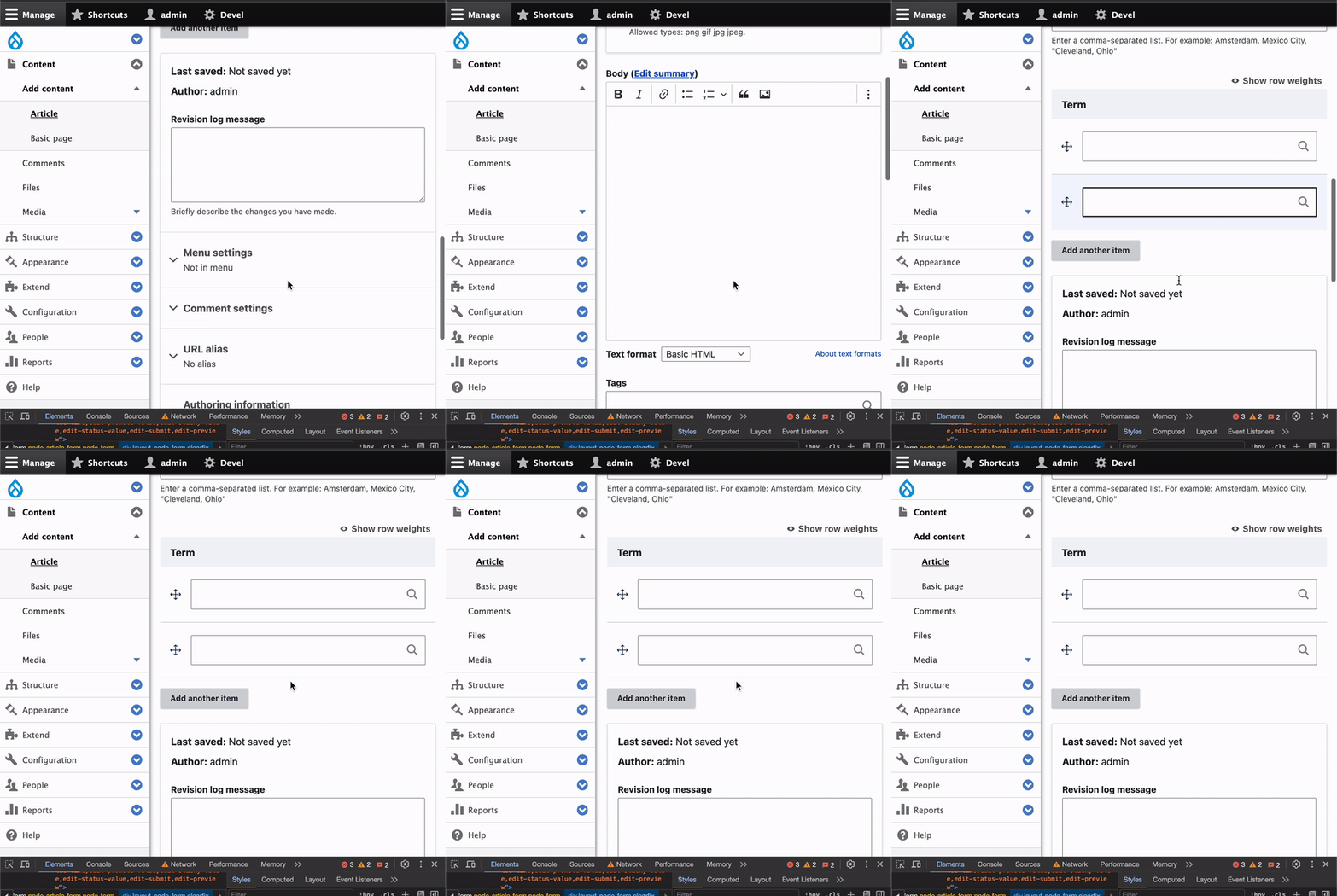
After applying the MR:
Comment #9
kostyashupenkoFirst of all, issue target version is
10.1.x, but MR was created against11.xbranch. So switching issue version to11.x. However bug exist in10.xand11.xand since it's a bug report, we can merge it directly in10.x. I checked - the latest diff in MR can be applied in10.xwith no problem.About original problem - input type text have
sizeattribute, which potentially can be different, but core hassize="60"by default. The width of container of input element is less than thissizeinput produce, that's why when not enough viewport width - input element goes out of viewport. So we need to add 100% width to the input element itself (because currently it doesn't have it, but should have for specific case in table). Also, when we are using autocomplete input fields - those fields have extra wrapper<div class="claro-autocomplete">, which hasdisplay: inline-blockCSS styles. Which means if we set lowsizeon the input element, likesize="10", the entire width of input field will be too narrow (but should be 100%). The fix provided in #4 is added in wrong place. We already have same kind of fix in another place intable.pcss.cssfile, which works ok for input fields which are not autocomplete input fields. SO i just added one more CSS line to wrap autocomplete cases.This is result:

I think this issue can be easily reviewed & merged
Comment #10
ankithashettyUpdate:
The test results shared in #8 are w.r.t to MR in #3. => Works as per expectation.
Tried the #7 MR, but it didn't fix the scroll issue for me.

Changing back to 'Needs work' status.
@kostyashupenko Could you please check again? Hope you have opened the main navigation while testing the fix.
Thanks!
Comment #11
kostyashupenkoI found 2 issues:
1. I forgot to put one more CSS line (now fixed)
2. on your video you have enabled aggregration (did you clear cache?). Even with previous commit you should have
width: 100%on the.claro-autocompleteCSS selector, but i don't see it in your video.Anyway let's re-test again, now works even with opened navigation. Sorry )
Comment #12
ankithashettyThanks for the update!
Tested again with the same steps, here are my observations:
* After applying the latest change, disabled aggregation and cleared cache (multiple times)
case #1. The fix works when we have a single autocomplete field

case #2. If we add another term/item, then we still see the scrolling issue. (Fix in #3 worked in both the scenarios)

Need to check on case 2.
Thanks!
Comment #13
kostyashupenkoFixed for ajax case. Also rebased
Comment #14
shweta__sharma commentedHi @kostyashupenko
I have tested MR 5643 on Drupal 11 and it's working fine.
The scrolling issue has been fixed when open the navigation menu for both cases.
Attached small recording.
Thanks
Comment #15
shweta__sharma commentedMoving to RTBC
Comment #16
ankithashettyThanks again @kostyashupenko!
+1 to RTBC
Steps to reproduce (shared in IS)
1- Create an entity reference field on a content type.
2- Choose 2 items or more on the "number of values" setting.
3- Visit the form page and open it at 712px width, open the main navigation.
Tested:
case #1. The fix works when we have a single autocomplete field.
case #2.Also works when we add another item.
Thanks!
Comment #17
ankithashettyComment #22
lauriiiCommitted 564c312 and pushed to 11.x. Cherry-picked to 10.2.x and 10.1.x. Thanks!