

 Come together with the global Drupal community in Rotterdam, 28 Sept – 1 Oct 2026. Sessions, contribution, connection, and Early Bird savings until 8 June.
Problem/Motivation
If a modal dialog is replaced with a new modal dialog, the dialog is not closed and opened but the contents are simply replaced. In this case, the focus is returned to the dialog itself, instead of the first element within the dialog. This can be tested manually using the multistep dialogs in #3386762: Use modals in field creation and field edit flow.
Steps to reproduce
Create a new field using the multistep dialog in #3386762: Use modals in field creation and field edit flow
- Navigate to the manage fields page (eg. /admin/structure/types/manage/article/fields)
- Open the multistep field creation dialog using the
Create a new fieldbutton. - Click on any of the field type cards to move to the next step.
- Go back to the previous form using the
Change field typebutton. - Observe that the focus is returned to the dialog instead of the first element within the dialog.
Proposed resolution
Move focus to the first tabbable element in the dialog when the content is replaced.
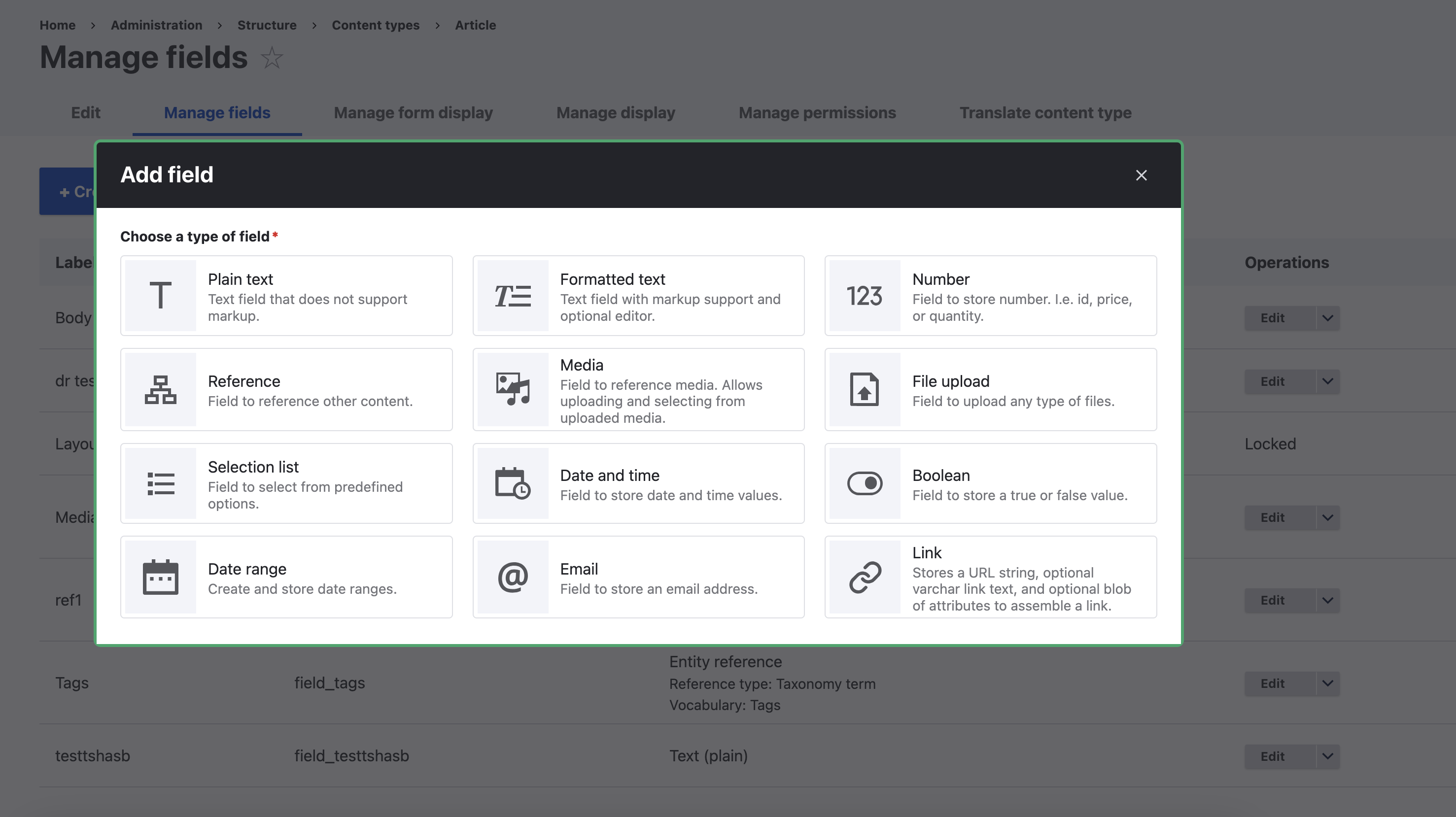
Before: Focus is returned to the dialog
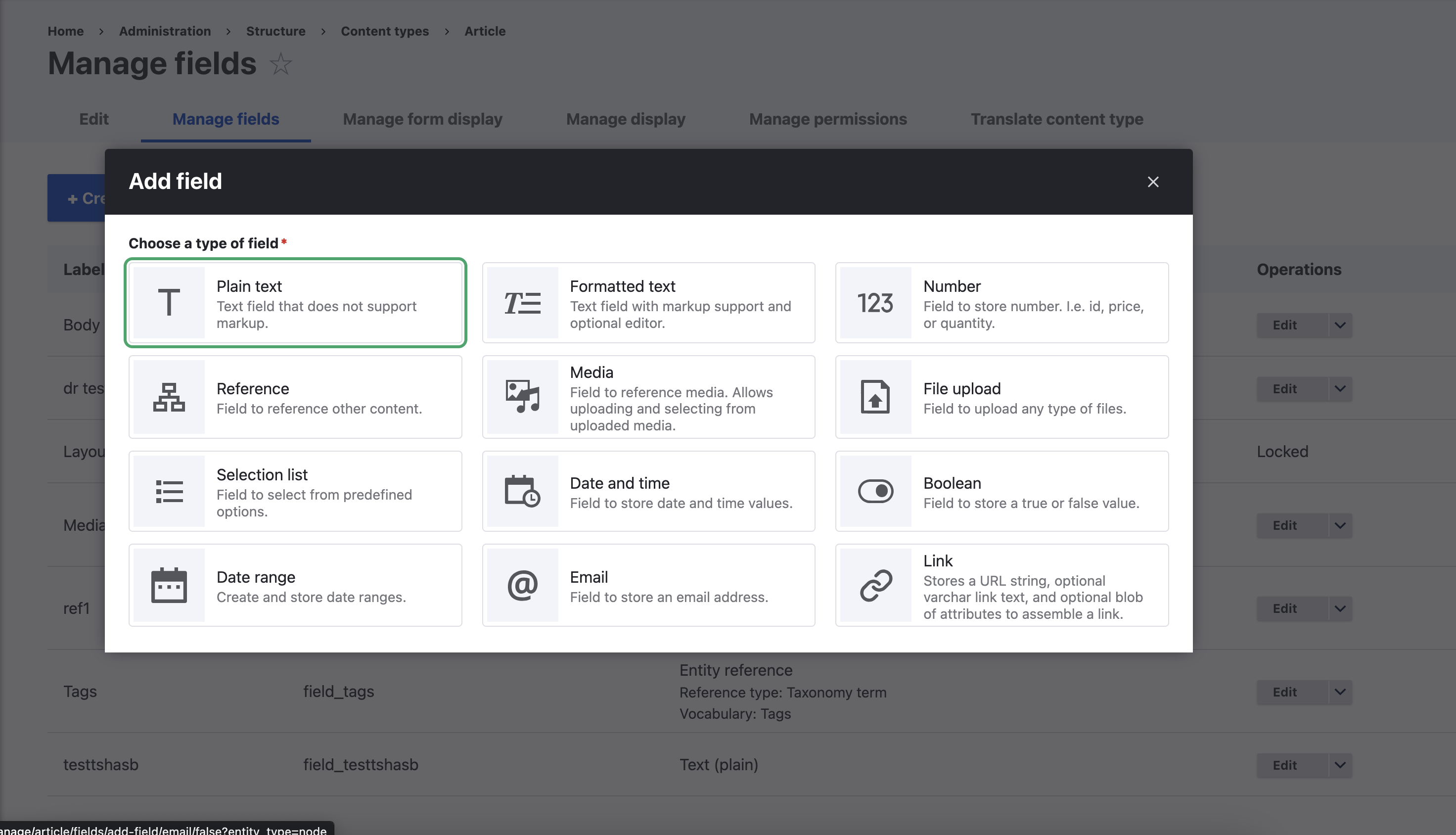
After: Focus is moved to the first element within the dialog.
Remaining tasks
User interface changes
API changes
Data model changes
Release notes snippet
| Comment | File | Size | Author |
|---|---|---|---|
| #28 | Dialog-focus-3397785-10-5x.patch | 911 bytes | arunkumark |
| #27 | 3397785-27.patch | 972 bytes | randy tang |
| #25 | 2024-07-02_17-03.png | 91.87 KB | mark shi |
| #25 | 3397785-25.patch | 890 bytes | mark shi |
| #11 | focus-after.png | 489.37 KB | srishtiiee |
Issue fork drupal-3397785
 Show commands
Start within a Git clone of the project using the version control instructions.
Or, if you do not have SSH keys set up on git.drupalcode.org:
- 3397785-dialog-focus-is
 changes, plain diff MR !5192




Comments
Comment #3
lauriiiComment #4
smustgrave commentedSeems to have a test failure.
Comment #6
yash.rode commentedI have tested this manually and fixed all the failing tests.
Comment #7
lauriii@yash.rode can you summarize here what was the change in behavior you noticed when you updated the tests?
Comment #8
yash.rode commentedThe change in tests is regarding the lines where we tried checking if the focus is on some part of modal example: media-library-content
But now we need that focus to be on the first tabbable element present on that modal, i.e. Type one of the media library menu.
Comment #9
smustgrave commentedHate to do it but just to remain consistent with other tickets, can the issue summary be updated with steps to reproduce, what the proposed solution was, maybe any before/after screenshots if possible.
Comment #11
srishtiiee commentedComment #12
srishtiiee commentedComment #13
smustgrave commentedConfirmed the fix following the steps in the issue summary. Using just my keyboard
Created a field
Selected a reference field if that matters
Tabbed and clicked change field
Focus is on the first option
Comment #14
lauriiiIt looks like this introduces changes to the media focus handling which is probably not desired. I think we need to try to find a way to fix the media focus handling so that we don't need to update tests related to it.
Comment #15
yash.rode commentedaddressed #14
Comment #16
smustgrave commentedSeems feedback has been addressed.
Though wonder if a follow up is open for
and a todo needs to be added?
Comment #17
lauriiiPosted feedback in the MR
Comment #18
yash.rode commentedComment #19
smustgrave commentedLimited knowledge of the js api but appears feedback was addressed.
Comment #23
lauriiiCommitted 762fcae and pushed to 11.x. Also cherry-picked to 10.2.x. Thanks!
Comment #25
mark shi commentedThis brought a new problem to me. When I removed the image or deleted the item in the dialog, the focus jumped to the top of the dialog.

I added a patch to fix this issue.
Comment #26
edwardsay commented@mark-shi I had a similar issue, and your patch fixed it. I use the Layout Paragraphs module, where the paragraph form opens in a modal. Whenever I uploaded an image to the field or added a nested paragraph, the modal would scroll to the top, and the first focusable element would receive focus. This scrolling jump made content editing quite frustrating.
Comment #27
randy tang commentedBased on the 25th floor, this applies to floor 11.2.
Comment #28
arunkumarkThe fix is working fine. We are using the Layout paragraphs in our project. Adding or removing multivalue causes the refocus issue.
Created the patch for Drupal core 10.5.x version support.