

 Come together with the global Drupal community in Rotterdam, 28 Sept – 1 Oct 2026. Sessions, contribution, connection, and Early Bird savings until 8 June.
Problem/Motivation
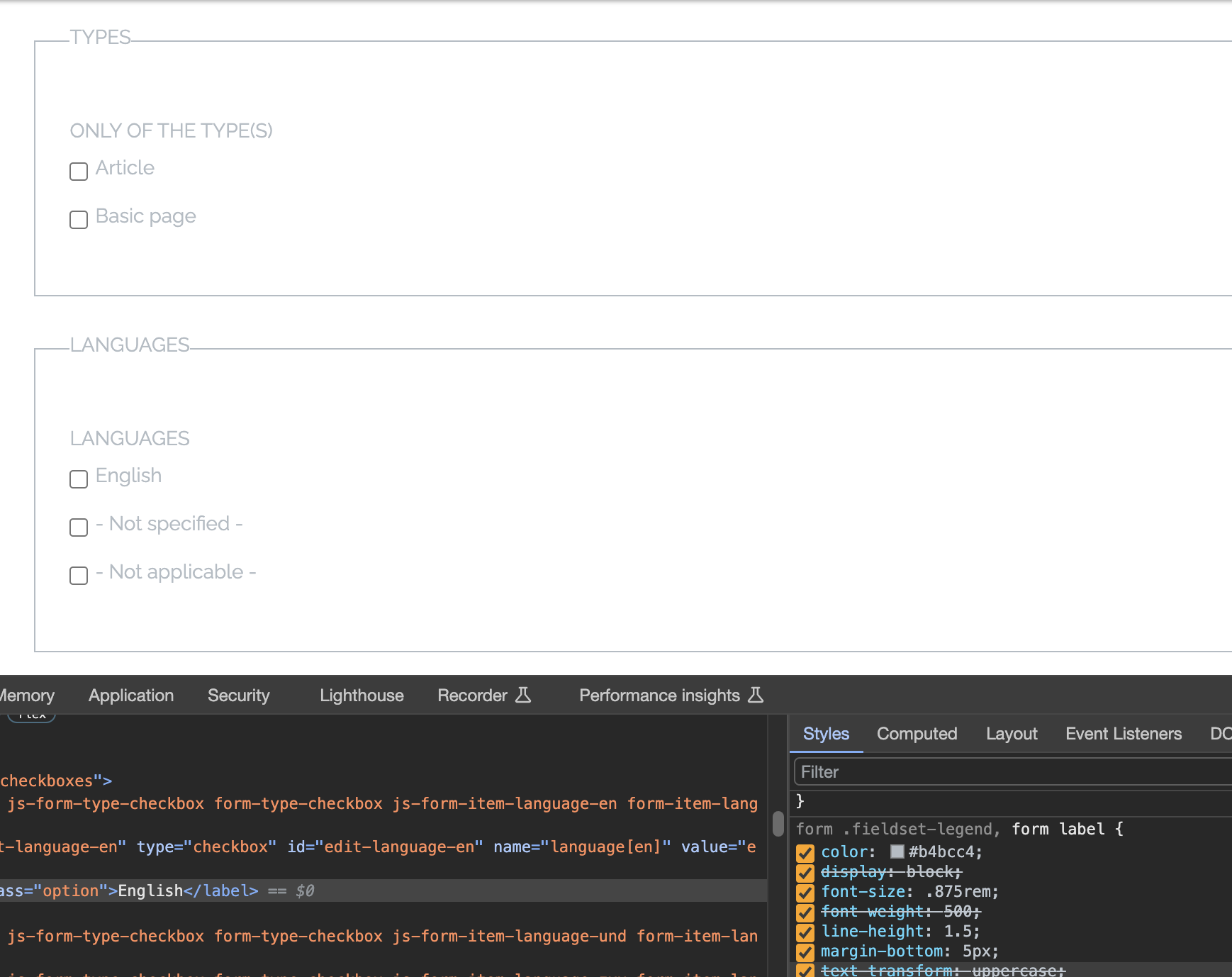
Checkboxes are not aligned with the text. Currently, the layout is breaking.
Steps to reproduce
- Install the theme and enable it
- Go to the search page
- Open advanced settings and see the checkbox
Proposed resolution
Remaining tasks
User interface changes
API changes
Data model changes
| Comment | File | Size | Author |
|---|---|---|---|
| #13 | Screenshot from 2024-04-11 16-09-43.png | 19.34 KB | sourojeetpaul |
| #9 | 3387300-after-patch7.png | 51.42 KB | clarkssquared |
| #7 | checkboxes-are-not-3387300-1.patch | 86.42 KB | shiv_yadav |
| #7 | Screenshot from 2023-09-19 11-06-22.png | 24.88 KB | shiv_yadav |
| #6 | Purposed-Solution.png | 44.63 KB | clarkssquared |
Issue fork da_vinci-3387300
 Show commands
Start within a Git clone of the project using the version control instructions.
Or, if you do not have SSH keys set up on git.drupalcode.org:
 changes




Comments
Comment #2
nesta_ commentedThank You for Reporting the Issue
Dear Shweta Sharma,
I wanted to extend my heartfelt appreciation to you for bringing the issue to our attention. Your feedback is invaluable in helping us improve our contributed theme.
We have acknowledged the problem you mentioned regarding the misalignment of checkboxes with the text, causing layout issues. Rest assured, our development team is actively looking into this matter. We are committed to addressing this issue promptly and will be working on a patch to resolve it.
Your diligence in reporting this problem is a testament to our collaborative community, and your contribution plays a vital role in enhancing the overall quality of our theme. We will keep you updated on our progress, and please feel free to reach out if you have any further insights or questions.
Once again, thank you for your valuable input. We greatly appreciate your support in making our theme even better.
Warm regards.
Comment #3
shiv_yadavHi Shweta,as your request , i have add some css for fix checkbox alignment .
Attached screenshot and patch.
Comment #4
chetan 11 commentedHi @nesta_
I have fixed the checkbox alignment & attached the patch.
Please review the attach file.
Comment #5
shweta__sharma commentedComment #6
clarkssquared commentedHi chetan 11,
Thank you for your patch, I applied it and I confirmed that it changed the checkbox's text, however, the alignment of text is still not properly aligned for about a few pixels.
Please look at the screenshots I attached for your reference.
Thank you
P.S. Sorry for the typo in one of my screenshot, I meant Proposed* not Purposed.
Comment #7
shiv_yadavhello clarkssquared, Added some css for modified checkboxes as well. attached screenshot & patch as well.
Comment #8
shiv_yadavComment #9
clarkssquared commentedHi shiv_yadav,
I applied your new patch #7 and I confirmed that the checkbox's text/label is now properly aligned,
Attaching screenshot of the checkbox after the patch.
Thank you
Comment #10
nesta_ commentedI would like to express my sincere appreciation for addressing the issue titled "Checkboxes are not aligned with the text" in our Drupal theme. Your dedication to resolving this problem is highly valued.
I would like to take this opportunity to provide a detailed description and explanation of how to address this issue more efficiently, aligning with development best practices and keeping our code cleaner and more organized.
Issue Description:
The current issue refers to an alignment problem with checkboxes in our Drupal theme. To address this issue, patches have been provided that directly modify the compiled CSS. While these patches may temporarily resolve the issue, it is essential to highlight that they do not follow best development practices and may lead to long-term maintenance issues.
Explanation of the Suggested Solution:
To address this issue more efficiently and sustainably, it is recommended to follow these steps:
1.- Documentation:
Before making any changes to the code, ensure you consult the documentation for our Drupal theme. This will provide you with a deeper understanding of the theme's structure and style conventions.
2.- Modify the Corresponding Sass Partial:
Identify the Sass partial that controls the styles of the checkboxes in question. Make sure this is the correct location for making style modifications.
3.- Run the Gulp Task:
Once you have made the necessary modifications to the Sass partial, execute the corresponding Gulp task to compile the CSS. This will ensure that the changes are reflected in the compiled CSS.
4.- Submit the .sass Patch:
Instead of directly modifying the compiled CSS, submit the patch containing the modifications to the Sass file (.sass). This will allow for a more transparent review and smoother integration of the changes into the codebase.
Conclusion:
I appreciate your commitment to resolving this issue and your attention to this detailed explanation of the suggested solution. By following these steps, we can keep our code more organized and adhere to development best practices, making future updates and maintenance of the Drupal theme more manageable.
I hope this information is helpful, and we can work together to effectively and efficiently resolve this issue. If you have any further questions or need additional guidance, please do not hesitate to contact me.
Sincerely,
Nesta
Comment #11
sourojeetpaul commentedHello nesta_,
Your point is absolutely valid, we need to make changes on the SCSS files rather than directly modifying the CSS files, otherwise whenever someone runs gulp the old SCSS will get compiled and replace the modified CSS.
I think we can push both the SCSS files and CSS files so that on merger, the changes gets reflected instantly. Not sure if any build process is set up already through gitlab CI, that's why pushing both the SCSS and CSS files will be suitable. Nevertheless even if any build process is set up over there, it will again compile the SCSS file, resulting into the same CSS file as we push.
I'm looking into it, and making the necessary changes!
Comment #13
sourojeetpaul commentedHi, I've resolved the alignment issue by modifying the SASS file and compiling it back to CSS file. Raised an MR for the same please have a look:

https://git.drupalcode.org/project/da_vinci/-/merge_requests/1
This is how it looks now:
Comment #14
nesta_ commentedComment #15
sourojeetpaul commentedHello nesta_,
Made the suggested changes please have a look. Though the compiled CSS will remain same!
Comment #17
elgarcia commentedWhen #3444883 is fixed I will create a new tag
Comment #18
elgarcia commented