



This project is not covered by Drupal’s security advisory policy.
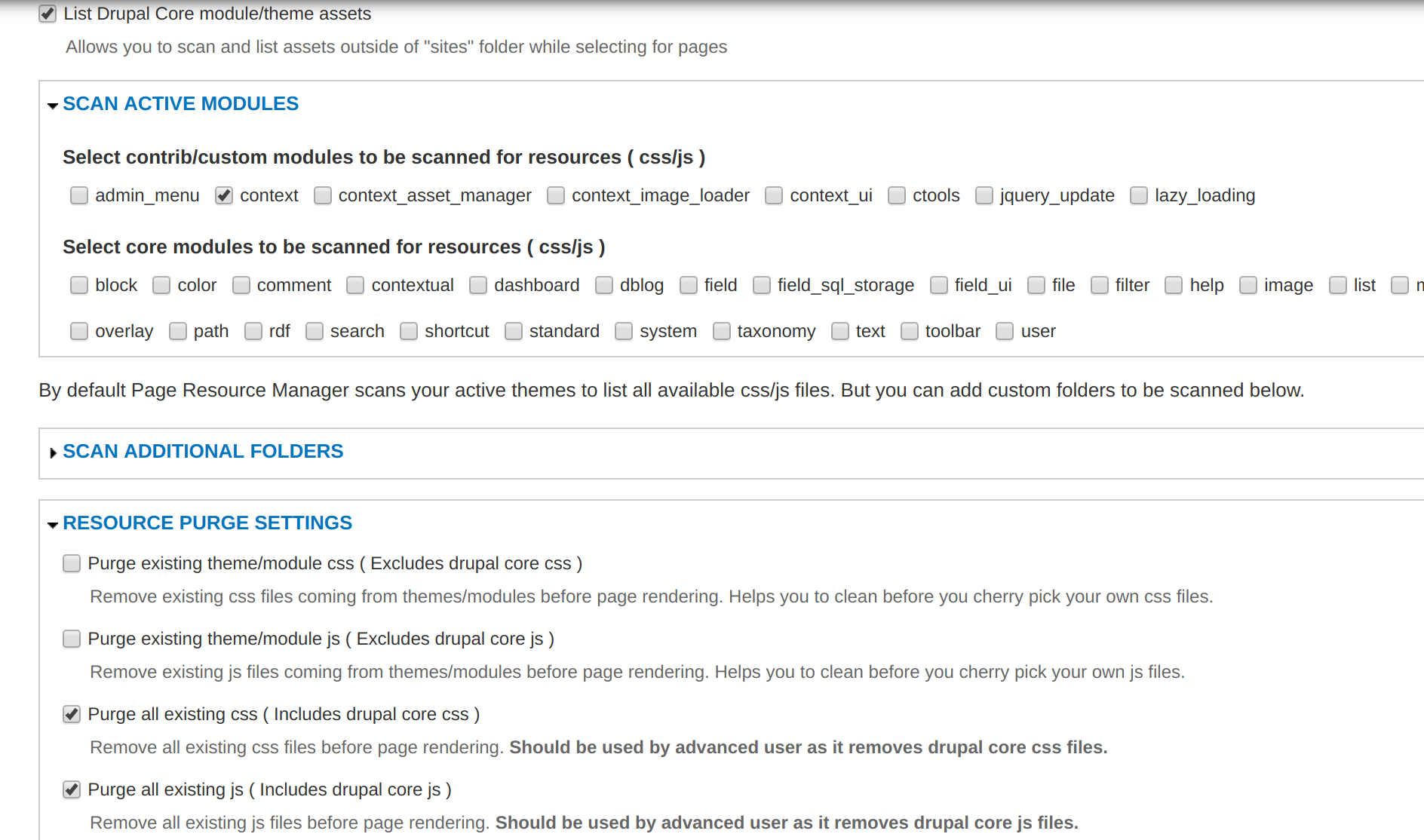
Often the pages any drupal site loads lots of css/js file which are not specifically required for that page. Some injected by drupal itself, some by modules and we dont have a easy way to purge them. That hits performance and may cause other complexities. This an advanced tool to attach purge unnecessary css/js files from your site and insert page specific assets as required. As it comes as a context plugin, you have the flexibility to set what ever condition you like and accordingly dress up the pages.
It is inspired from the module Context Add Assets where you can add additional css/js based context without purging the existing one.
Here, while rendering pages, you can config to purge all existing css/js ( indluding drupal core) or only the assets injected by the contrib/custom modules before you inject css/js files for your own choice. You also have advanced options to decide how you want load each files,
- Set scope, group and weight of the file to make it appear exact where you like
- Set if you want to load Async or Defer. ( JS files )
- Set if you want to minimize and embed the css content inline in DOM instead of injecting as file ( good for performance )
- Set if you want to add a preload tag
Its a good tool for enhancing the site performance, specially with Light house or Pagespeed. It can help with,
- Minimize render blocking resources
- Enhance Page load by defer loading non critical resources.
- Enhance Page load by inlining critical css
- Enhance page interactive Time
- Reduce DOM size by eliminating unnecessary resources.
- Preload tag also help performance
Project information
- Project categories: Content display, Developer tools
 1 site reports using this module
- Created by pbose_drupal on , updated
 This project is not covered by the security advisory policy.
Use at your own risk! It may have publicly disclosed vulnerabilities.

