

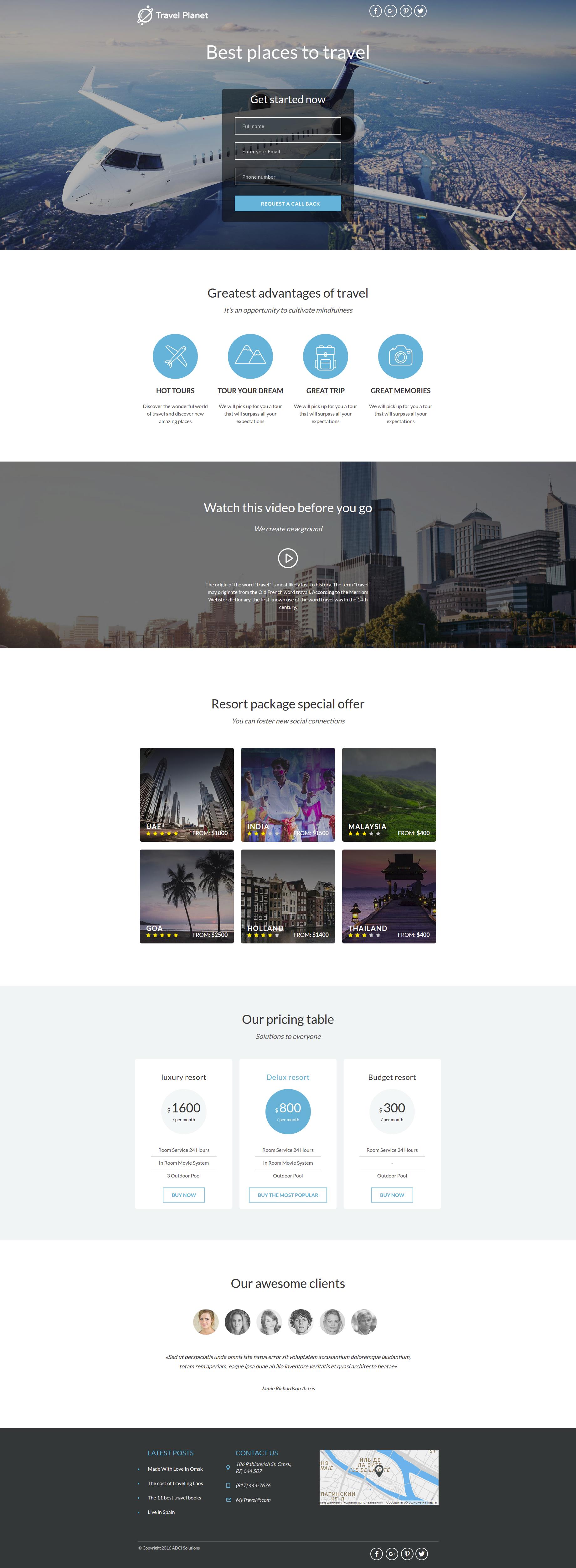
A Travel profile is a modern-looking profile by ADCI Solutions. It can be used for landing pages of travel agencies or hotels.
A Travel theme used in this profile is fully responsive and looks nice on any device.
The Travel profile is very easy to install and use: you can install it yourself following the instructions below.
- Unzip the folder and copy it to the necessary folder of your server.
- Install a new website using the Travel profile. It’s set by default, you just need to click the “Save and continue” button and follow the instructions.
- Wait for the Travel profile to be installed, then enable the necessary modules and enjoy your website.
- After installing the Travel profile you need to submit the theme settings form. For this you should go to the following url your.site/admin/appearance/settings/travel_theme or use the admin menu to navigate to the necessary page (Apperance->Settings->Travel Profile). To update settings please click on the "Save configuration" button on this page.
Thank you for choosing the Travel profile!
Created by ADCI Solutions team.
Supporting organizations:
Project information
 1 site reports using this distribution
- Created by adcillc on , updated
 Stable releases for this project are covered by the security advisory policy.
There are currently no supported stable releases.


