

 Come together with the global Drupal community in Rotterdam, 28 Sept – 1 Oct 2026. Sessions, contribution, connection, and Early Bird savings until 8 June.
configured twitter. did some postings. checked my logs
Warning: Cannot modify header information - headers already sent by (output started at /mnt/www/WORKSPACE_DRUPAL/EIGENE_PROJEKTE/PRODUCT_DISTRI3/includes/common.inc:2699) in drupal_send_headers() (Zeile 1221 von /mnt/www/WORKSPACE_DRUPAL/EIGENE_PROJEKTE/PRODUCT_DISTRI3/includes/bootstrap.inc).
| Comment | File | Size | Author |
|---|---|---|---|
| #2 | headers-warning.jpg | 81.87 KB | interdruper |

Comments
Comment #1
brice_gato commentedComment #2
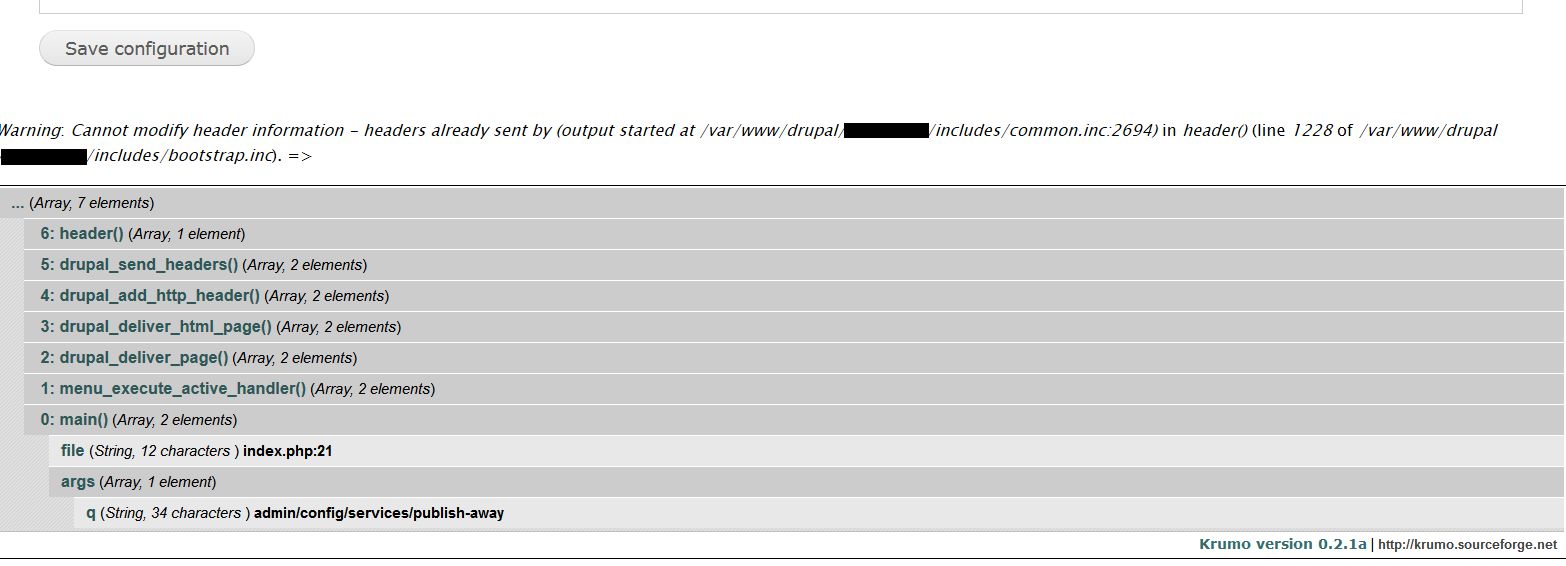
interdruper commentedI also run across the problem. In my case, just after installing the module (7.x-3.4) and accessing for the 1st time the configuration page (/admin/config/services/publish-away). Clearing caches did not help. I attach an image with additional info.
Comment #3
interdruper commentedJust now I noticed that after the module is enabled, a message says that configuration is under /admin/config/services/publish-away/1, that is, adding '/1' at the end. I can confirm that the warning is not triggered when accessing /admin/config/services/publish-away/1, but it does when accessing /admin/config/services/publish-away.
Comment #6
brice_gato commentedComment #7
brice_gato commented