

 Come together with the global Drupal community in Rotterdam, 28 Sept – 1 Oct 2026. Sessions, contribution, connection, and Early Bird savings until 8 June.
When PayPal for Payment redirects me to PayPal I get the error message: "The link you have used to enter the PayPal system contains an incorrectly formatted item amount."
The first thing I could think of is that PayPal doesn't like my currency format. So I checked that, but it seems to be okay.
Also after doing some Google search with the error message and found that you must use two digits after the decimal marker in order to make the total amount work correctly with PayPal. But I have that already so that shouldn't be the problem either.
I also tried to replace the commas with points but all with no avail.
My current format example is:
€1.000,12
Maybe the problem can be in the encryption the site uses to send the information to Paypal? The site uses https. If this could be the problem why is the PayPal module that's included with Ubercart is just working fine?
| Comment | File | Size | Author |
|---|---|---|---|
| #25 | 2055665-25-use-currency-roundAmount.patch | 3.01 KB | torotil |
| #18 | paypal_payment-2055665-18.patch | 806 bytes | mvdve |
| #13 | paypal_payment-2055665-13.patch | 795 bytes | mvdve |
| #8 | paypal_for_payment-2055665-8.patch | 816 bytes | mvdve |
| #1 | payment_error_auto.png | 7.42 KB | atiba |


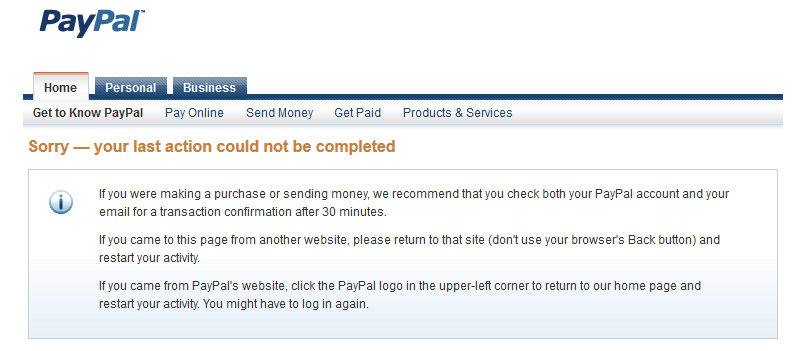
Comments
Comment #1
atiba commentedI forgot to mention, i'm using the PayPal Payments Standard type.
I also added screenshots of the error message.
Comment #2
xanoPlease provide step-by-step instructions on how to reproduce the problem using a clean installation of the dev versions of all required projects.
Comment #3
xanoBump. Can you provide instructions to reproduce the problem?
Comment #4
atiba commentedYeh, I will try later. Sorry, I was travelling.
Comment #5
otouma commentedI ran into the same problem.
I discovered that in the paypal_payment_pps.module (function paypal_payment_pps_form_redirect) line 197,
$payment->totalAmount(TRUE) uses a float format (in my case I get 3 decimals).
To fix the issue, I added the round function.
'amount_1' => round($payment->totalAmount(TRUE), 2),
otouma
Comment #6
xanoCan you provide a patch that makes the change and a link to the relevant part of Paypal's documentation that describes why the module's current behavior is incorrect?
Comment #7
atiba commentedI tried to reproduce this on a clean install and the problem persist.
Did a clean install with every Ubercart module except for the payment section.
If otouma can provide a patch I'll be happy to test it out.
Comment #8
mvdve commentedSame issue here. In my case the error was caused by a discount on a product in drupal commerce. This generates an order total with more then two digits after the decimal marker.
Comment #10
xanoThe patch no longer applies.
Comment #11
xano@mvdve: it would be nice if this patch can be included in version 7.x-1.1. Can you re-roll it?
Comment #12
mvdve commentedMissed your last post sorry, the updates are not yet shown properly on the new drupal 7 dashboard. I will upload a new patch tonight.
Comment #13
mvdve commentedNew patch for re-roll.
Comment #14
xanoAnd I missed your last patch for the exact same reason, it seems. Thanks! QA requires me to repeat my question from #6 again, though: Can you provide a link to the relevant part of Paypal's documentation that describes why the module's current behavior is incorrect? We need to make sure that this fix is the correct one.
Comment #15
mvdve commentedThe PayPal API says "Any valid currency amount" (page 116).
It is possible to send a amount with more then two digits after the decimal pointer when for example a discount rule is used.
Comment #16
xanoThe thing is that some of the world's currencies actually have more than a 100 subunits (and thus more than 2 decimals). PayPal's documentation is absolutely unclear about these things.
Thanks for the patch!
Comment #18
mvdve commentedThe result from issue 2063119 has overwritten this patch.
Comment #20
xanoThe link doesn't seem to work anymore. Do you know where the information can be found now?
Comment #21
mfrosch commentedHi,
got the same Problem also on 1.1. (incorrectly formatted item amount).
Had to replace on paypal_payment_pps.module line 196
$data['amount_' . $index] = $line_item->totalAmount(TRUE);
with
$data['amount_' . $index] = (string) round($payment->totalAmount(TRUE), 2); // HACK PATCH
Cheers,
Matthias
Comment #22
vincent rommelaars commentedIf you're using discounts you'll get the same error when passing your shopping cart to PayPal because it doesn't accept negative values.
Proposed solution to work with discounts:
Alter for each command on line 193 of paypal_payment_pps.module to
I don't know how to write a patch, so I suggest to review this alter and create a patch.
Greetz
Vincent
Comment #24
torotil commentedWhy don't we use the currency module's capabilities
Currency::roundAmount()to round to the right number of decimal places for all currencies?Comment #25
torotil commentedHere is a patch that uses
Currency::roundAmount()to solve this properly.Comment #27
ronino commented@Vincent Rommelaars: I think discounts are a separate issue. I have fixed that in #2981152: Payment fails if line item has negative amount (e.g. for discounts).
Comment #29
torotil commentedCommitted #25 to 7.x-1.x