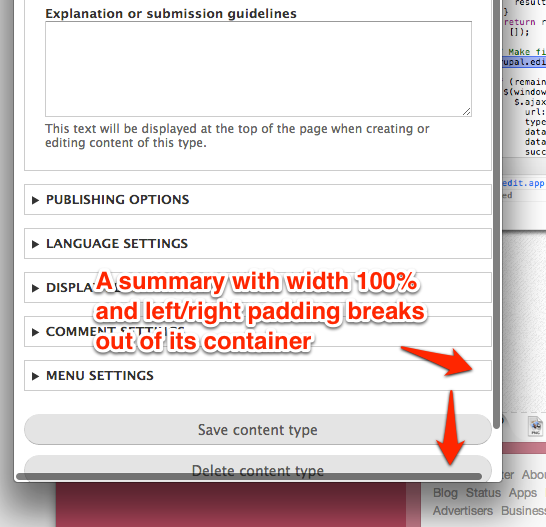
The scrollbar is triggered because Seven declares summary elements to be width 100% on narrow devices (less than 600px wide).
  details summary {
    overflow: hidden;
    text-overflow: ellipsis;
    white-space: nowrap;
    width: 100%;
  }
But system.theme.css gives summary elements left/right padding.
summary {
  padding: 0.2em 0.5em;
}
So summary elements bust out of their containers given the content-box box model width sizing. The summary element is already a display block, so it doesn't need its width set to 100%. I verified that removing the width doesn't break the ellipsing.
Here is an image to illustrate:


Comments
Comment #1
jessebeach commentedThis is a one-line patch. The
summaryelement is already a block, so it's unnecessary to declare its width to be 100%. It will do that automatically.Comment #2
jessebeach commentedBeaten to it: #1872606: Single Column admin pages, details summary causes scrollbar