

Active
Project:
Features Extra
Version:
7.x-1.x-dev
Component:
Code
Priority:
Normal
Category:
Support request
Assigned:
Unassigned
Reporter:
Created:
30 Jan 2013 at 13:08 UTC
Updated:
15 Mar 2018 at 17:15 UTC
Jump to comment: Most recent, Most recent file



Comments
Comment #1
kclarkson commentedClosing this so that the conversation can be focused here #1901116: Using exported blocks in installation profiles
Comment #2
kclarkson commentedNot a duplicate :)
Comment #3
pfrenssenWhat are the differences between your local development environment and the Pantheon environment? Could you perhaps try to replicate this issue in a VM which has the same PHP version installed as you are using on Pantheon?
Comment #4
pfrenssenComment #5
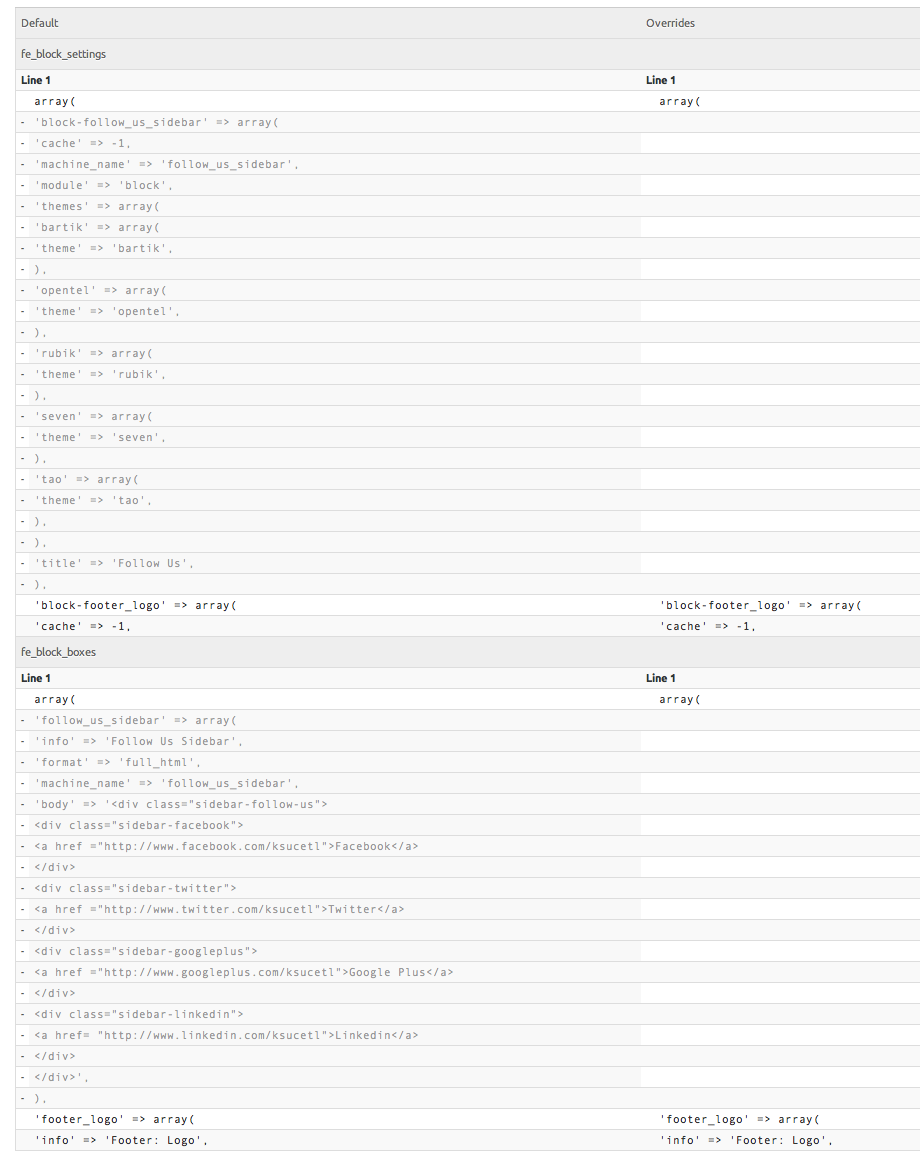
kenorb commentedThe same issue.
foo.features.fe_block_boxes.inc
There are settings exported to foo.features.fe_block_settings.inc
And info file:
And it's not possible to revert these blocks. I've tried --force and clearing the cache.
Comment #6
kenorb commentedComment #7
kenorb commentedI think the problem was that the blocks didn't have uuid ids. I had to install UUID module.
Comment #8
rodrigoaguileraFor me the problem was all the fe_block version code so I made a quick dirty patch to prevent to be writen on the feature
Comment #9
rodrigoaguileraI had to remove more lines
Comment #10
pfrenssen@rodrigoaguilera, that will probably break Features Extra. This version string is necessary to be able to revert and export blocks.
Comment #11
jstollerI'm having this same problem on all my features with blocks. It's just the fe_block version that's keeping them overridden. I've tried doing a forced feature update, followed by a forced feature revert, but it still reports as overridden.
Comment #12
matthewv789 commentedWhat I've found is the thing that remains overridden is the machine name field - it wasn't filled in in the imported blocks. Pasting in the proper machine name removed the overridden status.
Comment #13
eworwa commentedHi, I tried the solution posted by matthewv789 but didn't work for me. In my imported feature module wasn't present the machine_name entry at all, so I added it with no effect. I try cleaning the cache just before trying to revert the module but didn't work neather.
I also try the solution posted here related to the fe_block module but didn't work neather. I've got the ultimate release of the related modules.
Comment #14
el_reverend commentedI ran across the same problem that I could not revert a block (content & settings) because in site 1 this block did not have a machine name but in site 2 (the dev site) it did.
I had to add the machine name to the same block in site 1 and then it let me revert it.
This causes potential issues with:
- updating features that are created by client, but updated by dev.
- creating new block on the dev site to be imported to the prod site.
May I suggest a solution. Make the machine name an auto-generated version (ala features export) of the block description, which in turn is required. That way any block ever created and featurized will always have a matching machine name.
Comment #15
charginghawk commentedHad this issue, #14's solution, adding block with said machine name then reverting it, worked for me.
Comment #16
timhtheos#14 works for me. Blocks that do not have machine names cannot be features reverted. For them to be reverted, machine names must be set first via hook update or hook install (of that feature if it is a new feature).
Comment #17
jody lynnI was having the fe_block_settings version problem described in #11. It turned out it was caused by a patch I was using #766264-25: Alter hooks causing status to always be overridden