

 Support for Drupal 7 is ending on 5 January 2025—it’s time to migrate to Drupal 10! Learn about the many benefits of Drupal 10 and find migration tools in our resource center.
Problem/Motivation
Even when access is denied to a widget, the value submitted propagates to the entity built from the sum of widgets.
Steps to reproduce
- Enable at least content translation and content moderation modules and some entity providing module, node is typical.
- Set
Hide non translatable fields on translation formson the content translation admin form. - Create an entity.
- Now add a nontranslatable field with a non-null default value.
- Try to add a non-default revision translation of the entity.
- Kaboom courtesy of EntityUntranslatableFieldsConstraint as the non-null value changes to the default. (error message "Non-translatable fields can only be changed when updating the original language.")
Proposed resolution
Don't let widgets pass their values when access is denied to them.
Remaining tasks
User interface changes
API changes
Data model changes
Release notes snippet
Original report by pavlosdan
We use *Paragraphs + Content Moderation + Translations*. We have a lot of content that is moderated and translated. We've added a new field in one of the paragraphs that did not need to be translatable (it's a checkbox that should be the same across translations) but we noticed that if a user attempts to edit existing published translated content holding said paragraph type prior to the original having a value for that field then the system throws a "Non translatable fields can only be changed when updating the current revision" error.
So far the only workarounds we could think of was to make the field translatable even though it didn't need to be.
Another possibility would be to remove the constraint as suggested here: https://www.drupal.org/project/drupal/issues/2955321#comment-12541730 but we didn't test this.
Your thoughts on this would be greatly appreciated. :)
| Comment | File | Size | Author |
|---|---|---|---|
| #91 | Screenshot from 2023-11-28 10-00-10.png | 65.68 KB | Artyom Hovasapyan |
| #89 | 3025039-89.patch | 2.06 KB | _utsavsharma |
| #89 | interdiff_88-89.txt | 2.06 KB | _utsavsharma |
| #88 | 3025039-80-for-bool-type.patch | 2.05 KB | Artyom Hovasapyan |
| #87 | Screenshot from 2023-09-28 11-57-42.png | 30.41 KB | Artyom Hovasapyan |
Issue fork drupal-3025039
 Show commands
Start within a Git clone of the project using the version control instructions.
Or, if you do not have SSH keys set up on git.drupalcode.org:
 changes













Comments
Comment #2
pavlosdan CreditAttribution: pavlosdan as a volunteer commentedInitially reported in Paragraphs, did some further testing and was able to replicate the issue with a field attached straight on a content type. Moving this to core.
Comment #3
pavlosdan CreditAttribution: pavlosdan as a volunteer commentedComment #4
pavlosdan CreditAttribution: pavlosdan as a volunteer commentedThis is a duplicate of #2959175: Non-translatable fields error when using: Content Moderation + Content Translation + Comments
Comment #5
mikemccaffreyI'm reopening this ticket, since it seems slightly different than the linked issue that also involves the comment module, and this ticket hits on a point that none of the other "Non translatable fields" tickets seem to contain, namely that the error can be triggered by the addition of new non-translatable fields.
I was getting the "Non translatable fields can only be changed when updating the current revision" error when trying to save the spanish version of some nodes, despite the fact that no non-translatable fields were showing on the edit form, and no values were being changed.
In the end I tracked it down to some new fields that I had recently added to the content type. It turns out the problem was that I was trying to save the translated version of the node before the default translation was saved and given an initial value to compare the translation to.
We can get around this problem for the moment by making sure to edit and save the english version of nodes before attempting to change the translated versions, but this shouldn't be necessary. The system should be smart enough to realize that the translated value of the field is different because the default translation has no value at all for the field, and it should just make sure that the translation value is empty or such before letting the save proceed.
Comment #6
Sam152 CreditAttribution: Sam152 as a volunteer and at PreviousNext commentedI think this may actually fall under the entity system, since the constraint in question is in
Drupal\Core\Entityand pending revisions and translations are API features of the entity system, it's only content moderation that exposes this bug, but I suspect workspaces might trigger something similar.Comment #7
pavlosdan CreditAttribution: pavlosdan as a volunteer commented@Sam152, got any idea of what kind of test we could write to prove this bug?
I tried writing a Kernel test as follows but it passes.
I also did some manual testing with and without content moderation and I only get the error when content moderation is added to the content type. I am attaching the code for the test just in case you can see any issues with the test.
EDIT: removed the test code as I was using the wrong APIs.
Comment #8
pavlosdan CreditAttribution: pavlosdan as a volunteer commentedbumping this to 8.7 since I just tested against that.
Comment #9
Antoniya CreditAttribution: Antoniya commented+1 This happens every time we add a new untranslatable field. The error persists even when editing the original node instead of its translations.
The only workaround for now is setting all new fields to translatable, which is fine in most cases, but boolean fields should ideally remain untranslatable..
Comment #11
YahyaAlHamadI think I got around this issue using the checkbox in content translations "Hide non-translatable fields" in Paragraph types.
Comment #12
matthewv789 CreditAttribution: matthewv789 commentedRelated issue in Error when save translation (2956311). That was for Paragraphs, but I think the issue stems from core.
The solution that seems to work for everyone is indeed as per YahyaAlHamad in #11, and zanvidmar #7 in the other issue: uncheck all instances of "Hide non translatable fields on translation forms". That flag seems to be a feature that does not actually work properly.
Comment #13
Ghost of Drupal PastIf for whatever reason the widget is set to #access FALSE, just do nothing. The user, by definition, couldn't have changed anything so doing nothing is just the thing to do.
Comment #14
Berdiraccess could also be an access result object.. Maye we should have a helper method for that somewhere, not in scope..
Comment #15
Ghost of Drupal PastSure, we can do that.
Comment #16
Ghost of Drupal PastD'oh, only literal FALSE is access denied. Which means #13 was also slightly incorrect.
Comment #17
viappidu CreditAttribution: viappidu as a volunteer commentedI don't use content moderation or paragraph but I have found an extremely simple temporary solution here #3117100: Non-translatable fields can only be changed when updating the current revision.. Not sure it can help.
Seems quite an old problem though, found also #3015480: Allow skipping translation check at field level for non-translatable fields and #2959175: Non-translatable fields error when using: Content Moderation + Content Translation + Comments which seems all related.
Comment #18
sanjayk CreditAttribution: sanjayk as a volunteer and at Srijan | A Material+ Company for Drupal India Association commentedComment #19
sanjayk CreditAttribution: sanjayk as a volunteer and at Srijan | A Material+ Company for Drupal India Association commentedUnable to reproduce please provide more information.
Comment #20
viappidu CreditAttribution: viappidu as a volunteer commented@sanjayk very simple, with any of the above modules (or in my case just memcache) installed you'll get an error making impossible to translate the node. If you look at my last post there are plenty of related issues explaining the problem.
Comment #21
sanjayk CreditAttribution: sanjayk as a volunteer and at Srijan | A Material+ Company for Drupal India Association commented@viappidu thanks for update.
I have test many time and follow your steps and got the message "Non-translatable fields can only be changed when updating the original language." again and again and never got "Non translatable fields can only be changed when updating the current revision".
Comment #22
YahyaAlHamad@sanjayk, yeah, it is kind of hard to replicate, that's why this issue is still here. It seems that there are specific variables that have to be met. I believe one of them is related to the Paragraphs module, and possibly with Content Moderation.
Edit: I remember that it happened to old content that had paragraphs and content moderation before enabling translation. Maybe this will help.
Comment #23
viappidu CreditAttribution: viappidu as a volunteer commented@sanjayk, might be due to the 'Create new revision' being off in your content type? I think I should have paid more attention myself to the error message. That I believe was the error I was getting, having myself revisioning off for the particular content. I solved unchecking the 'Hide non translatable fields on translation forms' in content translation. I'm the only one working on my site so that works for me. I didn't check the created entity translation for 'funny' fields/values though watchdog doesn't show any error of sort.
The only thing I can add is that the only module enabled, of those mentioned in this post, is memcache. Also content moderation is off for me. Drupal 8.9, PHP 7.4, MySQL 8
Comment #24
sanjayk CreditAttribution: sanjayk as a volunteer and at Srijan | A Material+ Company for Drupal India Association commented@viappidu @YahyaAlHamad let me explain what steps I am following
I have installed modules (*Paragraphs + Content Moderation + Translations*) as mentioned in description and followed the steps.
I have created article content with Spanish content and also added a field in paragraph and as description edit translated content.
You can see in screenshot in the bottom have a field with name checkbox(field type paragraph), have a drop down of content moderation and revision also enabled.
Here https://ibb.co/Fn4Q6Sn https://ibb.co/5vhyRv7 screenshot please check and let me know if I am doing anything wrong. If you required more information or anything else let me know. :)
Comment #25
viappidu CreditAttribution: viappidu as a volunteer commented@sanjayk, I'm not following you.
What exactly do you need?
If you wanted to reproduce the error, well, you achieved it.
If you want to solve
1. try the patch at #16
OR
2. Try the method I explained at #17 or #23
OR
3. Make a patch :)
Comment #26
clayfreemanForgive me if I'm missing something, but in trying to replicate the original issue (being that
EntityUntranslatableFieldsConstraint::$defaultRevisionMessageis violated), I noticed that#accessshould never be set toFALSE; this specific violation requires that "Hide non translatable fields on translation forms" be unchecked and that you're modifying the value of a non translatable field on a pending revision.I don't believe the patch in #16 actually solves the original issue.
I will note, however, that the patch in #16 may be useful (and necessary) to solve an issue with Paragraph reference fields that aren't translatable (regardless of any translation capabilities of fields on the Paragraph entity itself). My team experienced a
EntityUntranslatableFieldsConstraint::$defaultTranslationMessageviolation after hiding a non translatable Paragraph reference field on a content type without any value changes; applying the patch in #16 seemed to resolve the issue, although a patch to Paragraphs was also necessary. I've yet to make a contrib issue for this yet because further investigation is required.All that being said, if the original issue is that
EntityUntranslatableFieldsConstraint::$defaultRevisionMessageis violated, then the patch from #16 has no relevance for this issue and another solution is needed. Otherwise, the original issue should be updated to reflect a violation ofEntityUntranslatableFieldsConstraint::$defaultTranslationMessageinstead.Comment #27
DuneBL#16 save my day!
Same as #26, I was facing 2 violations of the kind
EntityUntranslatableFieldsConstraint::$defaultTranslationMessageBut, it was **not** about paragraph fields, it was about a comment field and a stateItem field.
#16 solve it.
Thank you
Comment #28
AnybodyJust ran into the same issue with a translated Core Media Entity. The workaround from https://www.drupal.org/project/paragraphs/issues/2956311#comment-13854241 helped and also the patch from #16 did! Thank you!
Comment #29
mandclu CreditAttribution: mandclu at Northern Commerce commentedI had a similar issue, with a Smart Date field. The patch from #16 resolved the problem without any other code changes required. Though it seems that some other modules require additional fixes, it would be great if this core fix could be committed. Moving to RTBC based on my own testing as well as that in previous comments.
Comment #30
alexpottThanks for filing this bug report and for fixing the issue. Bug fixing is very valuable. In order to commit a bug fix, we need an automated test to prove that we've fixed the bug and ensure that we don't break it again in the future. For more information about writing tests in Drupal, see the following links:
Comment #31
Ghost of Drupal PastI emailed DuneBL and Anybody because #27 / #28 both mention they were able to reproduce this with just core modules -- more details or perhaps even config export would allow me to write a test.
Comment #32
BerdirI believe just adding a new boolean field to a node type with existing content (not 100% sure if it needs an existing translation, but not even that should be necessary) might be sufficient to trigger this, AFAIK it doesn't have to be on a paragraph. Then just go to the add/edit translation form and try to save.
Comment #33
Ghost of Drupal PastThis is the failing test, I will post this + #16 next which passes.
Comment #34
Ghost of Drupal PastComment #35
Ghost of Drupal PastD'oh!
Comment #36
Ghost of Drupal PastAh. This is the failing version...
Comment #37
Ghost of Drupal Past... and this is the passing one. I will stop posting duplicates once we have a fail-pass version verified by the testbot.
Comment #39
Ghost of Drupal PastI have added comments, use the error message from the constraint directly and most importantly, added a dataProvider to actually show that if #access is TRUE then the error is expected. There is no point in uploading a failing test for this -- that already demonstrated there is a bug and this fixes it and the new test added with #access TRUE is not relevant to that.
Comment #40
Ghost of Drupal PastI found a much cleaner way to do my asserts and fixed the code style issue found.
Comment #41
Ghost of Drupal PastSigh.
Comment #42
Ghost of Drupal PastI switched to entity constraint violations directly instead of form error messages because the comparison to
EntityUntranslatableFieldsConstraintcan be directly done this way instead of comparing messages. EntityFormDisplay creation is also more direct now. It becomes more and more different from FieldWidgetConstraintValidatorTest at every iteration. I added even more comments. I updated the issue summary.Comment #43
clayfreemanJust a nit... docblocks?
Should these instead be in
::setUp()?Then this wouldn't be necessary...
Comment #44
siddhant.bhosale CreditAttribution: siddhant.bhosale as a volunteer and at QED42 commentedComment #45
siddhant.bhosale CreditAttribution: siddhant.bhosale as a volunteer and at QED42 commentedI have made the changes from comment #43.
Please review.
Comment #46
Ghost of Drupal PastPlease read the steps to reproduce in the issue summary (maybe it's not clear enough? should I write more?) and observe the following, necessary steps, in this very specific order:
To compare. #45 instead does
You could try to post the test from #45 without the patch into a testing issue to see it passes as it doesn't test the issue at hand.
We could move creating an entity into setup for sure but in my opinion, setup should, as the name suggests, create the environment where the bug is reproducible and the actual reproduction steps should live in the test method.
Setting it to CNW because #42 indeed missed some docblocks.
Comment #47
andypostComment #48
clayfreeman@Charlie ChX Negyesi, ah, you may be right; what about explicitly setting the field to NULL for the default translation? If we do it the way you recommend in #42, we'll also need to delete the field on each run of the test, no?
After re-reading the issue summary, we also need to set a default value for the field (which isn't being done in either #42 or #45).
Also, would it be safer to use a text field for testing instead? (Otherwise we may be flirting with a scenario where
empty()causes discrepancies in testing...)Comment #49
Ghost of Drupal PastI am not quite sure what you are asking. The field is created in a test method and every test method runs in its own Drupal installation with a completely fresh database. I am equally not sure what do you mean by setting a default value -- the test merely relies on changing the value and BooleanItem does not have a default of 1. There's no empty() involved in the test as far as I can tell.
We still need to fix the doxygen in #42.
Comment #50
clayfreemanIf we're trying to implement the steps to replicate, the issue summary explicitly calls for a non-NULL default:
We should update the IS if this is incorrect.
As far as my initial review is concerned, I agree that the only thing that applies is the docblock stuff at this point. Revisions should be on #42 since the patch in #45 doesn't match the replication criteria in the IS - sorry for the confusion!
Comment #51
Ghost of Drupal PastI guess you are right in that one and while for the bug it doesn't matter whether the change occurs because of the default value is set or because an explicit set, certainly for user expierence it does because the the error says something changed but they didn't change from the default value... So please update that in the patch.
Comment #52
clayfreemanComment #53
clayfreemanRealized that I specified "non-null" - derp!
Comment #54
Ghost of Drupal PastThanks for rolling this version, I posted it to https://www.drupal.org/project/drupal/issues/3196235#comment-14043183 to see it fails without the fix and it still does which is great but then I re-read the patch and it still has
$form_state->setValueForElement($form[$field_name]['widget'], [['value' => 1]]);and I thought the reason to give the new field a default was to remove this very line and let the default provide the change. However, when I do so I get an error and I am right now out of time so I can just leave this comment here.Comment #56
AjitSConfirming that the patch from #53 works for me!
Comment #57
flyke CreditAttribution: flyke commentedI have this error on a clients site from time to time, with translations and paragraphs enabled.
We dont use workbench or content moderation.
When it happens the fastest fix is:
- go to /admin/config/regional/content-language
- uncheck 'Hide non translatable fields on translation forms'
- edit the translation of the node again, no need to change anything and save. This will work now. Great magic.
- now again go to /admin/config/regional/content-language
- you can re-activate 'Hide non translatable fields on translation forms' now
- this time you or the client can edit the translation without error
Comment #58
clayfreemanComment #60
clayfreemanRe: #54
Since the value is being fed to the form state, it will be ignored by time it hits the change in
WidgetBase. In theory, this should be fine for testing purposes, as it accurately captures what happens when the form is submitted anyway.Comment #61
Pere OrgaI haven't read the whole thread (nor https://www.drupal.org/project/paragraphs/issues/2956311), but I found that patch 64 of https://www.drupal.org/project/drupal/issues/3101344 fixes the problem this issue describes.
Comment #63
mikran CreditAttribution: mikran at Factorial GmbH commentedThis issue was originally reported for *Paragraphs + Content Moderation + Translations*. The proposed fix does not fix that combination with paragraphs but it works for steps given in the updated issue summary so I've now filed the paragraph bug as #3262149: New non-translatable field on translatable paragraph throws error. Steps to reproduce are almost same, but paragraph bug does not require content moderation.
Comment #64
Pere OrgaAdding https://git.drupalcode.org/project/drupal/-/merge_requests/1105.diff as patch here, so it can be used in composer (no changes added)
Comment #65
ranjith_kumar_k_u CreditAttribution: ranjith_kumar_k_u at Zyxware Technologies commentedJust re-rolled for 9.4
Comment #66
Ghost of Drupal PastMaybe this should be using
Element::isVisibleElement?Comment #67
Anna D CreditAttribution: Anna D at ASYNC life commentedI faced with issue with paragraphs: https://www.drupal.org/project/paragraphs/issues/3262149
In this case #65 patch didn't solve the error, because $widget returns null for all fields in paragraph. I took the №65 patch as a base, this solution works locally for me.
Comment #69
Anna D CreditAttribution: Anna D at ASYNC life commentedComment #71
clayfreemanMade a revision per #66. Setting back to Needs Review.
If posting reference-only patches, please suffix the file name with
-do-not-testto avoid ruining the state of the issue. Actual development on the issue should occur in the MR so that maintainers only have to review one set of code.Comment #72
clayfreemanAfter further consideration, I think it makes more sense to base this patch on 10.0.x.
@Anna D can you provide replication criteria for the problem you're experiencing? I'd like to try to confirm if changes to this core patch are needed or if it would be better to address it in the Paragraphs module, especially since the additional change is causing test failures.
Comment #73
Anna D CreditAttribution: Anna D at ASYNC life commentedHi @clayfreeman
There is a related issue https://www.drupal.org/project/paragraphs/issues/3262149
mikran created test that failed with #65 patch, but passed with my small changes https://git.drupalcode.org/project/drupal/-/merge_requests/1105/diffs?co...
So you can try to run test for yourself
Comment #74
Ghost of Drupal PastI am sorry but I am still bothered by #54 could we try removing that setValue call from the test?
Comment #75
joseph.olstad***EDIT***
It would be nice if the error mentioned which field was the problem, at least to focus the issue on something.
***EDIT***
*** Final update ***
For our environment we had forgot to enable translation on the 'published' option
this can be found in /admin/config/regional/content-language
seems our use case was different than the one explained above.
We did not need, nor did we use a patch for what appeared to be a similar problem.
*** end final update ***
Comment #76
clayfreeman@Anna D:
I think this line may be at fault in the Paragraphs module. I recommend patching Paragraphs to remove it, or to at least make it conditional on the form element's visibility.
@Charlie ChX Negyesi:
Perhaps we should be writing a functional test instead? I think it would more closely approximate the replication criteria in the issue summary.
Comment #77
Ghost of Drupal PastI personally avoid functional tests whenever possible. They tend to be hard to debug, slow and somewhat harder to reason about.
But that's just me. I can see how in this case that might work.
Comment #78
aschiwi CreditAttribution: aschiwi at undpaul commentedThe patch from https://git.drupalcode.org/project/drupal/-/merge_requests/1105 works for us.
Our problem was a non-translatable taxonomy reference field that was set to be hidden on translation forms.
Comment #79
recrit CreditAttribution: recrit at Phase2 commentedAdding a static patch file for the latest MR that can be used for composer builds.
Comment #80
tcrawford CreditAttribution: tcrawford at Liip commentedI have applied patch #79 and tested. I am seeing warnings and errors though in core (and in paragraphs) when using the paragraphs module together with this patch.
If I re-save the node in the original language before saving the translation, I see the following warning:
```
Warning: Undefined array key "original_deltas" in Drupal\Core\Field\WidgetBase->flagErrors() (line 474 of core/lib/Drupal/Core/Field/WidgetBase.php).
Drupal\Core\Field\WidgetBase->flagErrors(Object, Object, Array, Object) (Line: 2210)
Drupal\paragraphs\Plugin\Field\FieldWidget\ParagraphsWidget->flagErrors(Object, Object, Array, Object) (Line: 270)
Drupal\Core\Entity\Entity\EntityFormDisplay->flagWidgetsErrorsFromViolations(Object, Array, Object) (Line: 268)
Drupal\Core\Entity\ContentEntityForm->flagViolations(Object, Array, Object) (Line: 214)
Drupal\Core\Entity\ContentEntityForm->validateForm(Array, Object)
call_user_func_array(Array, Array) (Line: 82)
Drupal\Core\Form\FormValidator->executeValidateHandlers(Array, Object) (Line: 275)
Drupal\Core\Form\FormValidator->doValidateForm(Array, Object, 'node_article_form') (Line: 118)
```
If I don't resave the node in the original language first, but add a translation, I get the following TypeError.
```
The website encountered an unexpected error. Please try again later.
TypeError: Drupal\paragraphs\Plugin\Field\FieldWidget\ParagraphsWidget::errorElement(): Argument #1 ($element) must be of type array, null given, called in /app/docroot/core/lib/Drupal/Core/Field/WidgetBase.php on line 478 in Drupal\paragraphs\Plugin\Field\FieldWidget\ParagraphsWidget->errorElement() (line 2217 of modules/contrib/paragraphs/src/Plugin/Field/FieldWidget/ParagraphsWidget.php).
Drupal\paragraphs\Plugin\Field\FieldWidget\ParagraphsWidget->errorElement(NULL, Object, Array, Object) (Line: 478)
Drupal\Core\Field\WidgetBase->flagErrors(Object, Object, Array, Object) (Line: 2210)
Drupal\paragraphs\Plugin\Field\FieldWidget\ParagraphsWidget->flagErrors(Object, Object, Array, Object) (Line: 270)
Drupal\Core\Entity\Entity\EntityFormDisplay->flagWidgetsErrorsFromViolations(Object, Array, Object) (Line: 268)
Drupal\Core\Entity\ContentEntityForm->flagViolations(Object, Array, Object) (Line: 214)
Drupal\Core\Entity\ContentEntityForm->validateForm(Array, Object)
call_user_func_array(Array, Array) (Line: 82)
Drupal\Core\Form\FormValidator->executeValidateHandlers(Array, Object) (Line: 275)
Drupal\Core\Form\FormValidator->doValidateForm(Array, Object, 'node_article_form') (Line: 118)
Drupal\Core\Form\FormValidator->validateForm('node_article_form', Array, Object) (Line: 591)
Drupal\Core\Form\FormBuilder->processForm('node_article_form', Array, Object) (Line: 323)
Drupal\Core\Form\FormBuilder->buildForm(Object, Object) (Line: 48)
Drupal\Core\Entity\EntityFormBuilder->getForm(Object, 'default', Array) (Line: 394)
Drupal\content_translation\Controller\ContentTranslationController->add(Object, Object, Object, 'node')
call_user_func_array(Array, Array) (Line: 123)
Drupal\Core\EventSubscriber\EarlyRenderingControllerWrapperSubscriber->Drupal\Core\EventSubscriber\{closure}() (Line: 580)
Drupal\Core\Render\Renderer->executeInRenderContext(Object, Object) (Line: 124)
Drupal\Core\EventSubscriber\EarlyRenderingControllerWrapperSubscriber->wrapControllerExecutionInRenderContext(Array, Array) (Line: 97)
Drupal\Core\EventSubscriber\EarlyRenderingControllerWrapperSubscriber->Drupal\Core\EventSubscriber\{closure}() (Line: 169)
Symfony\Component\HttpKernel\HttpKernel->handleRaw(Object, 1) (Line: 81)
Symfony\Component\HttpKernel\HttpKernel->handle(Object, 1, 1) (Line: 68)
Drupal\simple_oauth\HttpMiddleware\BasicAuthSwap->handle(Object, 1, 1) (Line: 58)
Drupal\Core\StackMiddleware\Session->handle(Object, 1, 1) (Line: 48)
Drupal\Core\StackMiddleware\KernelPreHandle->handle(Object, 1, 1) (Line: 106)
Drupal\page_cache\StackMiddleware\PageCache->pass(Object, 1, 1) (Line: 85)
Drupal\page_cache\StackMiddleware\PageCache->handle(Object, 1, 1) (Line: 49)
Asm89\Stack\Cors->handle(Object, 1, 1) (Line: 48)
Drupal\Core\StackMiddleware\ReverseProxyMiddleware->handle(Object, 1, 1) (Line: 51)
Drupal\Core\StackMiddleware\NegotiationMiddleware->handle(Object, 1, 1) (Line: 23)
Stack\StackedHttpKernel->handle(Object, 1, 1) (Line: 713)
Drupal\Core\DrupalKernel->handle(Object) (Line: 19)
Comment #81
smustgrave CreditAttribution: smustgrave at Mobomo commentedSeems there was an error in #80, what steps did you follow?
Testing on Drupal 10.1 with a standard install
Added a date field to the basic page content type with a default value of current date.
Installed content translation module
Translating basic page but unchecking date field and checking hide non translatable fields
Create a page leaving date as default
Save
Translate to another language
Am able to save without failure
Added a 2nd field to the basic page content type with a default value
Still able to translate without issue
Can someone provide new testing steps.
Comment #82
AnybodyClosed #3270505: Message "Non-translatable fields can only be changed when updating the original language." without specifying the concerning fields as duplicate. I agree that at least naming the affected field in the error message would be helpful to find out, what's wrong.
Comment #83
AnybodyComment #84
lobodakyrylo CreditAttribution: lobodakyrylo as a volunteer commentedComment #75 worked form me. Thank you.
Comment #85
herved CreditAttribution: herved commented#32 indeed a new untranslatable boolean field with previously existing translations is enough to cause this.
Upon saving one of the translations we get the error message.
The
EntityUntranslatableFieldsConstraintValidatorcan trigger for other reasons but this here is one of them and can happen with just nodes.Here are my steps:
- Install standard drupal profile
- At /admin/modules: Enable the content translation module
- At /admin/config/regional/language: add a language
- At /admin/config/regional/content-language: enable translation for Content > Article + check "Hide non translatable fields on translation forms"
- At /node/add/article: add an article node (just the title is enough) + create a translation
- At /admin/structure/types/manage/article/fields/add-field: create a new boolean field (leave it as untranslatable)
- Go back to the node translation edit form, update the title and attempt to save > we get "Non-translatable fields can only be changed when updating the original language."
EntityUntranslatableFieldsConstraintValidatorwill return TRUE forhasUntranslatableFieldsChangesbecause the boolean field items went from nothing to something (a BooleanItem with[value => FALSE]. It will then trigger the error ifhasTranslationChangesreturns TRUE, which it will if changes are detected on any translatable fields (e.g: title).Breakpoints here and there help.
Patch #79 works for me, thanks.
PS: It would be nice indeed if it could report the problematic field but perhaps this belongs to a separate issue?
Comment #86
amaisano CreditAttribution: amaisano commentedI am experiencing this issue but with a slightly different context.
None of the patches here worked.
Similar to https://www.drupal.org/project/drupal/issues/3026055 (no solution), I have a taxonomy term in English that has a File (Image) field that has a value for it. In my content translation settings, I have the term's Image field marked as translatable because we need to alter the ALT text for it per language, but the "File" attribute is UNchecked, because we don't need a different image per language.
For the Taxonomy Term, I have the "Hide untranslatable fields" checked, but the Image field still appears with the "Remove" button and the Image thumbnail, even though it shouldn't be there.
On the French translation of this term, I cannot save any changes due to the "Non-translatable field elements can only be changed when updating the original language" error.
If I go back to the English version and remove the image (and save the English version), then I can once again make changes to fields and save the French translation without problems.
EDIT: This is directly related to a known issue with Image fields. See https://www.drupal.org/project/drupal/issues/3218426#comment-15173943
Comment #87
Artyom Hovasapyan CreditAttribution: Artyom Hovasapyan commentedIt's work for me.
I have had checkbox field and At first havn't work but when I remove field and add other type(date) starts work. :)
Single on/off checkbox(Img2) must be Check boxes/radio buttons(img1) and all work.
I don't know about taxonomy term but maybe it will work for term.
Comment #88
Artyom Hovasapyan CreditAttribution: Artyom Hovasapyan commentedOr you can use this patch(update 79 patch).
Comment #89
_utsavsharma CreditAttribution: _utsavsharma at OpenSense Labs for DrupalFit commented#88 failed to apply .
Comment #90
smustgrave CreditAttribution: smustgrave at Mobomo commentedWasn’t able to replicate but maybe test coverage will show it better. That will be needed
Comment #91
Artyom Hovasapyan CreditAttribution: Artyom Hovasapyan commentedPatches don't work correctly(drupal 9.5/10).
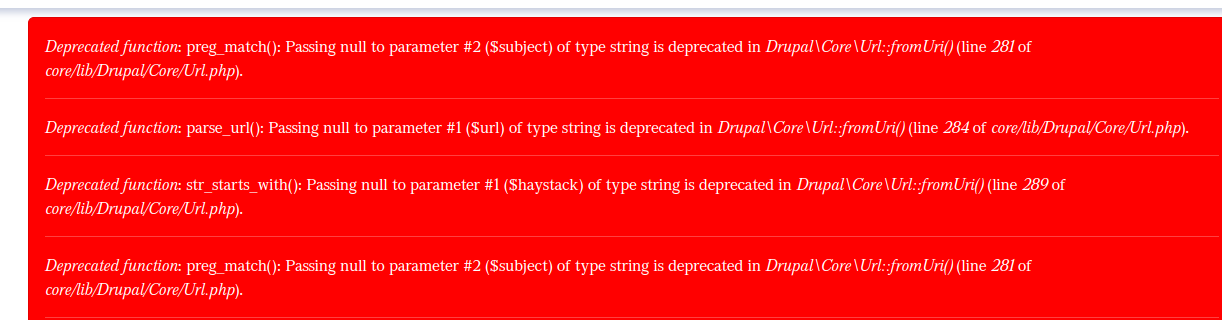
Reproduce
Comment #92
stBorchertHey. We use the latest patch and it breaks creating content when using content moderation for content types.
Steps to reproduce
:
This will result in
This happens because the patch explicitly sets the value of field "status" to
NULL:This is wrong for fields that must not be null (based on their schema), e.g. for "status" null-values are not allowed.
Comment #93
akalam CreditAttribution: akalam commentedI can't reproduce the bug anymore following the steps from #46 on drupal 10.2