Hello!
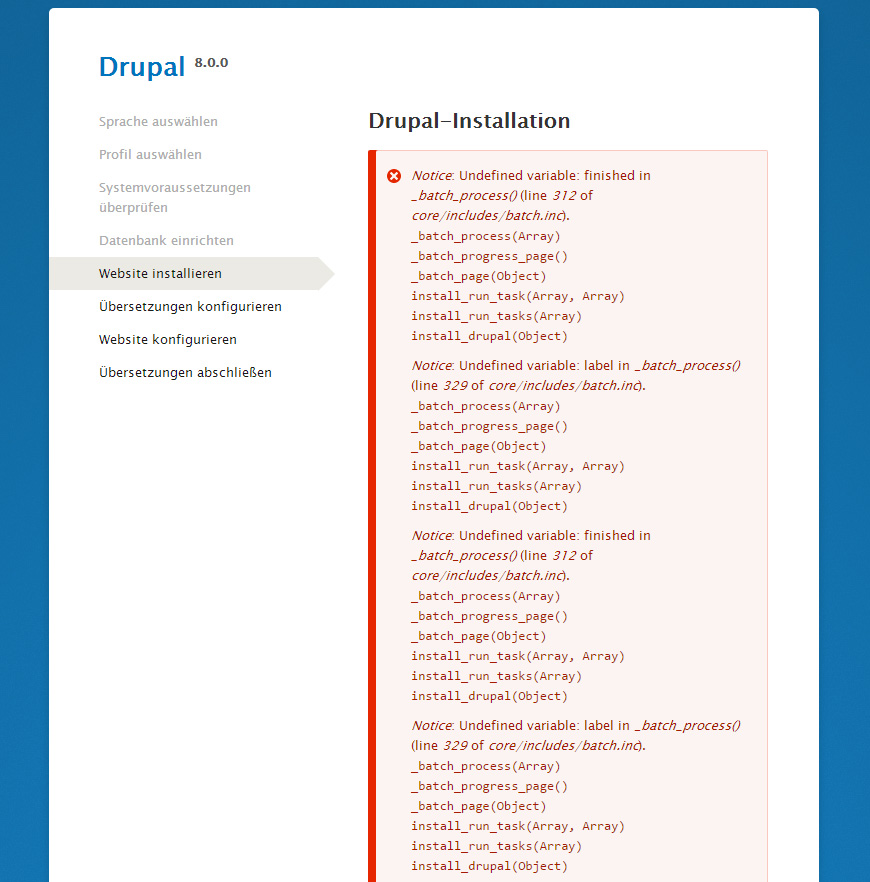
I'm gettings these errors when installing drupal 8 on my server:
Notice: Undefined variable: finished in _batch_process() (line 312 of core/includes/batch.inc).
_batch_process(Array)
_batch_progress_page()
_batch_page(Object)
install_run_task(Array, Array)
install_run_tasks(Array)
install_drupal(Object)
Notice: Undefined variable: label in _batch_process() (line 329 of core/includes/batch.inc).
_batch_process(Array)
_batch_progress_page()
_batch_page(Object)
install_run_task(Array, Array)
install_run_tasks(Array)
install_drupal(Object)
it's stuck at the Website install step.
pls. see screenshot..
are my server settings wrong?


Comments
Comment #2
mherchelLet's get more info:
Comment #3
cilefen commentedI am sorry you are having trouble installing.
This may sound cheeky, but, how would we know if you don't tell us what they are?
I am making this a normal support request until we determine if there is a bug. Did you check the requirements? If you are accustomed to Drupal 7, the requirements are a little different. In a perfect world, the installer process finds missing requirements, but it does not always. I don't think I have seen anyone report this specific error yet, so I look forward to your response.
Comment #4
cilefen commentedComment #5
maki3000 commented@mherchel: yeah! sorry for not mentioning this.
- Apache
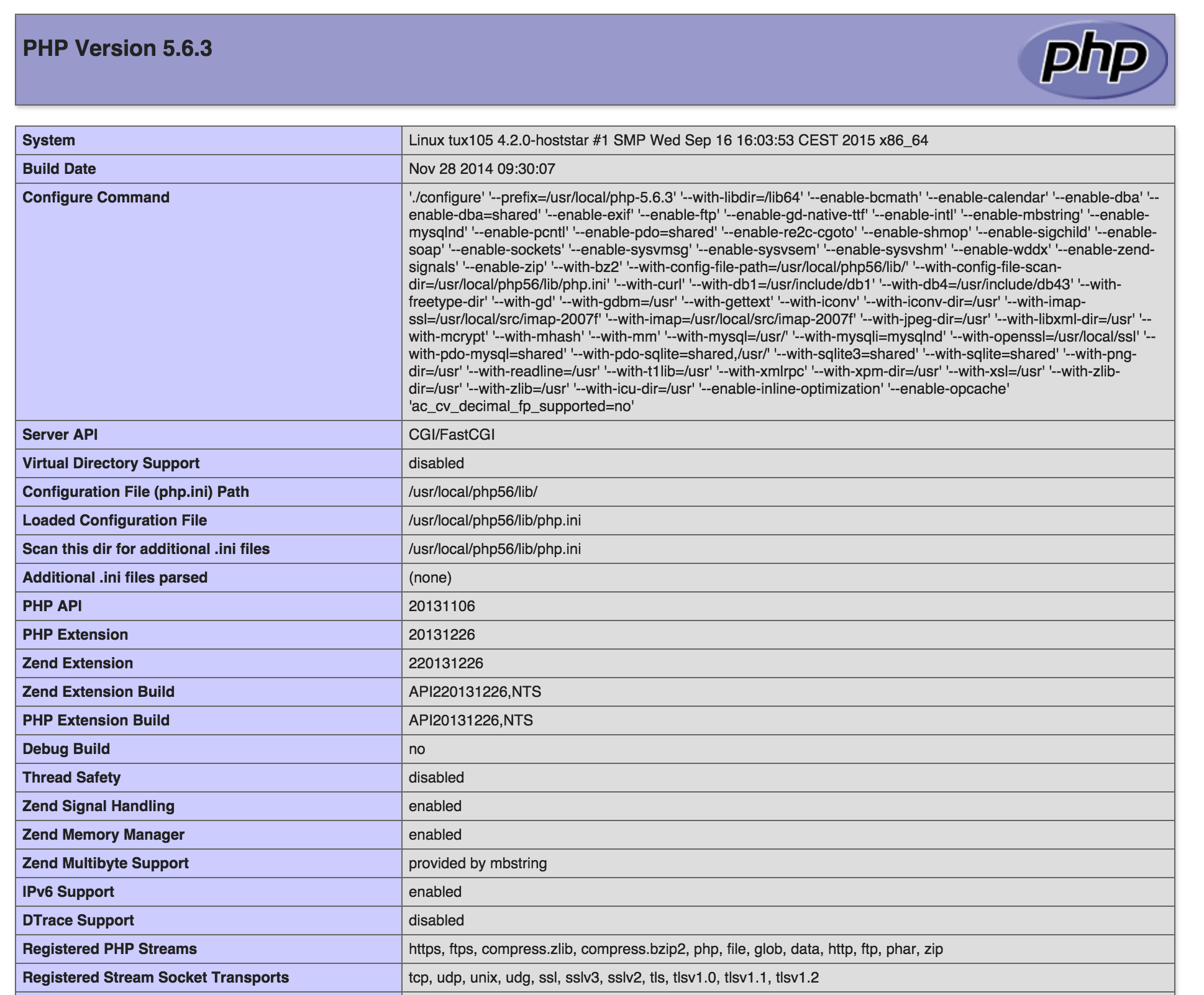
- PHP Version 5.6.3
- 5.5.40
german
@cilefen: yeah! you're right. sorry for being not specific enough
i did check the requirements. as long as i know, it's ok what i have.
i looked at the Database and the PHP version. not more. do i check something else?
i think that there could be something wrong with missing library for the batch mode. but's that sort of a wild guess.
it did also stuck while installing every thing. i did make some refresh there and with every refresh it proceeded bit more.
Comment #6
cilefen commentedCan we get your full phpinfo() output, attached as a text file?
Comment #7
maki3000 commentedOf course!
is PDF also ok?
THX for your help!
Comment #8
cilefen commentedI added to the title that this is a FastCGI installation and that it is an install in German, in case the translation process is involved.
Are the notices shown in the first screenshot a complete list of errors? I would like to see the server PHP error log that results at this step too.
Comment #9
maki3000 commentedYes. the list continues, but it's just a repetition of the same errors.
Here's the tail of my PHP error log. everything that concerns my drupal installation:
And yes! sorry again for not mentioning this earlier:
I needed to comment out some .htaccess rules for my server. otherwise it gave me a 500 error. Here's the stuff i commented out:
Comment #10
cilefen commentedIf this is a FastCGI integration issue, then I am not knowledgable.
What is the full list of disable_functions in the phpinfo()? It is cut off in the PDF. We have had some issues about disabled functions.
Comment #11
karolus commentedNot sure if this would be different for Drupal 8, but I'm running Drupal 7 installs on a FastCGI wrap.
To run it, no modifications were needed for Drupal core, save the .htaccess file. Besides that, there's the addition of a php5.cgi code to my cgi-sys folder on the server.
This, no doubt varies between Web hosts, so you want to check with yours on the specifics.
Below, is what I had to add to the .htaccess file
It may also help to say that I needed to run Drupal on FastCGI not for the initial install (use Drush to move files via rsync), but when some modules such as Ctools needed to create cache files. So, once the site had been set up, I would be getting all sorts of errors on this, since with user set to nobody, Drupal could not write due to permissions issues. It appears the install process is running into a similar issue here.
Comment #12
maki3000 commentedFor Drupal 7 update module i set the batch mode to FALSE to have it worked.
Described in here: https://www.drupal.org/node/399572#comment-6470882
don't know if that's the same issue?
Comment #13
maki3000 commentedit seems that i'm not able to do the installation on chrome, because the JS-Files don't get loaded. Check e.g. this error msg:
Refused to execute script from '*' because its MIME type ('text/x-js') is not executable, and strict MIME type checking is enabled.i took out the
Header always set X-Content-Type-Options nosnifffrom the .htaccess file, but it still does not work. is the nosniff stuff also sent in the headers?When i do the installation on Firefox, it works!!!
Maybe check this stackoverflow ticket: http://stackoverflow.com/questions/24528211/refused-to-execute-script-fr...
Comment #14
maki3000 commentedNobody else got this problem with chrome?
Refused to execute script from '*' because its MIME type ('text/x-js') is not executable, and strict MIME type checking is enabled.so should i close this ticket and make a new one?
Comment #15
maki3000 commentedWe have a Drupal ticket for that:
https://www.drupal.org/node/2601398
Also there is a stackoverflow ticket concerning this case:
http://stackoverflow.com/questions/24528211/refused-to-execute-script-fr...
Comment #16
exile_ch commentedI have the same issue:
because its MIME type ('text/x-js') is not executable, and strict MIME type checking is enabled. The website works so far an mobile devices, but not with chrome and IE. I have yet to test with FF.
funny, also with the same provider: hoststar :-) coincidence?
I tried the workaround with commenting out the header-nosniff thingy, it worked quite well for me. According to a few developers in our company, there are high security pages also using this workaround, so I don't worry about a bands website :-)
Comment #17
kieranm commentedThis bug with CGI doesn't seem to be confined to the German language install and set up of Drupal 8.3. CGI/ FastCGI bug on Drupal 8.3.x with PHP 5.5.3 on English Language install and setup.
Comment #18
grantkrugerI just had this problem and more installing a fresh 8.3.0 site on Chrome for a DrupalCon training. In my case it also hung up at initialising at 0%. Multiple refreshes later I got the same error messages reported here. Per maki3000's comment at #13 (thank you!) I was able to resolve both problems simply by switching to Firefox.
Comment #19
joseb commented@grantkruger and anyone else experiencing this issue:
I also had the same problem: stuck at 0% and after multiple refreshes I got the same error messages. My solution turned out to be quite simple: I just cleared my browser cookies for the site in question and the errors went away.
I hope it helps!
Jose B
Comment #22
ivoo56 commentedyes joseb!
This helped me a lot.
Thank you!
Comment #23
yash_khandelwalI am facing a related issue in Drupal core 9.2.x.
Problem/Motivation:
Batch API hangs and only works once after clear browser cookies/cache/history.
Steps to reproduce
When I perform bulk operation the first time via views/custom, batch works as expected. But in the second time, the batch process hang. I checked error logs and found the below errors related.
Notice: Undefined variable: finished in _batch_process() (line 355 of /docroot/core/includes/batch.inc)
Also, I am using Views Bulk operation and It gives the below error on the batch operation.
Notice: Undefined index: total_results in Drupal\views_bulk_operations\Form\ConfirmAction->addListData()
I read one issue comment #19 and as mentioned that after clearing the browser cache, the batch again works but only one time.
Please help and suggest a permanent solution for this issue.
Comment #24
yash_khandelwalComment #26
cilefen commentedFor the install problem if anyone can create a perfectly reproducible setup on the current release, post the details and reopen this.
Comment #27
djmorris93 commentedI have been encountering the same issue using both edge chromium and also firefox.
The error is
Warning: Undefined variable $finished in _batch_process() (line 355 of core/includes/batch.inc).
_batch_process(Array) (Line: 186)
_batch_progress_page() (Line: 86)
_batch_page(Object) (Line: 666)
install_run_task(Array, Array) (Line: 571)
install_run_tasks(Array, NULL) (Line: 119)
install_drupal(Object) (Line: 48)
The installation progress bar froze unless I refreshed the page and then at the end of the installation, these errors shows, and I had to reload the install.php page for it to enable me to enter my site details. then when I got into my site, these errors shows up again, and if I tried to navigate the size, I got the message (site) Apologizes for any inconvenience caused by this error. Error 500
This is installed using a hosting provider, and the database is 10.4.26-MariaDB-log - MariaDB Server
I am using PHP version 7.4