

This project is not covered by Drupal’s security advisory policy.
This module is an extension of commerce_smart_importer module which helps in importing/updating both nodes and products using CSV format.
The images and excel files for each bundle are zipped and downloaded during export.
This can be imported in other environment to create or update the Nodes/Products.
By default, the export can be done using IDs (seperated by comma) at "/admin/export-content-by-ids" and the data can be imported at "/admin/import-content-by-csv".
The form can also be configured to listing pages as below:
1. Add Node Id or Product Id in the listing view.
2. Implement below hooks in your theme to prepare form variable.
/**
 * Implements hook_preprocess_HOOK() for page.
 */
function <theme>_preprocess_page(&$variables) {
  $route_name = \Drupal::routeMatch()->getRouteName();
  if ($route_name == 'entity.commerce_product.collection') {
   $variables['export_csv_form'] = \Drupal::formBuilder()->getForm('\Drupal\content_csv_export_import\Form\ExportContentByIdsForm');
  }
  if ($route_name == 'system.admin_content') {
   $variables['export_csv_form'] = \Drupal::formBuilder()->getForm('\Drupal\content_csv_export_import\Form\ExportContentByIdsForm');
  }
}
3. Now render this form in your views template.
4. Once changed clear the cache and you will see a button on the view pages.

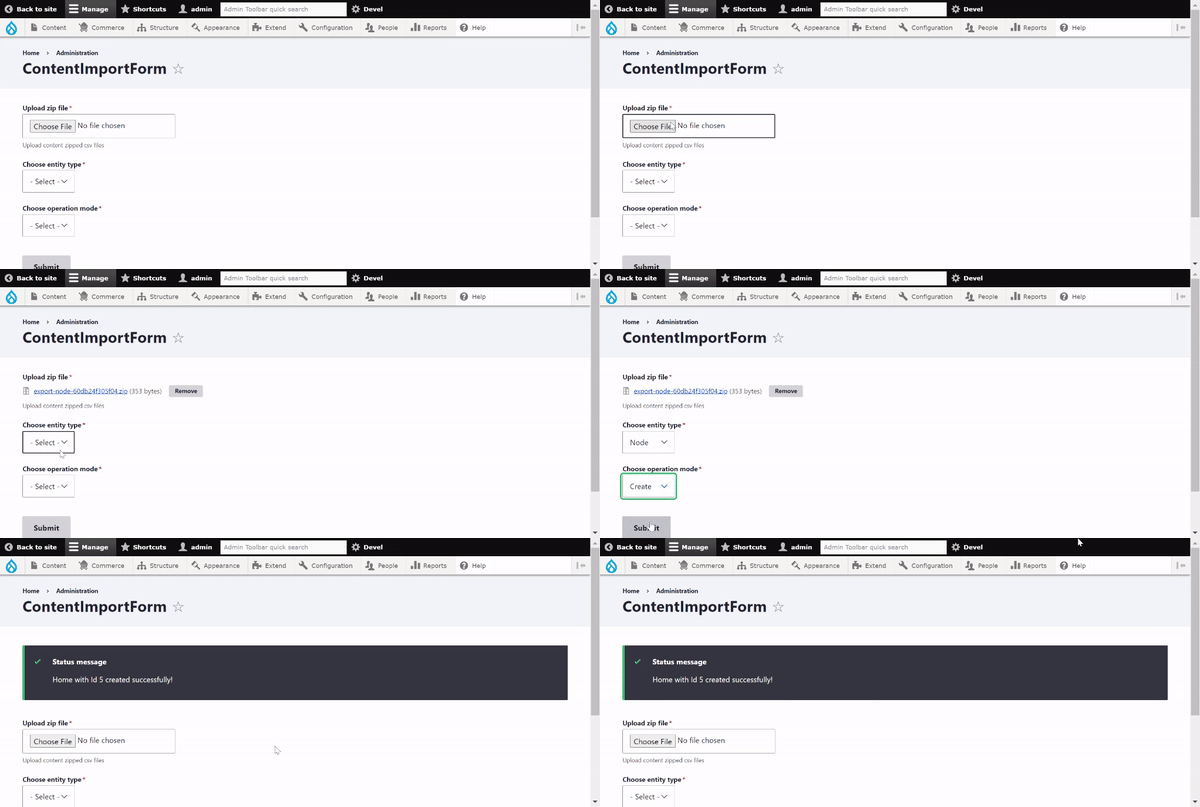
| Attachment | Size |
|---|---|
| content-csv-export-import.gif | 211.83 KB |
| content-csv-import.gif | 299.91 KB |
Project information
- Project categories: E-commerce, Content editing experience, Import and export
 3 sites report using this module
- Created by sravya_12 on , updated
 This project is not covered by the security advisory policy.
Use at your own risk! It may have publicly disclosed vulnerabilities.


