

Needs work
Project:
Claro
Version:
3.0.x-dev
Component:
Code
Priority:
Minor
Category:
Bug report
Assigned:
Unassigned
Reporter:
Created:
27 May 2020 at 13:11 UTC
Updated:
21 Sep 2026 at 15:21 UTC
Jump to comment: Most recent, Most recent file


 Show commands
 changes




Comments
Comment #2
davidferlay commentedComment #3
indrajithkb commentedComment #4
indrajithkb commentedHi @davidferlay Thanks for the detail picture of the issue.
i have removed the extra icon.
Please review the patch.
Before:
After:
Comment #5
indrajithkb commentedComment #6
priyanka.sahni commentedComment #7
priyanka.sahni commentedVerified and tested by applying the patch#4.This looks good to me.Moving it to RTBC.
Steps to test.
1. Go to the admin site.
2. Go to admin/appearance.
3. Enable the Claro theme.
4. Go to admin/modules.
5. Enable Layout Builder, Layout Discovery and click on install.
6. Go to admin/structure/block/list/claro , click on custom block library , click on add custom block.
7. Create 2-3 blocks.
8. Go to admin/structure/types/manage/article/display/default/layout.
9. Add blocks to the layout and save it.
Before_Patch

After_Patch

Comment #8
priyanka.sahni commentedComment #9
davidferlay commentedExcellent, patch working fine indeed
Thanks @Indrajith KB and @priyanka.sahni !
Comment #10
davidferlay commented.
Comment #11
lauriiiThe globe and location icons are being used intentionally so we shouldn't be removing them. We should try to make some changes in Claro so that the default icons get replaced with the globe and location icons when necessary.
Comment #12
indrajithkb commentedHi @lauriii here we have specific classes. i just went through this message designs (https://www.drupal.org/project/ideas/issues/3017785#comment-12890042) that's why i removed the icons. So lets think about #11. Need advice and design for this. Thanks in advance.
Comment #13
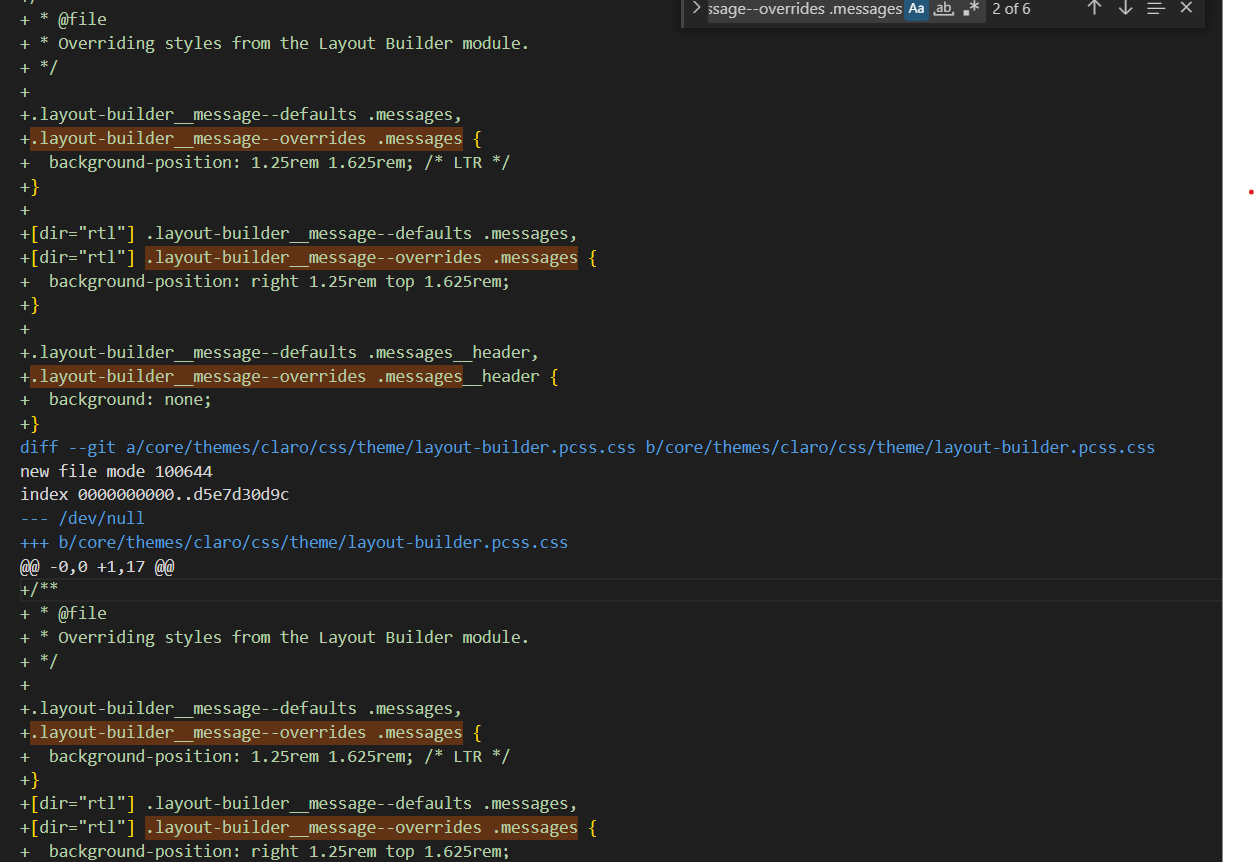
bnjmnm--- a/core/themes/stable/css/layout_builder/layout-builder.css
--- a/core/themes/stable/css/layout_builder/layout-builder.css
+++ b/core/themes/stable/css/layout_builder/layout-builder.css
Whatever the fix ultimately winds up being, it should be in Claro, not Stable. There are several reasons for this:
1. This would impact EVERY theme that inherits from Stable.
2. All core themes, including Claro, stopped using Stable as of Drupal 9
3. Stable/Stable 9 intentionally don't change. They exist to provide a backwards-compatibility-ensuring "fence".
layout_builder/drupal.layout_builderComment #14
davidferlay commentedBtw patch #4 was "working" for 8.9 but not in 9.0 anymore anyways)
Comment #15
asmita26 commentedComment #16
asmita26 commentedComment #17
indrajithkb commentedComment #18
indrajithkb commentedHi @bnjmnm sorry for my patch #4, and now i have updated the patch. Now its only for claro please review my patch.
Comment #19
bnjmnmThanks for #18, this is how the new styling should be added.
This is not the correct solution, however, it's removing the icons that should be visible, and displaying the ones that shouldn't be visible. The Globe/Location icons should be there and in the correct position. The checkmarks should not be displayed.
Comment #20
indrajithkb commentedComment #21
indrajithkb commentedHi @bnjmnm thanks for the review, now i have updated the patch with
1. showing globe/location icons
2. removed the tick mark
Please review #21
adding screenshots:
globe:
location:
Comment #22
priyanka.sahni commentedComment #23
priyanka.sahni commentedVerified and tested by applying the patch #21.It was applied successfully.It looks good to me.Can be moved to RTBC.
Before Patch globe-

Before Patch location -

After Patch globe-

After Patch location-

Comment #24
kiran.kadam911Comment #25
bnjmnmLooks like the patch was written against 8.9. This needs to be rerolled to 9.1. It's possible the 9.1 version will still apply to 8.9, but if it doesn't then a seperate 8.9 version is needed.
Unfortunately, the fix does not work properly on RTL:
Comment #26
ravi.shankar commentedComment #27
ravi.shankar commentedAdded patch for Drupal 8.9.x and Drupal 9.1.x.
Comment #28
bnjmnmSwitching back to "needs work" since the RTL issue in #25 is still unaddressed.
Comment #29
kiran.kadam911Comment #30
kiran.kadam911Kindly review the attached patch.
Manage RTL for globe/location icon with the latest patch #27 9.1.
SS:

Thanks!
Comment #31
ramya balasubramanian commentedHi @kiran.kadam,
Steps to test:
1) Installed 9.1 version and enabled and set claro as the default theme on the Appearance section.
2) Enabled Layout Builder and layout discovery module.
3) Edit the Article content and in Manage display section, click the checkbox 'Use layout builder' and click the 'Manage Layout;' option.
4) Then you will be able to see the below screens.
Before patch:
LTR:

RTL:

After Patch:
LTR:

RTL:

From my side, this is RTBC + 1.
Comment #32
indrajithkb commentedComment #33
indrajithkb commentedHi @kiran.kadam911 thanks for the #30 patch, i have applied successfully on 9.1.x but it's failed to apply on 8.9.x . so am adding separate patch for 8.9.x.
Hi @Ramya Balasubramanian thanks for verifying the fix.
we can use the #30 patch for 9.1.x and #33 for 8.9.x
attaching screenshot for 8.9.x - rtl
Comment #35
indrajithkb commentedComment #36
thedrupalkid commentedWorking as expected, Hence marking it as RTBC.
Comment #37
thedrupalkid commentedComment #38
lauriiiLet's add a docblock to the beginning of the file. 🧐
We should use rems here to be more consistent
Could we make this selector
.layout-builder__message--defaults .messages__header, .layout-builder__message--overrides .messages__headerto make sure we don't remove the background accidentally when we shouldn't? 🤔Comment #39
indrajithkb commentedComment #40
indrajithkb commentedThanks @lauriii for your review and comments , i have updated both patch accordingly please review.
Comment #41
tanubansal commentedFrom my side, this is RTBC + 1.
Comment #43
hinal05 commentedApplied patch #40 and it's working fine. RTBC+1 Please check the screenshot.
Comment #44
abhijith s commentedApplied patch #40 for both 8.9.x and 9.2.x.Both works fine.Adding screenshots below.
Before patch:
d8

d9

After patch:
d8

d9

RTBC +1
Comment #46
indrajithkb commentedHere Re-rolling the patch to 9.3.x, please review.
SS
Comment #47
rinku jacob 13 commentedVerified and tested rerolled patch #46 for drupal 9.3.x-dev version. Patch applied successfully and looks good to me.Adding screenshot for the reference.
Comment #48
manojithape commentedComment #49
manojithape commentedVerified and tested patch#46 on the drupal 9.3.x-dev version and Claro 9.3.0-dev version. Patch applied successfully and looks good to me.
Testing Steps:
Testing Results:
After applying the patch proper single left icon displayed on the layout builder edit page.
We can move this ticket to RTBC.
Comment #50
manojithape commentedComment #51
bnjmnmThis needs to be recompiled with the current JS build tools. There is a "custom commands failed" error because this complied version is not matching what the complied layout-builder.pcss.css is expected to be.
This comment is incorrect. Claro no longer inherits from Stable. Instead, this is overriding styles from the Layout Builder module.
The line with the uncapitalized "layout builder." can probably be removed entirely, as changing the other line will now sufficiently explain the file purpose.
Comment #53
indrajithkb commentedHi @bnjmnm thanks for your review, i have done above mentioned points. Please review the merge request
Comment #54
vikashsoni commentedApplied patch #30
Patch applied successfully
for ref sharing screenshot .....
Comment #56
kristen pol@vikashsoni Thank you for testing. What version did you test? I'm assuming 9.3 since that's what the issue version was when you were testing.
I checked and the patch applies cleanly to 9.3 and 9.4 and with offset for 10 (see below). This should be tested on 9.4 and 10 so tagging.
Comment #57
Satyajit1990 commentedTesting Completed :

Patch Used : #46
Patch Used : #46
Testing Output : After applying the patch It looks good to me.
Comment #58
kristen polThanks for testing @Satyajit1990. Would you test with Drupal 10 using simplytest.me as well?
Comment #59
Satyajit1990 commentedHi @Kristen Pol

I tried using patch #46 in version 10 But it's not working on simplytest.me
Kindly see the screenshot as getting error
Comment #60
kristen polThanks for testing @Satyajit1990. You shouldn't upload files of simplytest.me or DrupalPod not working.
I have found out from @catch that when the patch applies to more than one version, we can just test on 9.4 or 10, i.e. we don't have to test on all versions... just ones with different MRs/patches.
In #57, you wrote
Patch Used : #46but the most recent MR(patch) is in #52.When using DrupalPod, you should be able to choose the branch
3143237-claro--layout(i.e. choose this from theBranchdropdown and leave theChoose a patchdropdown empty).Leaving the manual testing tag to make sure MR
3143237-claro--layoutin #52 is tested with Drupal 9.4.Comment #62
Bushra Shaikh commentedVerified and tested patch#52 on the drupal 9.5.x-dev version and Claro 9.5.x-dev version. Patch applied successfully and looks good to me.
Testing Steps:
Testing Results:
After applying the patch proper single left icon is displayed on the layout builder edit page.
We can move this ticket to RTBC.
Comment #63
quietone commentedThe issue summary shows an image of simplytestme as the expected result. That should show the correct after patch results. Setting to NW for this.
Correct me if I am wrong but after reading the comments I would expect to see after screenshots of the globe and location icons for both RTL and LTR languages. I say two types of languages because #25 pointed out that the fix at that time was not working with RTL languages. We should make sure it is working now. Shouldn't we?
And a note for the committer.
Multiple sets of screenshots have been uploaded for the patch in #40, starting in #41, then in #43 and again in #44. And later, multiple sets of screenshots have been uploaded for the patch in #46, starting in #47, then in #49. I have not adjusted credit because I am not sure of what screenshots are truly needed here.
Comment #64
anoopsingh92I have also tested this issue in Drupal 9.5.0-dev. #52 MR is working fine for me.
I have attached some screenshots for clarification.
Without applying patch

After MR#52

Thanks
Comment #65
anoopsingh92I tried to apply the patch in the same Drupal Version but the patch doesn't work.
Getting this
When this patch was not applying to me then I applied #52 MR Hard coded then changes reflected me.
Thanks
Comment #66
kristen pol@anoopsingh92 Thank you for trying to contribute to this issue but the issue was marked "Needs work" so it was unnecessary to manually test. Please review previous comments prior to manually testing issues to avoid unnecessary work and confusion. Thanks!
Comment #67
kristen polRemoving tag for now to avoid confusion.
Comment #68
ameymudras commentedAs per #63 adding RTL screenshot for MR #52
Comment #69
ameymudras commentedComment #70
ameymudras commentedComment #72
gaurav-mathur commentedComment #73
gaurav-mathur commentedApplied patch #4 on Drupal 9.5.x-dev
The patch worked perfectly & looks good to me, issue got fixed
Refer to the attached screenshots.
Comment #74
andypostre-roll patch for 10.1.x from MR
Comment #75
anoopsingh92I applied patch #74. getting this error.
Comment #76
anoopsingh92You have added the same CSS code in layout-builder.css and layout-builder.pcss.css
Please cross-check once again. Thanks
Comment #77
anoopsingh92Comment #78
anoopsingh92Please review the re-rolled patch.
Comment #79
anoopsingh92@andypost patch is fine. deleting my patch. Thanks
Comment #80
deepalij commentedTried to apply patch #78 on Drupal 10.1.x-dev
Patch failed to apply
Getting below error:
Comment #81
needs-review-queue-bot commentedThe Needs Review Queue Bot tested this issue. It either no longer applies to Drupal core, or fails the Drupal core commit checks. Therefore, this issue status is now "Needs work".
Apart from a re-roll or rebase, this issue may need more work to address feedback in the issue or MR comments. To progress an issue, incorporate this feedback as part of the process of updating the issue. This helps other contributors to know what is outstanding.
Consult the Drupal Contributor Guide to find step-by-step guides for working with issues.
Comment #83
andypostre-roll for 11.x
Comment #84
smustgrave commentedConfirmed the issue but using claro as my front-end theme.
Applying #83 addressed the issue and I'm seeing the same screenshots as currently in the issue summary.
Updated the issue summary to match the standard template.
Comment #85
quietone commentedI'm triaging RTBC issues. I read the IS and skimmed through the comments from #63 onwards. didn't find any unanswered questions or other work to do.
There are failing tests, setting to Needs work. Since DrupalCI is deprecated this should be on an MR now too.
I tested this on today on 11.x, standard install. Following the steps to reproduce in the issue summary, I was not able to reproduce the problem. The hint was in #84 that Claro should be the default theme. When I made the change I saw the problem, but only in the error message. There was no problem with the warning message. The steps to reproduce should be updated to state that Claro must be set to the default theme. I am tagging for an issue summary update.
Comment #86
shweta__sharma commentedIssue summary updated.
Comment #87
shweta__sharma commentedI am only able to see the issue with the status message, not with the warning message.
Tested on Drupal 11
Comment #89
shweta__sharma commentedCreated MR for the updated Drupal branch 11.x
Thanks
Comment #90
nitin shrivastava commented@shweta__sharma
After applying the patch, it looks fine, but the 'done' mark, which was displayed just before the status message, has been removed.
before patch


After patch
Comment #91
nitin shrivastava commentedComment #93
gauravvvv commentedAddressed #90.
Leaving to NW as this still requires issue summary update.
Comment #94
shweta__sharma commentedTested latest MR 5990 on Drupal 11. Changes have been updated layout builder icon with Claro is removed now.
Comment #95
shweta__sharma commentedIssue summary updated with latest UI changes. Added before/after screenshots.
Thanks
Comment #96
shweta__sharma commentedComment #97
finnsky commentedGonna review a bit
Comment #98
finnsky commentedLooks good to me. Thank you
Comment #99
larowlan"Set claro as default theme" feels like an unlikely choice so lowering this to minor
Comment #101
larowlanClosed the 9.3 MR
Comment #102
larowlanIs the code in the 11.x MR correct? It seems to be removing the background. The 9.3 MR was doing something different.
Which one was correct? Based on comments/reviews from @lauriii and @bnjmnm it feels like they were in favour of the 9.3 approach, which seems lost in the 11.x MR
Setting to needs work for clarification.
Comment #104
quietone commentedThe Claro theme was approved for removal in #3576460: [policy, no patch] Deprecate and remove Claro.
This is Postponed. The status is set according to two policies. The Remove a core extension and move it to a contributed project and the Extensions approved for removal policies.
The deprecation work is in #3576668: [meta] Tasks to deprecate Claro and the removal work in #3584638: [meta] Tasks to remove the Claro theme.
Comment #105
smustgrave commentedClaro has moved to contrib